Avoid losing Google rankings when moving
Best practices to maintain your Google rankings when moving your shop to Shoporama.
When you migrate your online store to Shoporama from another platform, it’s important to take the right steps to maintain your Google rankings. Here, we’ll go over the most important factors and what you need to do.
Factors That Affect Your Rankings
Google evaluates your pages based on many factors, including:
- Page titles and meta descriptions
- Headings (H1, H2, etc.)
- Page content —text, images, and product descriptions
- URL structure — if URLs change, Google loses context
- Page speed — a slower page can lead to a drop in rankings
- HTML semantics — correct use of headings, lists, etc.
1. Transfer all your content
Be sure to transfer the following from your old store to Shoporama:
- Product texts and descriptions
- Category texts
- Title tags and meta descriptions
- Headings (H1)
- Images and alt text
Important
If you have 500 words on a product page in your old store and they disappear during the migration, you’ll likely see a drop in Google rankings. Make sure all content is transferred.
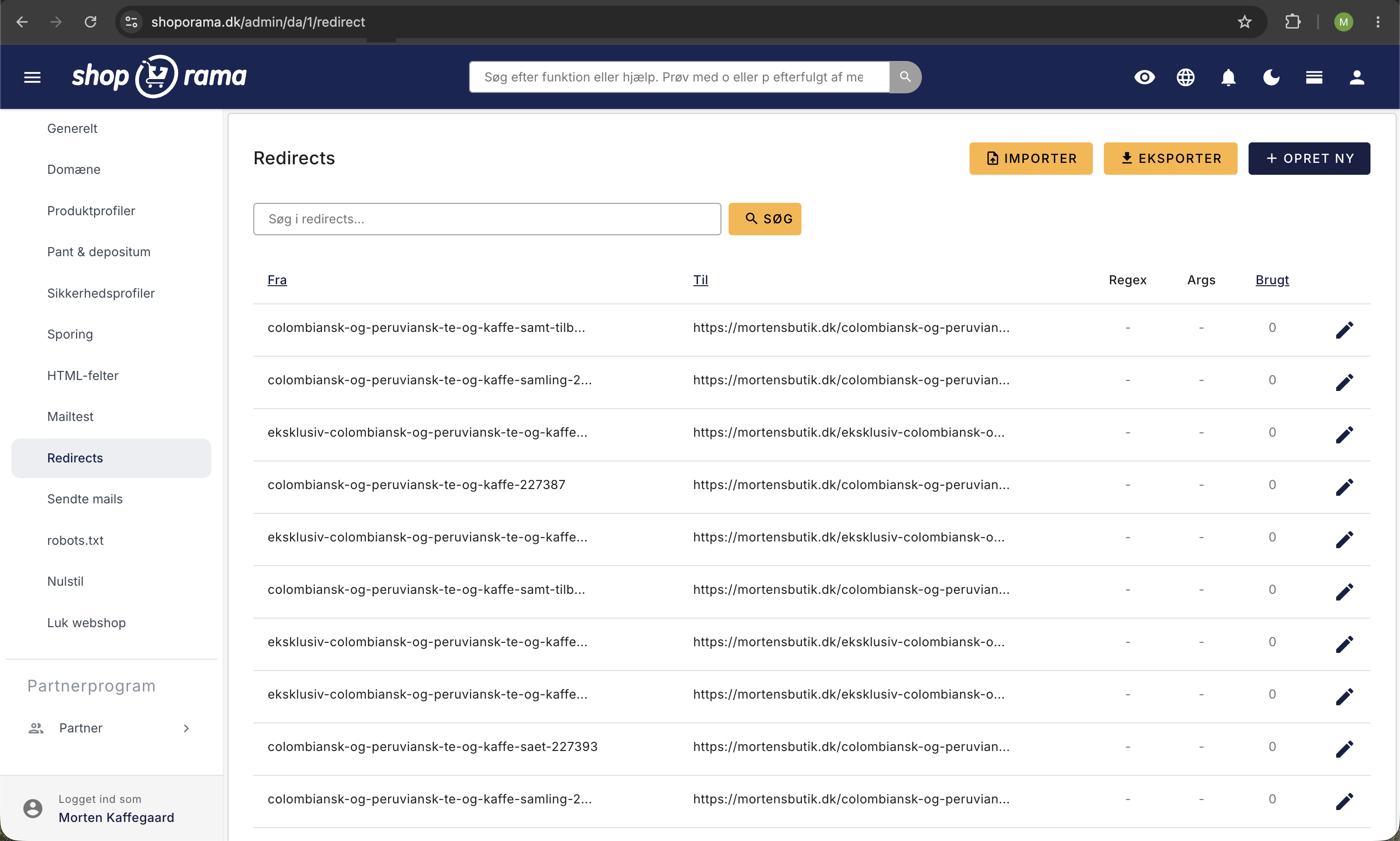
2. Set up redirects
Redirects are absolutely essential. When your URLs change, you need to tell Google (and others) that the old URL has now been moved to a new address. Without redirects:
- Visitors coming from external links will see a 404 page
- You’ll lose the “link juice” (SEO value) from inbound links
- Google can’t find your pages and removes them from search results
Read our guide on how to set up redirects in Shoporama.
3. Check After the Move
In the first few weeks after the move, you should:
- Monitor for 404 errors in your Shoporama dashboard
- Check Google Search Console for crawl errors
- Set up redirects for any URLs you may have overlooked
- Verify that your most important pages are indexed correctly
Tip
If you transfer all your content and set up redirects correctly, there’s a good chance you ’ll improve your rankings—Shoporama generates fast, SEO-friendly pages.
Need help with the migration? Contact us at support@shoporama.dk.