Billy's Billing integration
Guide to setting up Billy's Billing in Shoporama. Automatically transfer orders to your accounts, synchronize products and post payments.
Shoporama kan integreres med Billy's Billing, så dine ordrer automatisk overføres til regnskabet. Produkter synkroniseres, kunder oprettes og betalinger kan bogføres automatisk — uden manuel indtastning.
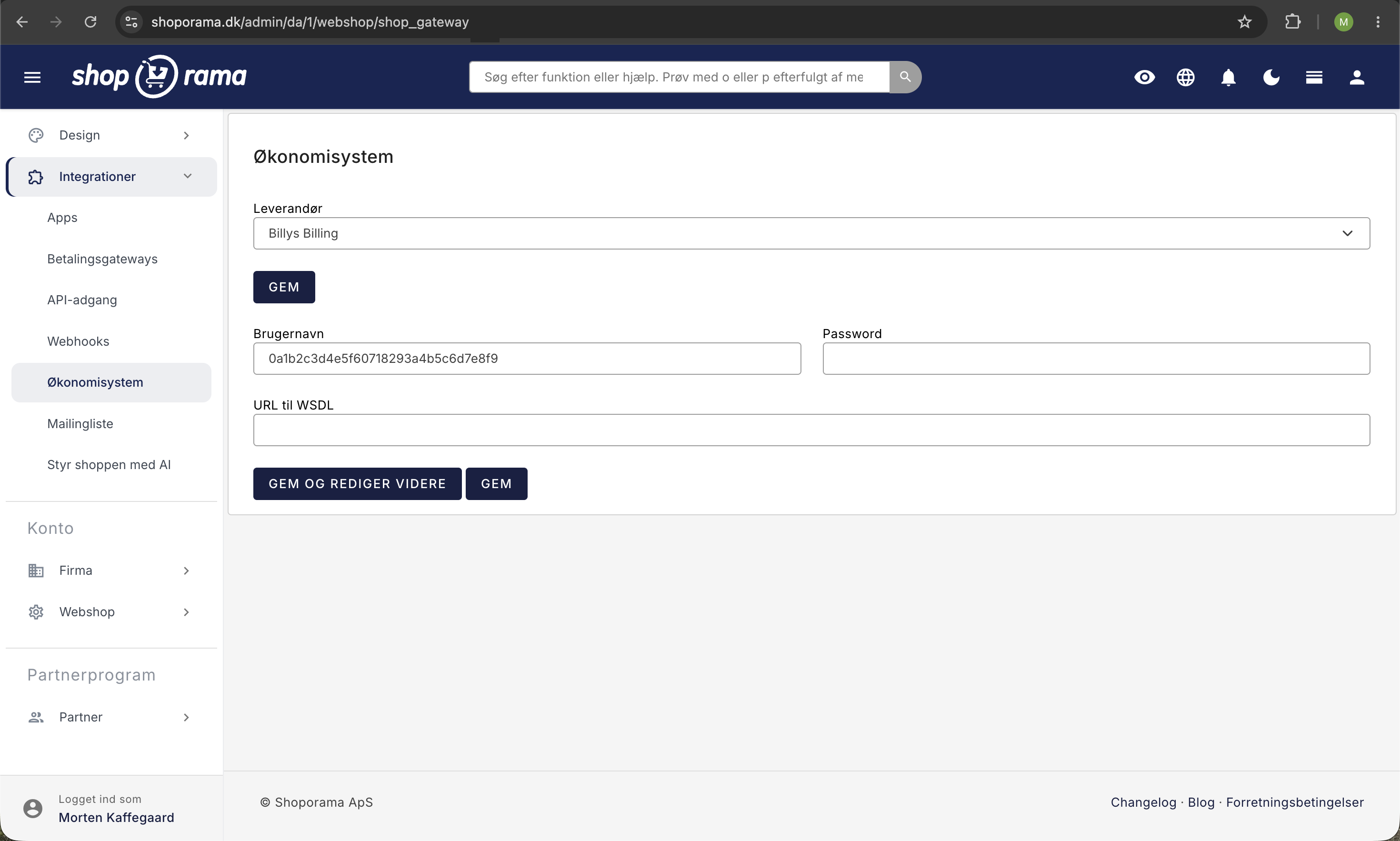
Opsætning
- Gå til Integrationer → Økonomisystem i administrationen
- Vælg Billy's Billing som leverandør
- Indtast din API-nøgle fra Billy's Billing
- Vælg hvilken konto dine produkter skal oprettes i (typisk "Salg")
- Vælg et fragtprodukt — opret først et produkt kaldet "Fragt" i Billy
- Vælg et rabatprodukt — bruges til at bogføre rabatter og gavekort
- Gem indstillingerne
Hvornår overføres ordrer?
Du kan vælge hvornår ordrer skal overføres til Billy:
- Når ordren er betalt — Ordren overføres så snart betalingen er registreret
- Når ordren er afsendt — Ordren overføres først når den er markeret som afsendt
Hvad overføres?
Når en ordre overføres til Billy, oprettes automatisk:
- Kontakt — Kundens navn, adresse, e-mail og telefon. Virksomhedskunder oprettes med CVR/EAN-nummer
- Faktura — Med alle ordrelinjer, varenumre, antal og priser
- Fragtlinje — Forsendelsesomkostninger tilføjes som separat linje
- Rabatlinjer — Kampagnerabatter og gavekort bogføres som separate linjer
Automatisk bogføring af betalinger
Du kan aktivere automatisk bogføring af betalinger. Når funktionen er slået til, bogføres betalingen automatisk i Billy når ordren er betalt. Du vælger hvilken konto betalingerne skal bogføres på (fx din bankkonto).
Produktsynkronisering
Shoporama synkroniserer automatisk dine produkter til Billy's Billing med varenummer, pris og valuta. Synkroniseringen sker løbende i baggrunden, så nye produkter altid er tilgængelige når ordrer overføres.
Kreditnotaer
Når du opretter en returnering eller kreditnota i Shoporama, overføres den automatisk til Billy som kreditnota knyttet til den originale faktura.
Ordrepræfiks
Du kan tilføje et præfiks til ordrenumrene der overføres til Billy. Det er nyttigt hvis du har flere salgskanaler og vil kunne skelne ordrer fra hinanden i regnskabet.
Tip
Husk at oprette et "Fragt" og et "Rabat" produkt i Billy inden du aktiverer integrationen. Kontakt os på support@shoporama.dk hvis du har brug for hjælp.
Related articles
Age verification on products
Guide to setting up age verification on products in Shoporama. Set the age requirement to 16 or 18 years and let the payment gateway handle the...
Protect your webshop from spam orders
Guide to protecting your Shoporama webshop from spam orders and fraud using blacklist, captcha and 3D Secure.
Export orders as CSV
Guide to exporting order data as CSV from Shoporama, with the option to filter by order number or date range.