Brevo integration newsletter signup integration from your webshop
How to connect your Shoporama webshop to Brevo (formerly Sendinblue) so that new newsletter subscriptions automatically land in Brevo. Read what the integration can do and what you need to set up in Brevo yourself.
Shoporama kan kobles direkte til Brevo (tidligere Sendinblue), så nye nyhedsbrevstilmeldinger fra din webshop automatisk havner i Brevo som kontakter. Du kan derefter sende nyhedsbreve, kampagner og automatiserede mails fra Brevo, og dataopgaverne deles mellem Shoporama og Brevo.
Vigtigt at vide: Integrationen synkroniserer udelukkende kontaktoplysningerne e-mail, fornavn og efternavn til Brevo. Den synkroniserer ikke ordrer, købshistorik, telefonnumre, adresser eller produktdata. Hvis du har brug for ordresynkronisering, segmentering på køb eller automatiske flows baseret på køb, så er Klaviyo eller HeyLoyalty bedre alternativer.
Hvad sender Shoporama til Brevo?
Når en kunde tilmelder sig dit nyhedsbrev gennem webshoppen, sender Shoporama disse oplysninger til Brevo:
- E-mailadresse
- FIRSTNAME kontaktens fornavn
- LASTNAME kontaktens efternavn
Kontakten tilføjes til den Brevo-liste du vælger i opsætningen. Yderligere kontaktdata, fx telefonnumre, adresser eller fødselsdage, kan kunden eller du selv tilføje direkte i Brevo.
Sådan opretter du integrationen
- Opret en konto hos Brevo hvis du ikke allerede har en
- I Brevo, opret en liste til dine nye nyhedsbrevstilmeldinger
- Hent din API-nøgle fra Brevo under SMTP & API → API-nøgler
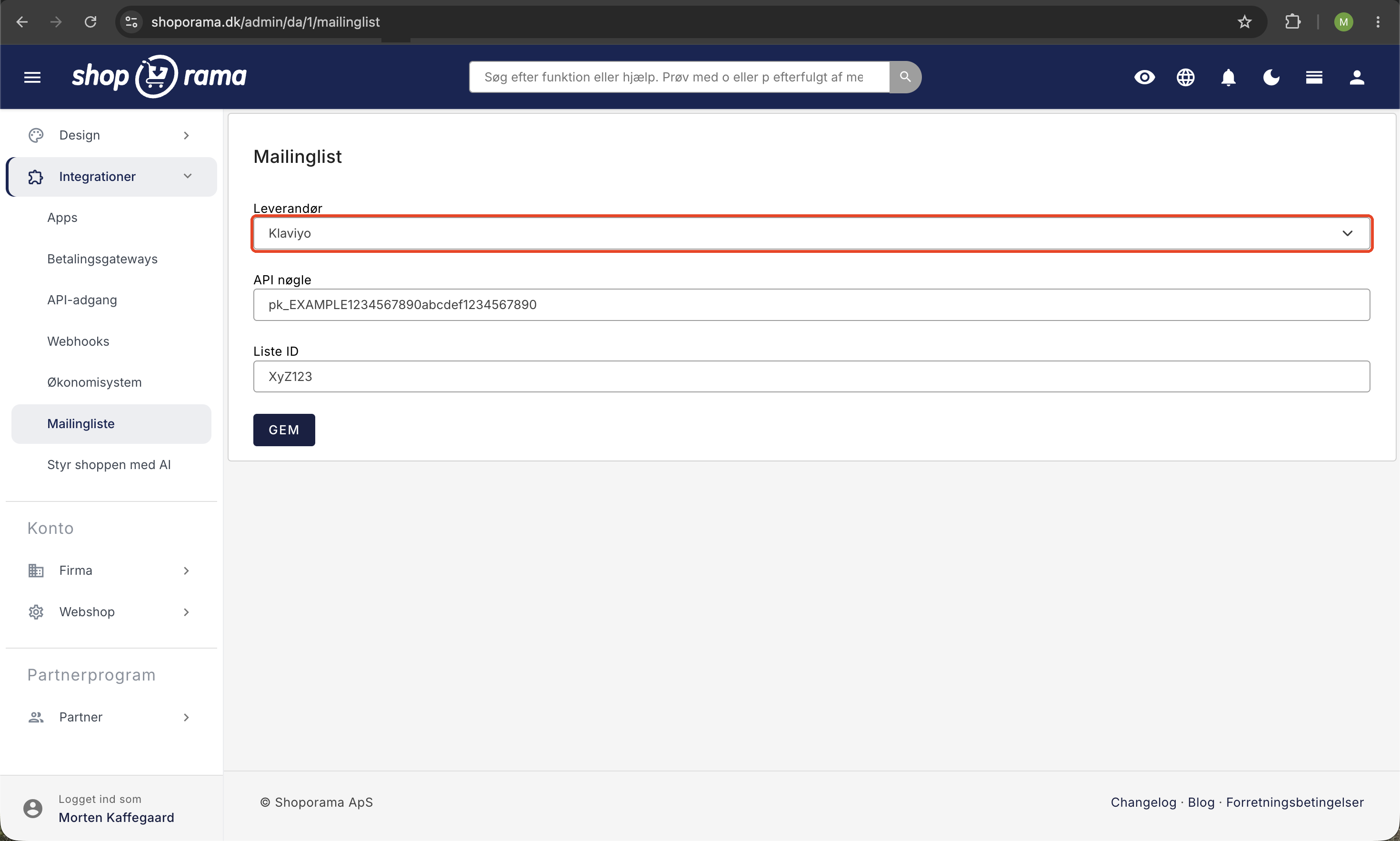
- Gå til Integrationer → Mailingliste i Shoporama
- Vælg Brevo som mailingliste-udbyder
- Indsæt API-nøglen og vælg den liste, nye tilmeldinger skal lægges på
- Gem indstillingerne
Double opt-in (anbefalet)
For at sikre god datakvalitet og overholde GDPR kan du aktivere double opt-in. Så får kunden en bekræftelsesmail fra Brevo og bliver først tilføjet til listen efter klikket. Sådan opsætter du det:
- I Brevo, opret en e-mailskabelon til opt-in-bekræftelsen og giv den tagget optin
- Tilbage i Shoporama, sæt et flueben i Aktivér double opt-in
- Vælg den oprettede skabelon
- Skriv en redirection URL som kunden sendes til efter bekræftelse (typisk din forside eller en "tak"-side)
Hvad sker der i Brevo derefter?
Når kontakten ligger i Brevo kan du selv:
- Sende nyhedsbreve og kampagner
- Bygge automatiserede flows (velkomstserier, fødselsdagsmails osv.) baseret på data der findes i Brevo
- Bygge segmenter baseret på de attributter der findes i Brevo, fx fornavn, by, kategori du selv har sat på kontakten
- Importere yderligere data manuelt eller via Brevos API
Da Shoporama ikke sender ordredata til Brevo, kan du ikke segmentere kontakter ud fra fx "har købt for mere end 1000 kr.", "har købt i kategori X" eller "har ikke købt i 90 dage" automatisk. Det kræver at du selv beriger kontaktoplysningerne via en CSV-eksport fra Shoporama eller via Brevos API.
Vil du have mere end basal sync?
Hvis du ønsker fuld ordre- og købssynkronisering, automatiserede mailflows baseret på faktiske køb, abandoned cart-mails og avanceret segmentering, så anbefaler vi en af disse løsninger i stedet:
- Klaviyo dyb integration med ordrer, kategorier, produkter og købshistorik
- HeyLoyalty dansk platform med god ordresync og loyalitetsfunktioner
- Shoporamas eget nyhedsbrevssystem indbygget i administrationen, ingen ekstern integration nødvendig
Eksportér ordrer manuelt til Brevo
Vil du alligevel bruge Brevo og have ordredata med, kan du regelmæssigt eksportere kunder fra Shoporama (fx kunder der har købt et bestemt produkt) som CSV og importere dem i Brevo som en ny attribut. Det er manuelt arbejde, men du får et rimeligt udgangspunkt for segmentering.
Ofte stillede spørgsmål
Synkroniserer integrationen mine ordrer til Brevo?
Nej. Kun e-mail, fornavn og efternavn synkroniseres når kunden tilmelder sig nyhedsbrevet. Ordrer, beløb, produkter og købshistorik sendes ikke. Vil du segmentere på køb, brug Klaviyo eller HeyLoyalty.
Bliver kunder automatisk tilmeldt nyhedsbrevet når de handler?
Kun hvis du selv aktiverer det i nyhedsbrevsmodulets indstillinger og kunden krydser tilmeldings-tjekboksen af i checkout. GDPR kræver aktivt samtykke, så det er aldrig automatisk uden kundens valg.
Kan jeg sende mit nyhedsbrev fra Shoporama men have kontakterne i Brevo?
Du kan bruge Shoporamas indbyggede nyhedsbrevssystem selvstændigt eller bruge Brevo. Det giver oftest mest mening at vælge én af delene fremfor at have parallelle systemer.
Hvad sker der hvis kunden afmelder sig i Brevo?
Afmelding i Brevo håndteres i Brevo. Shoporama opdateres ikke automatisk om afmeldingen. Hvis kunden senere prøver at tilmelde sig igen via webshoppen, vil Brevo respektere unsubscribe-statussen og ikke tilføje dem til listen.
Hvor finder jeg min Brevo API-nøgle?
Log ind i Brevo og gå til Mit navn (øverst) → SMTP & API → API-nøgler. Klik Generate a new API key hvis du ikke har en. Kopier nøglen og indsæt den i Shoporama.
Mister jeg mine nuværende kontakter hvis jeg skifter fra Mailchimp/Heysender til Brevo?
Nej, men du skal selv eksportere fra det gamle system og importere i Brevo. Shoporama overfører kun nye tilmeldinger fra det øjeblik integrationen er aktiveret.
Skal kunden bekræfte sin tilmelding?
Det er valgfrit. Med double opt-in skal kunden bekræfte via mail før de er tilmeldt det giver højest datakvalitet og er anbefalet ift. GDPR. Uden double opt-in tilmeldes de straks.
Hvad koster Brevo?
Brevo har en gratis plan med op til 300 mails om dagen og betalte planer fra ca. €25/måned. Se aktuelle priser hos Brevo.
Har du brug for hjælp til at sætte Brevo-integrationen op? Skriv til os på support@shoporama.dk.
Related articles
The newsletter module
Complete guide to Shoporama's built-in newsletter module. Learn how to create campaigns, segment recipients, use A/B testing, set up automatic...
HeyLoyalty integration
Guide to setting up HeyLoyalty in Shoporama for email marketing with automatic synchronization of subscribers and order data.
Set up Klaviyo integration
Guide to setting up Klaviyo integration with your Shoporama online store for automated email flows.
Set up Heysender integration
Guide to setting up Heysender integration so your transactional emails support DMARC, SPF and have better deliverability.
Related features
Email marketing
Integrate with Klaviyo, Brevo, Mailchimp, Ubivox or Campaign Monitor, or use Shoporama's own newsletter system. Automatic synchronization and event...
Newsletter system - send professional newsletters directly from Shoporama
Built-in newsletter system with A/B testing, segmentation, product blocks and statistics. Integrates with Brevo, Klaviyo and HeyLoyalty. Included...