HeyLoyalty integration
Guide to setting up HeyLoyalty in Shoporama for email marketing with automatic synchronization of subscribers and order data.
HeyLoyalty is a Danish email marketing platform that can be integrated with Shoporama via the App Store. The integration automatically syncs newsletter subscribers and order data, allowing you to create targeted campaigns based on customer behavior and purchase history.
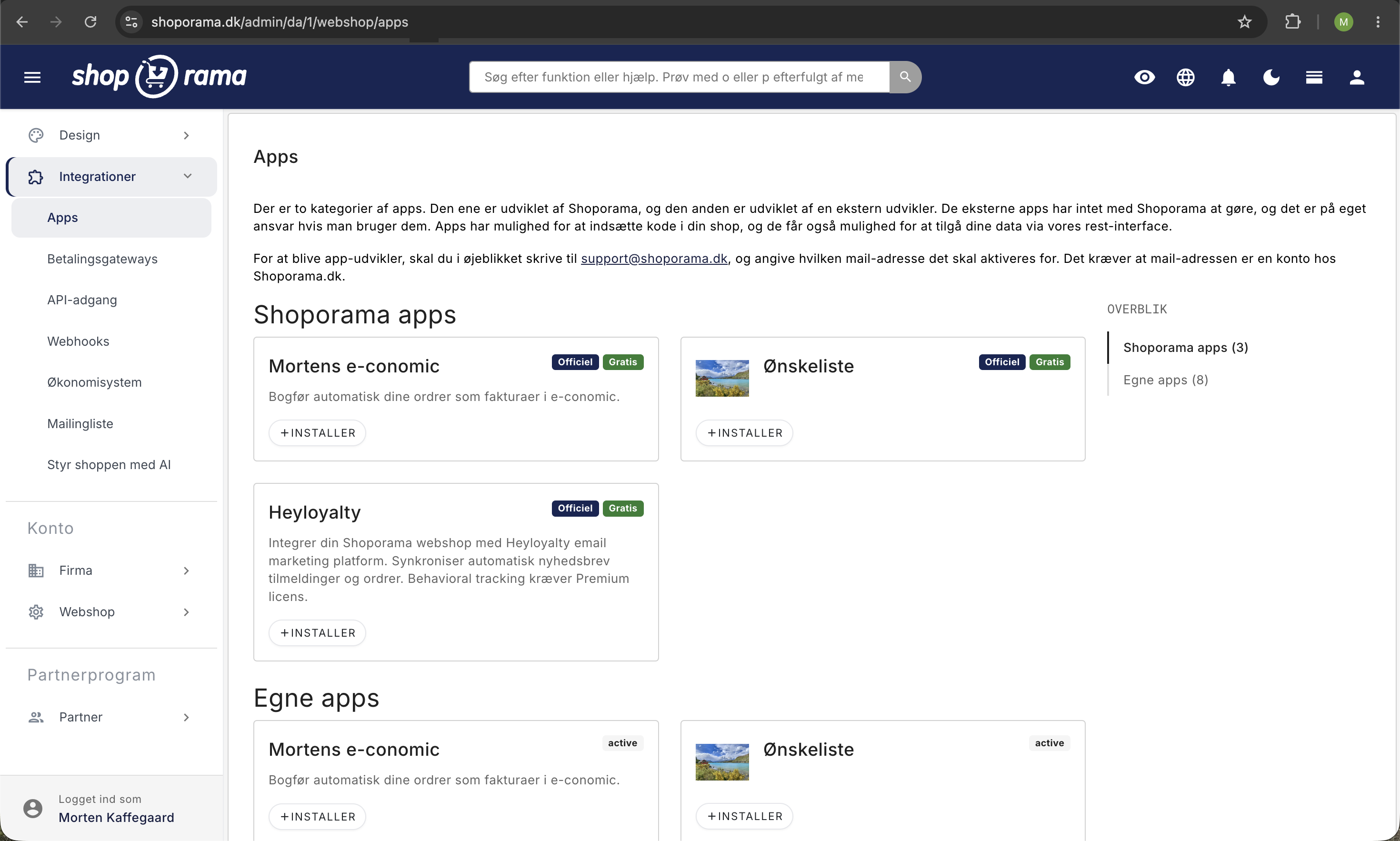
Installation
- Go to Integrations → Apps in the Shoporama admin panel
- Find HeyLoyalty and install the app (it’s free)
- Retrieve your API Key and API Secret from HeyLoyalty under Settings → Account Information
- Enter the API Key and API Secret in the app settings
- Select which HeyLoyalty list new subscribers should be added to
- Save the settings
Newsletter Synchronization
When a customer subscribes to the newsletter on your online store, the subscription is automatically synced to the selected HeyLoyalty list. The following data is transferred:
- Email address
- First name and last name
- Country
Order Synchronization
Once an order has been paid for and shipped, the order data is automatically sent to HeyLoyalty. This allows you to segment customers based on their purchase history and set up automated email flows.
The order data that is synced includes the order number, products, amount, payment method, and shipping method.
Behavior-based tracking
If you have HeyLoyalty Premium, you can enable behavior-based tracking. This requires an Integration ID from HeyLoyalty:
- Page views — Track which pages customers visit
- Product views — See which products interest customers
- Purchases — Record purchases to enable targeted follow-ups
Enable tracking in the app settings by entering your Integration ID and turning on tracking.
Tip
If you need help setting up HeyLoyalty, feel free to contact us at support@shoporama.dk.
Related articles
Brevo integration newsletter signup integration from your webshop
How to connect your Shoporama webshop to Brevo (formerly Sendinblue) so that new newsletter subscriptions automatically land in Brevo. Read what...
Blacklist - Block unwanted orders
Learn how to use Shoporama's blacklist feature to block spam orders and unwanted customers by blacklisting email, phone number or IP address.
Get an email when a new order is placed
Guide to setting up email notification when a new order is received in your Shoporama online shop.
Related features
Email marketing
Integrate with Klaviyo, Brevo, Mailchimp, Ubivox or Campaign Monitor, or use Shoporama's own newsletter system. Automatic synchronization and event...
Newsletter system - send professional newsletters directly from Shoporama
Built-in newsletter system with A/B testing, segmentation, product blocks and statistics. Integrates with Brevo, Klaviyo and HeyLoyalty. Included...