Set up Heysender integration
Guide to setting up Heysender integration so your transactional emails support DMARC, SPF and have better deliverability.
To ensure reliable delivery of transactional emails from your online store (order confirmations, shipping notifications, etc.), you need to set up the Heysender integration. This ensures that your emails support DMARC and SPF, which are requirements of Gmail and Yahoo, among others.
Important
Once you’ve enabled Heysender, it cannot be disabled again. Therefore, make sure you have access to your DNS before you begin.
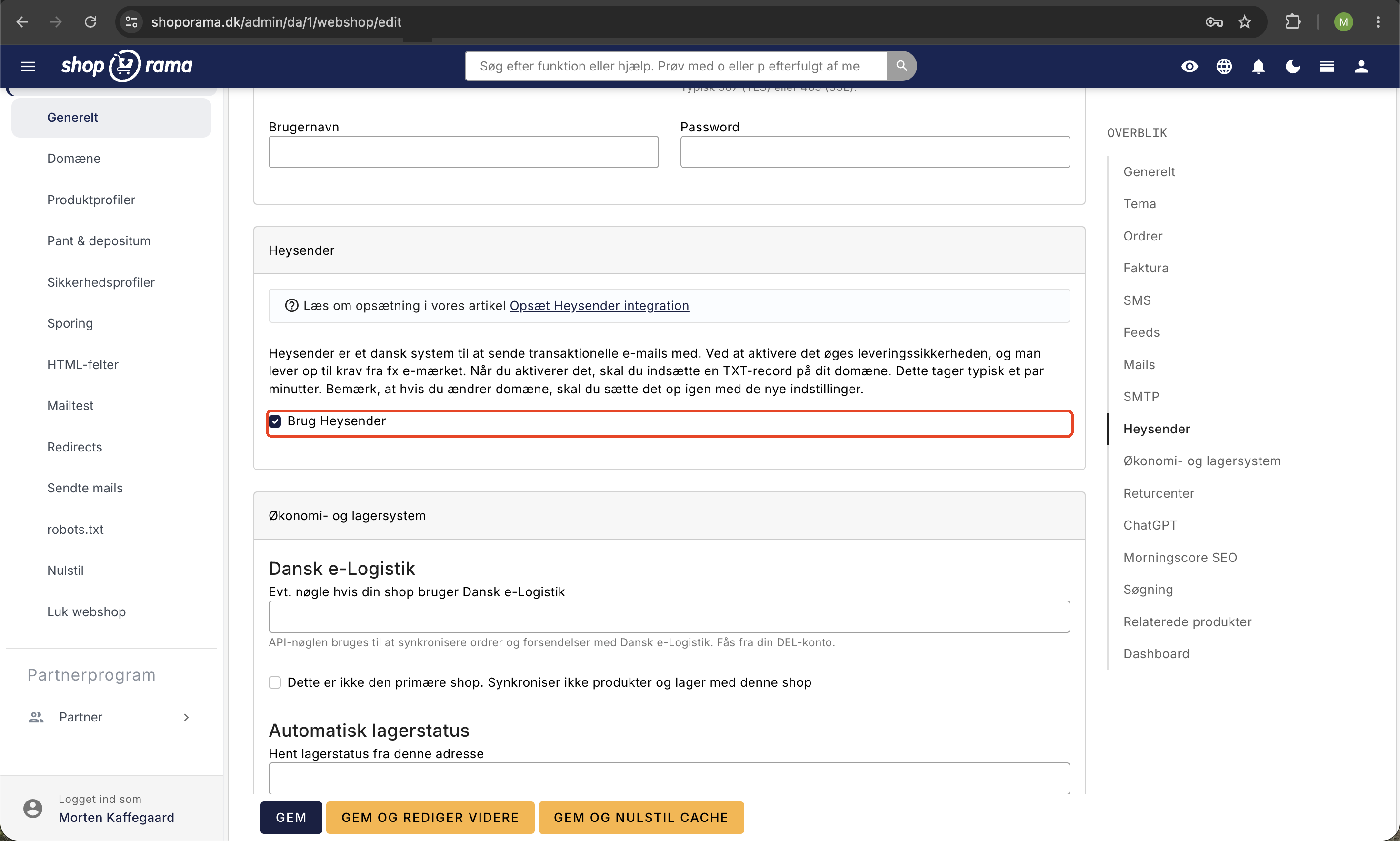
Step 1: Enable Heysender in Shoporama
- Log in to your Shoporama admin
- Go to Account → Webshop → General
- Find the Heysender tab and click on it
- Check the box next to "Use Heysender"
Step 2: Create a TXT record in your DNS
Once you’ve enabled Heysender, a TXT record will appear that you need to create in your DNS. The page displays both the name and the value of the record.
Create the TXT record with your DNS provider (e.g., Simply, One.com, Cloudflare, or similar).
Step 3: Add Heysender to your SPF
You must also add Heysender to your SPF record. The exact value is listed on the Heysender page in Shoporama.
Step 4: Save and wait
Once both DNS changes have been made, click Save in Shoporama. It may take between 30 minutes and 24 hours for the DNS changes to take effect.
After that, your transactional emails will be sent via Heysender with the correct DMARC and SPF, resulting in significantly better delivery rates.
Need help? Contact us at support@shoporama.dk.
Related articles
Set up Klaviyo integration
Guide to setting up Klaviyo integration with your Shoporama online store for automated email flows.
Brevo integration newsletter signup integration from your webshop
How to connect your Shoporama webshop to Brevo (formerly Sendinblue) so that new newsletter subscriptions automatically land in Brevo. Read what...
HeyLoyalty integration
Guide to setting up HeyLoyalty in Shoporama for email marketing with automatic synchronization of subscribers and order data.