Set up Partner Ads in Shoporama: getting started
Introduction to Partner Ads in Shoporama. Understand what it is, what you get out of it, and get started quickly with product feed and tracking.
Partner Ads is Denmark’s largest affiliate network. Bloggers, comparison sites, and content sites promote your products, and you only pay when they generate a sale or a lead. This article gives you the big picture: what Partner Ads is, what you get out of it, and where to find the settings in Shoporama.
Just need a step-by-step guide to setting it up? Jump to the Partner Ads step-by-step setup guide. This article explains the background and why you’re doing this.
What are Partner Ads?
Partner Ads is an affiliate platform where other websites (called partners) recommend your products in exchange for a commission per sale. You set the rate yourself, and you only pay when a customer has actually made a purchase through a partner. Partner Ads handles payments, statistics, and partner recruitment, and Shoporama provides the two components you’ll need on your site: a product feed and a tracking snippet.
The two components: feed and tracking
The integration with Shoporama consists of two parts, and they are activated separately. It’s important to understand this because a common pitfall is simply entering a program ID and assuming the rest happens automatically:
- Product feed: an XML file containing your products (title, price, image, link), which Partner Ads automatically retrieves and distributes to partners. Activated using the “Enable Partner Ads feed” checkbox.
- Tracking: a small script that sets a cookie when a customer comes from a partner and sends order information to Partner Ads upon a completed purchase. Activated using the “Enable Partner Ads Tracking” checkbox.
You can enable both or just one. Most people enable both because the feed without tracking does not generate commission, and tracking without the feed requires the partner to manually create a link to your store.
Before you get started
- Create an advertiser account with Partner Ads and wait for approval.
- Make a note of your program ID. It’s listed on your Partner Ads account dashboard and is the number that links your sales to your advertiser account.
- Decide which program type you’ve agreed to: Sales (commission per order) or Leads (commission per registered contact). For online stores, it’s almost always Sales.
- Select the country your account is linked to: Denmark, Sweden, or Norway.
Where can I find the settings?
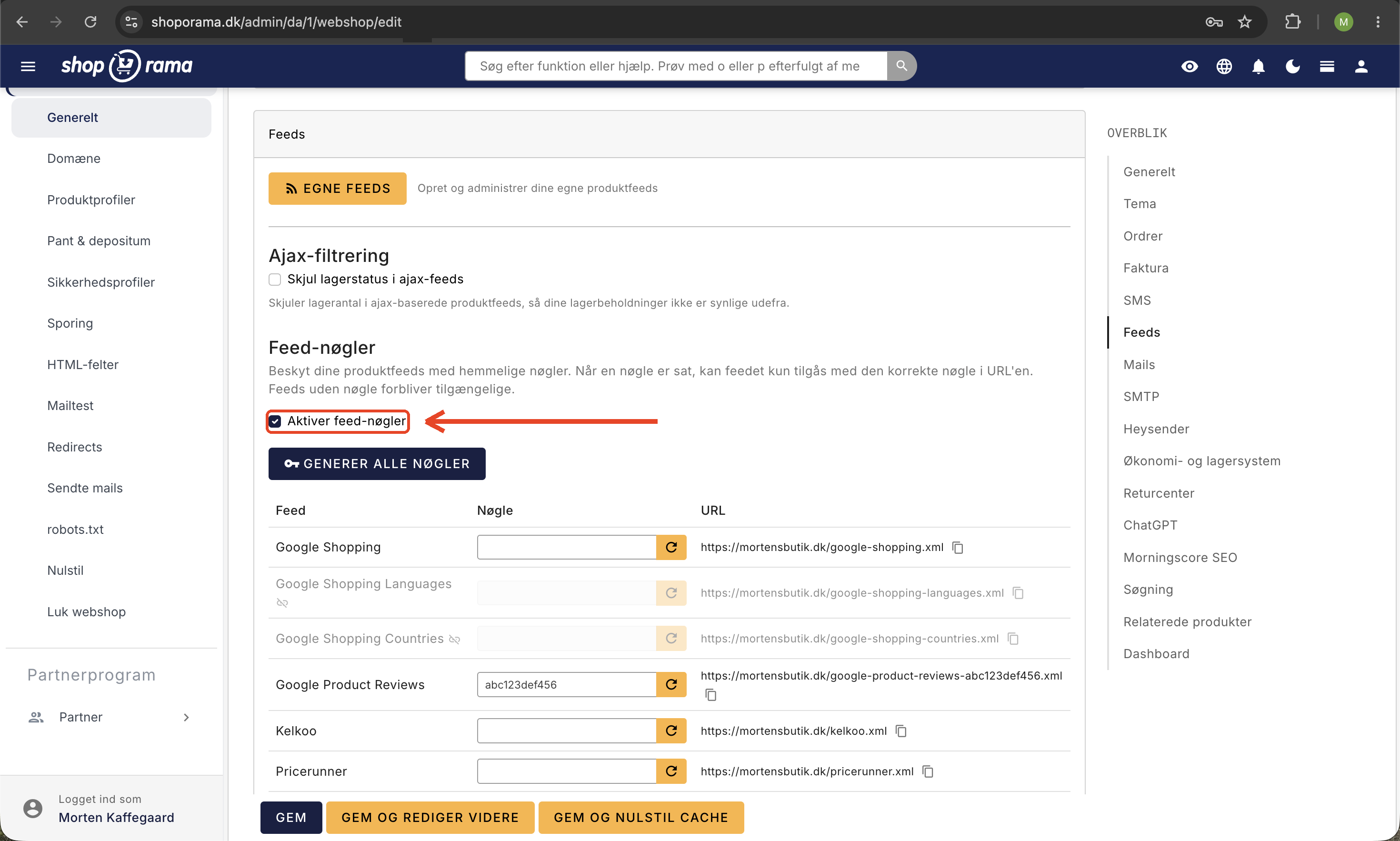
All Partner Ads settings are grouped together in one place in the Shoporama admin. Navigate there using the left-hand menu:
- Go to Account → Webshop → General in the left sidebar.
- Find the tab labeled "Feeds" on the page.
- Scroll down in the section to the “Partner Ads” section. All fields are grouped here: feed checkbox, tracking checkbox, program ID, key, program type, country, automatic cancellation, and rate groups.
Note: Previously, there was a separate menu item called "Feeds." It no longer exists. All settings for Partner Ads, Google Shopping, Pricerunner, and similar services are now grouped on the Webshop page under the “Feeds” tab. You can create your own custom product feeds under Products → Product Feeds.
At a minimum, you must fill out the following
Follow these four steps to get your Partner Ads setup up and running:
- Check the box next to “Enable Partner Ads feed” and enter your program ID in the “Partner Ads ID (if applicable)” field.
- Check the box next to "Enable Partner Ads tracking" and fill in the "Partner Ads program ID" field.
- Select Program Type (typically Sales) and Partner Ads Country (typically Denmark).
- Click Save at the bottom of the page. The feed URL will then appear in Shoporama, and you can share it with Partner Ads.
If you want the details—including automatic cancellation upon return and different commission rates per brand—continue with the in-depth guide: Partner Ads Setup Step by Step.
What happens after setup?
- Partner Ads retrieves your feed at regular intervals and updates which products partners can promote.
- When a customer clicks on a partner link, Shoporama sets a cookie that lasts for 40 days.
- If the customer places an order within those 40 days, the order number and total price are automatically sent to Partner Ads.
- You settle commissions through Partner Ads’ own platform.
Frequently Asked Questions
What is the difference between Partner Ads and Google Shopping?
Google Shopping is Google’s own product advertising platform, where you pay per click. Partner Ads is an affiliate network where you pay a commission per sale through third-party websites. The two can run simultaneously and are not mutually exclusive. Both feeds are set up on the same page in Shoporama under Account → Webshop → General.
How much does it cost to participate?
Partner Ads charges a setup fee and a monthly base fee, plus a percentage of the commission you pay your partners. Specific prices may vary, so check Partner Ads’ pricing page before signing up. The integration with Shoporama itself doesn’t cost extra.
Where can I find my program ID?
Log in to your advertiser account with Partner Ads. The program ID is located on the front page of your account, often next to the program name. It’s typically a 4- to 5-digit number, and you’ll need to copy it into Shoporama under both “Optional Partner Ads ID” and “Partner Ads Program ID.”
Do I have to find partners myself?
No, but it helps. Once your program is active on Partner Ads, partners can sign up for your program themselves through the network. Many advertisers also reach out directly to relevant bloggers and content sites to boost recruitment. You decide which partners to approve.
Can I set different commission rates per product or brand?
Yes. Check the box for “Use differentiated rate groups” on the same page and specify a default rate. You can then set specific rates per brand under Products → Brands. This is useful if some suppliers accept higher commissions than others.
Does Partner Ads affect my conversion rate?
Partner Ads do not directly affect conversions on your store. It is an additional traffic channel that typically delivers customers with high purchase intent because they come from recommendations on content pages. Remember that the tracking cookie requires consent, so make sure it’s covered by your cookie banner.
What if a customer returns an order?
If you’ve entered your Partner Ads API key and enabled “Automatically cancel returned orders in Partner Ads,” Shoporama will automatically reverse the commission when the order is marked as returned. Without the API key, you’ll need to cancel the order manually in the Partner Ads portal.
Can I see which sales came from Partner Ads?
Yes, but the statistics are hosted by Partner Ads, not Shoporama. Log in to your Partner Ads account to view clicks, sales, conversion rates by partner, and your billing summary. In Shoporama, these orders appear as regular orders, possibly with a referral URL visible in the order details.
Need help? Contact us at support@shoporama.dk.
Related articles
Partner Ads setup step by step
Detailed guide to setting up Partner Ads in Shoporama: feed, tracking, program type, country, API key and auto cancel on return.
Include color and size in Partner Ads feed
Guide to adding color, size and gender to your Partner Ads feed in Shoporama via product profiles and extra fields.
Set Up a Google Shopping Feed
Guide til at opsætte Google Shopping Feed i Shoporama: kategorier, custom labels, produkt-id og katalogmatch samt lands- og sprogfeeds.
Google Shopping category ID on products
Guide to adding Google Shopping category IDs to products in Shoporama via extra fields.
Cookie consent and Consent Mode v2
How to set up Shoporama's free cookie consent app: categories, automatic blocking, consent revocation, and Google Consent Mode v2.