Stripe payment gateway
Learn how to set up and use Stripe as a payment gateway in your Shoporama online shop. Stripe supports card payment, MobilePay, Klarna, Apple Pay, Google Pay and many more payment methods.
Stripe er en af verdens mest populære betalingsløsninger og kan nemt integreres med din Shoporama webshop. Med Stripe får du adgang til et bredt udvalg af betalingsmetoder, herunder kort, MobilePay, Klarna, Apple Pay, Google Pay og mange flere.
Sådan opretter du forbindelse til Stripe
Stripe forbindes til din webshop via Stripe Connect, hvilket betyder at du logger ind med din Stripe-konto direkte fra Shoporama. Du behøver ikke kopiere API-nøgler manuelt.
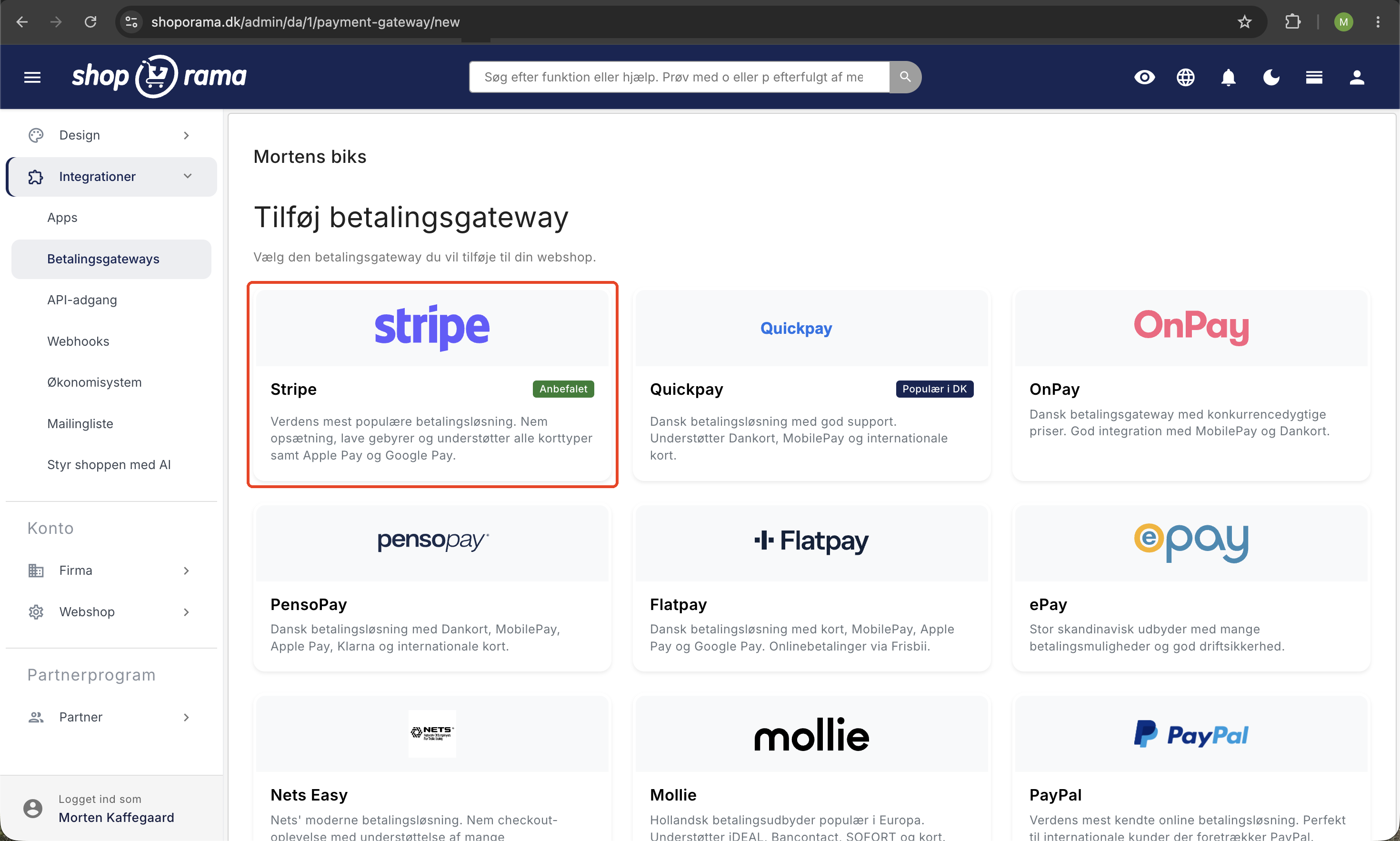
- Gå til Integrationer → Betalingsgateways i din Shoporama-administration
- Find Stripe på listen og klik Opret forbindelse
- Du bliver sendt til Stripe, hvor du logger ind eller opretter en ny konto
- Godkend forbindelsen, og du bliver sendt tilbage til Shoporama
- Stripe er nu aktiv som betalingsgateway i din webshop
Når forbindelsen er oprettet, vises dato og tidspunkt for tilslutningen i Stripe-indstillingerne. Du kan til enhver tid forny forbindelsen, hvis det bliver nødvendigt.
Betalingsmetoder
Stripe understøtter en lang række betalingsmetoder, som dine kunder kan vælge imellem ved checkout:
- Kortbetalinger, Visa, Mastercard, American Express
- Digitale tegnebøger, Apple Pay og Google Pay
- MobilePay, Danmarks mest brugte mobilbetalingsløsning
- Klarna, køb nu, betal senere
- iDEAL, populær i Holland
- Bancontact, populær i Belgien
- SEPA Direct Debit, europæisk bankoverførsel
De tilgængelige betalingsmetoder afhænger af kundens land og din Stripe-konfiguration. Du aktiverer og styrer hvilke betalingsmetoder der skal vises direkte i dit Stripe Dashboard, ikke i Shoporamas gateway-indstillinger. Shoporama viser automatisk de metoder, du har slået til hos Stripe.
Indstillinger i Shoporama
Selve gateway-siden i Shoporama er bevidst minimal. Du finder to elementer:
- Opret/forny forbindelse til Stripe, knappen der starter Stripe Connect-flowet
- Hæv automatisk pengene når varen sendes eller afhentes, en kontakt der styrer om beløbet hæves automatisk ved status "sendt" eller "afhentet"
Alt andet, herunder hvilke betalingsmetoder der skal være aktive, valuta, branding og lignende, konfigureres i dit Stripe Dashboard.
Betalingsflow
Når en kunde gennemfører et køb, bliver de sendt til Stripes hosted checkout-side, som er optimeret til konvertering og understøtter alle valgte betalingsmetoder. Efter betaling sendes kunden tilbage til din webshop med en ordrebekræftelse.
Stripe bruger som standard manuel hævning. Det betyder at beløbet reserveres på kundens kort ved bestilling, men først hæves når du aktivt vælger at hæve det. Dette giver dig mulighed for at verificere ordren inden betaling gennemføres.
Automatisk hævning
Du kan aktivere automatisk hævning i Stripe-indstillingerne. Når denne funktion er slået til, hæves beløbet automatisk, når ordren markeres som sendt eller afhentet. Det sparer dig for et manuelt trin i ordrehåndteringen.
Tip: Automatisk hævning er ideel for webshops med hurtig ekspedition, hvor varerne altid er på lager og sendes samme dag.
Hævning, refundering og annullering
Fra ordresiden i Shoporama kan du håndtere alle betalingsoperationer:
- Hæv betaling, hæv det reserverede beløb helt eller delvist
- Refunder, tilbagebetal hele eller dele af en gennemført betaling
- Annuller, frigiv en reserveret betaling, der endnu ikke er hævet
Delvis refundering er også understøttet. Hvis en kunde returnerer én vare ud af flere, kan du refundere præcis det beløb, der svarer til den returnerede vare.
Abonnementer og gentagne betalinger
Stripe understøtter også opbevaring af kortoplysninger til gentagne betalinger. Det bruges til Shoporamas abonnementsfunktion, hvor kunder kan oprette løbende bestillinger, der automatisk trækkes via deres gemte kort.
Priser og gebyrer
Ud over Stripes egne gebyrer pålægges et platformsgebyr fra Shoporama på 0,5% per transaktion (minimum 1 kr.). Stripes egne gebyrer afhænger af betalingsmetode og land. Se Stripes prisside for aktuelle priser.
Eksempel: Ved en ordre på 500 kr. vil Shoporamas gebyr være 2,50 kr. (0,5%). Ved en ordre på 100 kr. vil gebyret være 1 kr. (minimumgebyret).
Webhooks
Stripe sender automatisk notifikationer (webhooks) til Shoporama, når en betaling gennemføres. Det sikrer at ordrer markeres som betalt og at ordrebekræftelse sendes til kunden, selv hvis kundens browser lukkes undervejs i betalingsprocessen.
Webhooks opsættes automatisk ved tilslutning og kræver ingen manuel konfiguration.
Fejlsøgning
Hvis du oplever problemer med Stripe, er her de mest almindelige årsager:
- Forbindelsen er udløbet, prøv at forny forbindelsen via Stripe-indstillingerne
- Betalingen afvises, kunden bør kontakte sin bank eller prøve en anden betalingsmetode
- Ordren markeres ikke som betalt, kontakt support@shoporama.dk for hjælp med webhook-konfigurationen
Har du spørgsmål til Stripe-integrationen, er du velkommen til at kontakte os på support@shoporama.dk.
Related articles
Payson payment gateway
Guide to setting up Payson as a payment gateway in Shoporama. Accept payments from Swedish and Nordic customers.
Subscriptions
Learn how to set up subscriptions in Shoporama so your customers can create recurring orders with automatic payment and delivery at set intervals.
Phone number in MobilePay
Why the phone number is not pre-filled in MobilePay and what the customer can do.
Related features
Agentic Trading with Google UCP
Gør din webshop klar til AI-handel. Shoporama understøtter Googles UCP, så Gemini og Google AI Mode kan finde og købe dine varer direkte. Slå det...
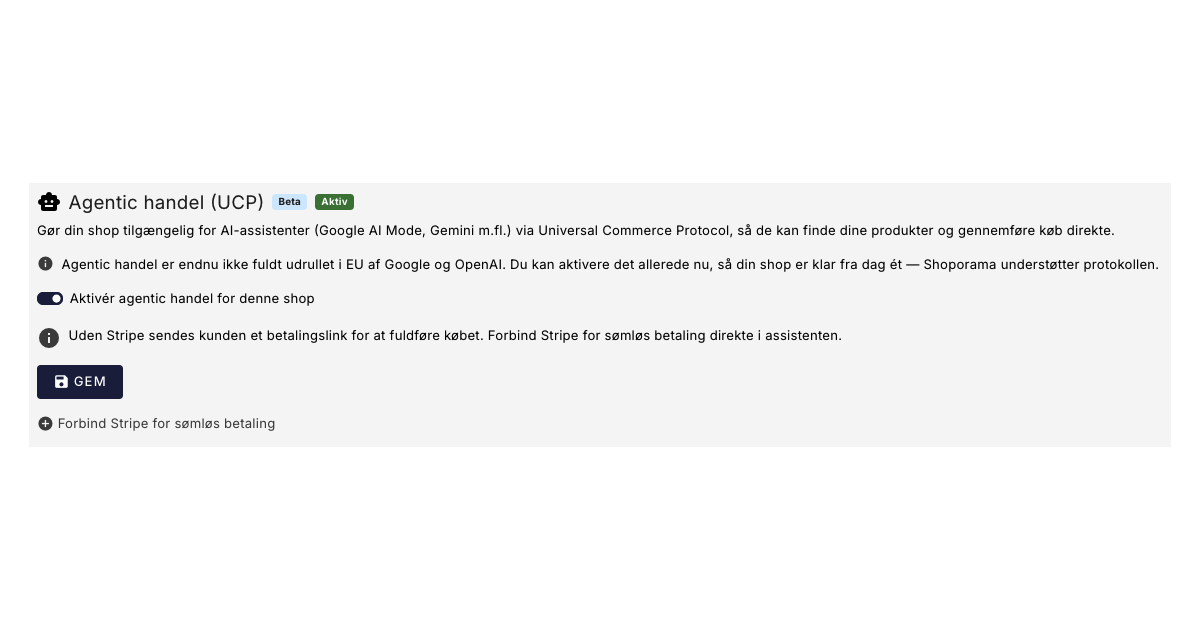
Dine kunder kan snart shoppe via AI: Shoporama er klar til Googles nye protokol (UCP)
Google has launched UCP, so AI assistants like Gemini can find and purchase your items directly. Shoporama already supports this feature. See how...
13+ payment gateways for your webshop
Choose from OnPay, Quickpay, Stripe, Mollie, Nets Easy, ePay and many more. Automatic capture, country restrictions and partial payment.
Webshop with Apple Pay
Offer Apple Pay in your online store and give iPhone customers a checkout in under 5 seconds. How to set up Apple Pay on Shoporama via Mollie or...
Webshop with Dankort
Create a webshop with Dankort as a payment method. How to get started on Shoporama via QuickPay, ePay, Mollie or Stripe - fees and setup explained.
Start an online store: complete guide to opening your own store
How to start an online shop in 2026: platform, payment, shipping, domain and price. Step-by-step guide. Try Shoporama free for 30 days without a...