Webhooks in Shoporama
Complete guide to webhooks in Shoporama. Get automatically notified on a URL when something happens in your online store. List of all events, setup, payload and signature.
Webhooks allow you to have Shoporama automatically send a message to an external service when something happens in your store. For example, when a new order is created, when a product is updated, or when a new customer is created. Here, we’ll go over what webhooks are, which events you can monitor, and how to set them up.
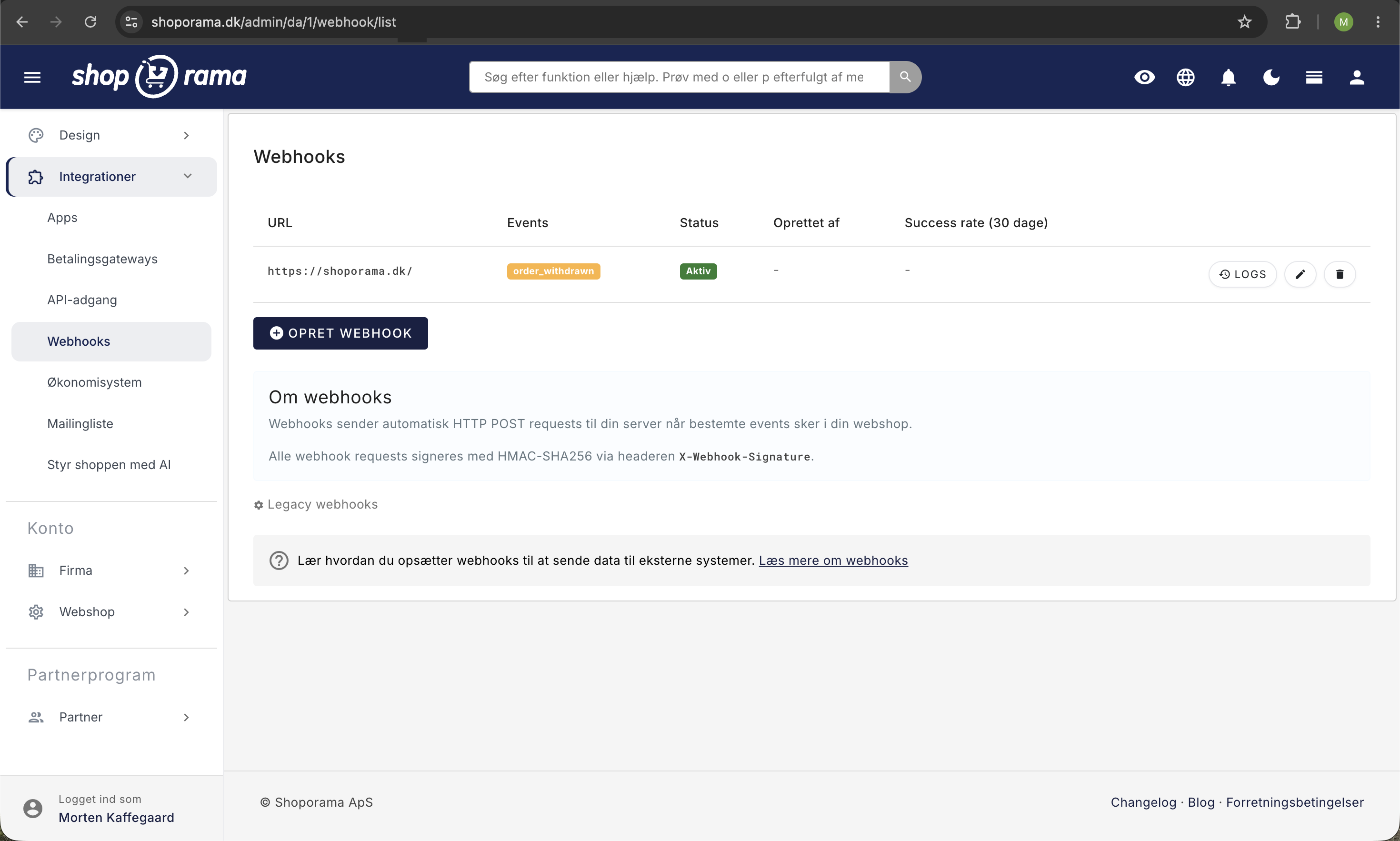
What are webhooks?
A webhook is an automatic notification that Shoporama sends to a URL you specify when a specific event occurs. Think of it as a “reverse API.” Instead of you asking Shoporama, “Are there any new orders?”, Shoporama automatically tells you.
Without webhooks: Your service checks with Shoporama every 5 minutes: “Are there any new orders?” This is inefficient and creates unnecessary load.
With webhooks: Shoporama notifies you when a new order arrives. This happens automatically, and you don’t have to keep asking over and over again.
Available Webhook Events
You can set up webhooks for the following events. Note that the event names use underscores (order_created) and not periods. The only exception is the test event, test.ping.
Order events
| Event | Description |
|---|---|
| order_created | A new order has been created in the online store |
| paid | An order has been marked as paid |
| new_status | An order has changed status (e.g., from "new" to "shipped") |
| new_return | A customer has created a return |
| order_withdrawn | A customer has canceled their purchase using the digital cancellation feature |
Product and category events
| Event | Description |
|---|---|
| product | A product has been created or updated |
| stock | The stock level for a product has changed |
| category | A category has been created or updated |
Customer and newsletter events
| Event | Description |
|---|---|
| customer_created | A new customer has been created in the online store |
| newsletter_subscribe | Someone has subscribed to the newsletter |
Checkout events (the customer’s journey through checkout)
| Event | Description |
|---|---|
| add_to_basket | An item has been added to the cart |
| update_basket | The cart has been updated (quantity or variant) |
| view_basket | The customer has viewed the cart |
| view_address | The customer is on the address step in checkout |
| view_shipping | The customer is on the shipping step |
| view_approve | The customer is on the approval step |
| view_thanks | The customer is on the "Thank you for your order" page |
| approved | The customer has approved the order |
Note: Shoporama does not have a separate "order_sent" event. When you mark an order as shipped, the new_status event is triggered. The payload contains the order_id but not the status itself, so retrieve the order via the REST API to see what it has been updated to.
Create a webhook
- Go to Integrations in the left-hand menu
- Click Webhooks
- Click "Create Webhook"
- Enter the URL that will receive the webhook data
- Select the events you want to listen for (you can select multiple)
- Click Save
You can also send a test event with the event " test.ping " directly from the log page to verify that your receiver is working.
Webhook Payload Format
When an event is triggered, Shoporama sends an HTTP POST request to your URL with data in JSON format. All webhooks have the same structure:
{
  "event": "order_created",
  "action": null,
  "timestamp": "2026-05-01T10:30:00+02:00",
  "webshop_id": 1234,
  "data": {
    "event": "order_created",
    "time": 1777624200,
    "basket_id": 98765,
    "order_id": 56789
  }
}
The contents of the " data" field vary depending on the event. For product, stock, and category events, the data object corresponds to what the REST API returns for the object in question. For order and checkout events, the content is a smaller set of keys—typically order_id and basket_id—which you use to retrieve the rest via the REST API. The `action ` field is populated for product, stock, and category events (create, update, delete, or status) and is null for all others.
HTTP Headers
Each webhook request contains these headers, which you can use for verification and routing:
- Content-Type: application/json
- X-Webhook-Event: the name of the event, e.g., order_created
- X-Webhook-Signature, an HMAC SHA-256 signature in the format sha256=... calculated from the request body and the webhook’s secret key
Verify the signature
If you want to ensure that the request actually comes from Shoporama, verify the X-Webhook-Signature header using the secret key you can find in your webhook settings in the Shoporama admin. Example in PHP:
$payload = file_get_contents('php://input');
$expected = 'sha256=' . hash_hmac('sha256', $payload, $secret);
if (!hash_equals($expected, $_SERVER['HTTP_X_WEBHOOK_SIGNATURE'])) {
    http_response_code(401);
    exit;
}
Response from your recipient
Your receiving service must respond with an HTTP status code of 2xx (typically 200) to confirm receipt. Other status codes are logged as errors, and you can resend failed deliveries from the log page.
Using Webhooks
Typical uses of webhooks:
- Warehouse integration: automatically send new orders to the warehouse, e.g., upon payment
- Slack/Teams notification: receive notifications about new orders in your channel via ` order_created`
- Inventory sync: Update an external system when stock levels change
- CRM sync: Create a customer in Klaviyo, ActiveCampaign, or your own CRM when a customer is created
- Automation: Trigger workflows in Zapier, Make, or similar services
Tip: Use webhook.site to test your webhooks before implementing your final destination. You’ll get a unique URL where all incoming requests are displayed in real time.
Logs and retries
For each webhook, you can view a log of all deliveries (response codes, duration, payload, and errors). You can filter by event type, status, and date. Failed deliveries can be resent manually with a single click. Logs are automatically cleared on a regular basis.
Troubleshoot failed webhooks in the log
When an integration suddenly stops receiving its data, the webhook log is the first place you should look. The log stores every single outgoing call—both successful and failed ones—along with the exact response Shoporama received. To open it, go to Integrations and Webhooks in the left-hand menu and click Logs next to the webhook you want to investigate.
Start with the four key metrics
As soon as at least one call has been logged, four numbers will appear at the top of the log page, all for the past 30 days:
- Calls (30 days): how many times Shoporama has attempted to call your URL
- Success rate: the percentage of calls that returned a 2xx response
- Avg. response time: the average response time in milliseconds
- Errors: the number of calls that failed
The success rate is also displayed on the webhook list itself in the “Success rate (30 days)” column, so you can see right away if something is wrong without having to open each individual webhook. The label is green at 90 percent and above, yellow between 50 and 90 percent, and red below 50 percent. A success rate that has dropped from 100 to 0 almost always means that the recipient has moved, shut down, or tightened its security.
Filter down to the failed calls
Below the key metrics is the log itself, with one line per delivery attempt and columns for Time, Event, Status, Duration, and Error. The Status label is color-coded so you can quickly scan the page:
- Green: The response code is in the 2xx series, and delivery was successful
- Orange: the response code is in the 400 series, meaning your recipient responded but rejected the call
- Red: everything else, i.e., 500-series server errors or status 0
Set the Status filter to Error and click Filter. The table will then show only the calls that did not go through. You can also narrow down the results by event and by a time period using the From and To fields, which is useful if you want to see whether the problem started at a specific time. The log displays 50 lines at a time, and you can scroll down at the bottom of the page.
Open Log Details for an individual call
Click the eye icon on the right side of the line to open the Log Details window, which displays the full history of that specific call:
- Event, Status, Duration, and Time at the top
- Error message, which is only displayed if Shoporama was unable to connect to your server at all
- Request payload: the exact JSON that was sent
- Request headers: the headers included in the request, including the calculated signature
- Response body: the response your server sent back
The response body is usually the most valuable field when the status is a 400 or 500 code. Most systems include the actual reason in the response, such as a missing field, an expired key, or that the order already exists. This field is only displayed if your server actually returned content, and very long responses are truncated.
If you suspect that the request is being blocked along the way by a firewall or a WAF, ask the server administrator to look for requests with a User-Agent header that starts with “Shoporama Webhook.” If they can see the call in the server log, the error lies with the recipient. If they cannot, the call is being blocked before it reaches its destination.
Status 0 means the call never arrived
If the Status column shows 0, Shoporama never received an HTTP response. Therefore, there is no response code to display, and instead, the Error Message field is filled in. The four typical causes are:
| Error Message | What’s wrong | How to fix it |
|---|---|---|
| Could not resolve host | The domain in the webhook URL cannot be resolved in DNS | Check the URL for typos, and make sure the domain still exists and points to a valid location |
| SSL certificate | The certificate on your server cannot be verified because it has expired, is self-signed, or is missing intermediate certificates | Renew the certificate and ensure that the server provides the entire certificate chain |
| Connection refused or Failed to connect | No server is listening on the address and port, or a firewall is blocking the connection | Check that the service is running and that the request is not being blocked by a firewall or WAF |
| Operation timed out | Your recipient did not respond in time | Return a 200 response immediately, and offload the heavy lifting to a background process on your end |
Test with "Send Test" after you've made a correction
The “Send Test” button at the top of the log page sends a request with the event `test.ping ` to the URL specified by the webhook. The result appears in the log immediately, just like a real delivery, so you can open “Log Details” to see what happened. Use this every time you’ve made a change on your end, instead of waiting for a real order to come in.
Resend a Failed Delivery
Once the error has been fixed, you can resend the deliveries that failed in the meantime. Click the resend icon—the circular arrow on the far right of the log line—and Shoporama will resend the original data to the same URL. Three things are worth knowing:
- Resending creates a new line in the log. The original line remains with its error, so you can always see the entire sequence of events.
- The signature and timestamp are recalculated. The X-Webhook-Signature therefore still matches, but the timestamp in the payload shows the time of the resend, not the original event.
- The content itself is a snapshot from the time the event occurred. If the order has changed since then, the resend will send the old version. If you need the current data, retrieve it via the REST API instead.
Please note: If the webhook is set to Inactive, nothing will happen when you click Resend or Send Test. No new line will appear in the log either, even though the acknowledgment at the top says that the webhook was sent. Set it to Active under Edit first.
Does Shoporama automatically retry?
No. Each event results in exactly one delivery attempt. If your recipient does not respond or responds with an error code, the attempt is logged, and nothing else happens. There is no automatic retry after one minute, one hour, or one day. If you want to resend the delivery, you must click Resend yourself.
Shoporama waits a maximum of 10 seconds to connect to your server and a maximum of 30 seconds in total for a response. If your recipient is slow, the delivery may therefore be counted as failed, even if your system managed to process it.
This places three requirements on whoever builds the receiver:
- Respond quickly. Return a 200 status code immediately and store the content locally. Process it afterward so that heavy lookups or a slow third party don’t cause the delivery to fail.
- Handle duplicates. Both a resend and an event triggered multiple times can result in the same call being made twice. Your receiver must be able to recognize that the order has already been processed, rather than creating it again.
- Build a safety net. Retrieve any data you may have missed a few times a day via the REST API so that a single outage doesn’t cost you orders. You can find or create the key in the “Find or Create an API Key” guide.
How long are log entries stored?
The webhook log stores each delivery for 45 days, after which the entry is automatically deleted. This is also noted at the bottom of the log page. The cleanup happens automatically, and you don’t need to do anything.
In practice, this means two things. First, you can only resend deliveries that are less than 45 days old. If you don’t discover until the next quarter that an integration has been down, the old entries will be gone, and you’ll have to retrieve the data via the REST API instead. Second, the key metrics at the top of the page only cover the last 30 days, so an error that stopped two months ago no longer affects your success rate.
If you need to document deliveries from further back—for example, for an auditor or a business partner—save them in your own system as soon as you receive them. Shoporama’s log is intended as a troubleshooting tool, not as an archive.
Frequently Asked Questions
Where can I find the webhook list?
Go to Integrations in the left-hand menu of your Shoporama admin and click Webhooks. You can also read our guide to view webhooks set up in your store.
How quickly does the webhook arrive?
Webhooks are queued and sent automatically in the background, typically within a minute. During peak times, it may take a few minutes, so don’t expect a webhook to arrive the very second an event occurs.
Is there an “order_sent” event?
No. There is no standalone event for “shipped.” When you mark an order as sent, the `new_status` event is triggered. The payload contains only the `order_id` and not the status itself, so listen for the event and retrieve the order via the REST API to see what the status has changed to.
Should event names be written with a period or an underscore?
Underscores. Correct: order_created. Incorrect: order.created. The only event with a period is test.ping, which is used for test deliveries.
Can I listen for multiple events in the same webhook?
Yes. Simply select multiple events when you create or edit the webhook. Use the X-Webhook-Event header or the event field in the payload to distinguish them in your receiver.
What happens if my server is down?
The delivery will be logged as failed. You can resend it manually from the log page once your server is back up. We do not automatically retry, so design your receiver to handle the occasional missed delivery, and retrieve missing orders via the REST API as a backup.
How do I know it’s actually Shoporama making the call?
Verify the X-Webhook-Signature header using your webhook’s secret key. It’s displayed on your webhook in the Shoporama admin. Compare it to an HMAC SHA-256 of the received body. If the two don’t match, reject the request.
Can I use webhooks together with the REST API?
Yes, and it’s often a good idea. Use webhooks to receive notifications, and use the REST API to retrieve full data or perform actions based on the event.
How many webhooks can I create?
There is no hard limit in Shoporama. Create as many as you need, but clean up any webhooks that are no longer in use to avoid unnecessary traffic to defunct URLs.
The success rate for my webhook has dropped to 0. What should I do first?
Open the webhook’s Logs, set the Status filter to Error, and click the eye icon next to the most recent entry. If the Status shows 0, the connection is the issue, and the Error Message field will explain why. If it shows 401, 403, or 404, the recipient responded but rejected the call, and the explanation is typically found in the Response body. Once you’ve fixed the error, click “Send Test” to verify that it works, and then click “Resend” for the deliveries that failed. If you don’t understand the error message, take a screenshot of the “Log Details” and send it to the person who created the integration, or email support@shoporama.dk.
My URL works fine in the browser, but the log shows an SSL error. What’s wrong?
Shoporama validates the certificate on your server and does not accept self-signed certificates or an incomplete certificate chain. Browsers are more forgiving because they can retrieve missing intermediate certificates from other sources on their own, which is why the same URL may appear to work perfectly fine in a browser. Ask the server administrator to verify that the entire certificate chain is provided and that the certificate has not expired.
My storage provider didn’t receive the order. Can I resend it?
Yes. Find the line in the log corresponding to when the order was created, and click the resend icon. Make sure to confirm with the fulfillment center that they can handle receiving the same order twice, so you don’t risk a duplicate pick. If the shipment is more than 45 days old, the log entry has been deleted, and you’ll need to forward the order manually.
Will I be notified if a webhook stops working?
No, Shoporama does not send a warning on its own. However, the success rate for the last 30 days is displayed directly on the webhook list, and the label turns red as soon as fewer than half of the calls are successful. If you run multiple stores, it’s a good idea to review the list once a week, or to set up your own system to alert you if it hasn’t heard from a store in 24 hours.
Need help? Contact us at support@shoporama.dk.
Related articles
See created webhooks in your shop
Guide to see which webhooks are created in your Shoporama online store.
REST API
Complete guide to Shoporama's REST API: authentication, all endpoints, examples and Swagger documentation.
Find or create an API key
Guide to finding your API key in Shoporama, which is used for integrations with e.g. Shipmondo.
Facebook Conversions API
Guide to the Facebook Conversions API on Shoporama: setup with Pixel ID and access token, automatic deduplication of purchases, content_ids that...
Related features
Webhooks
Receive automatic notifications via webhooks when changes occur in your webshop. Orders, products, customers and much more.
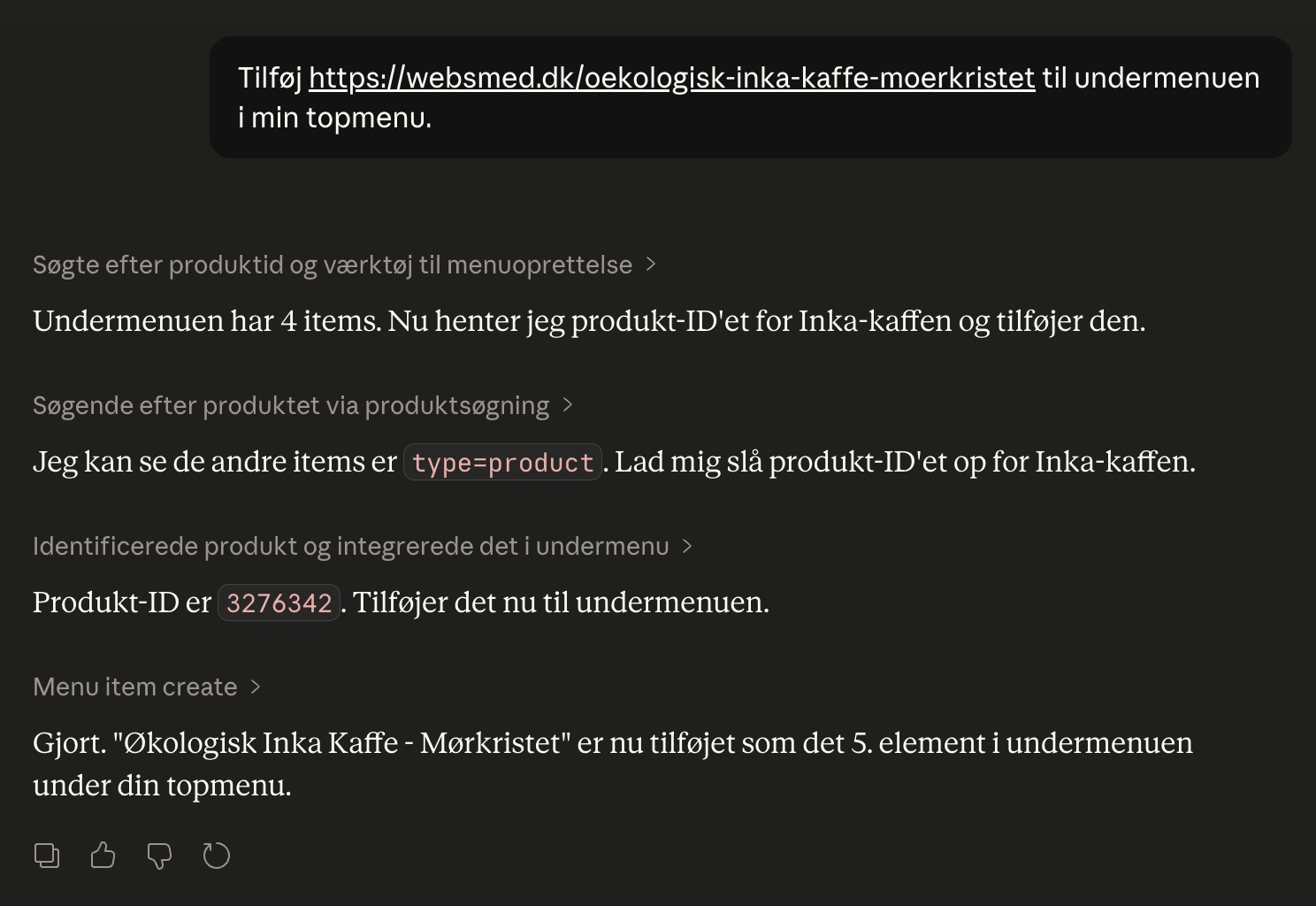
Webshop with Claude
Connect your Shoporama webshop with Claude and manage products, orders, campaigns and designs by typing in Danish. No code, full control, audit log.