What is the difference between open basket and closed basket?
Understand the difference between open and closed baskets in Shoporama - stock reservation, customer experience and which type is right for your online store.
I Shoporama kan du vælge mellem åben kurv og lukket kurv. De to typer håndterer ordreprocessen forskelligt, og valget påvirker både lagerreservation og kundeoplevelsen.
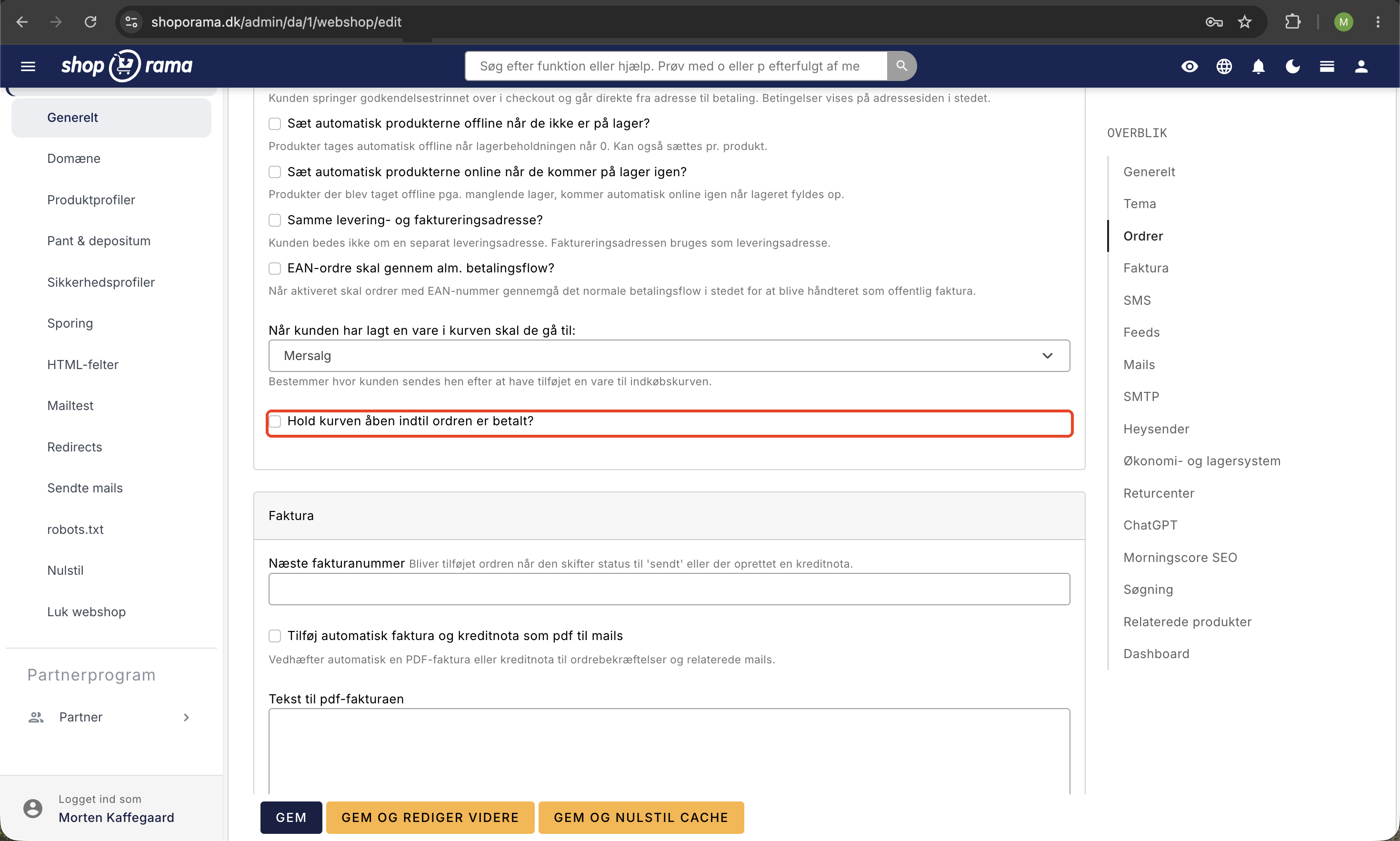
Lukket kurv
Når en kunde lægger en vare i kurven, oprettes ordren med det samme, og varen reserveres på lageret. Det betyder, at andre kunder ikke kan købe den samme vare, hvis der kun er én på lager.
Fordele
- Varer reserveres, så to kunder ikke kan købe den samme vare
- Du kan sende betalingspåmindelser via payment_mail.html
- Ordren er allerede oprettet, når kunden går til betaling
Ulemper
- Varer bliver "låst" hvis kunden ikke gennemfører – andre kan ikke købe dem
- Kunden kan ikke ændre ordren efter at have nået betalingsvinduet
- Ubetalte ordrer kræver manuel eller automatisk annullering
Auto-annullering: Du kan sætte Shoporama op til automatisk at annullere ubetalte ordrer efter et bestemt antal minutter. Find indstillingen under Indstillinger → Auto-annuller ordre i dit admin-panel.
Åben kurv
Med åben kurv oprettes ordren først, når kunden gennemfører betalingen. Varer reserveres ikke på lageret, mens de ligger i kurven.
Fordele
- Varer bliver aldrig "låst" – de er altid tilgængelige for andre kunder
- Kunden kan frit redigere sin ordre helt frem til betaling
- Ingen ubetalte ordrer der kræver oprydning
Ulemper
- To kunder kan have samme vare i kurven, selvom der kun er én på lager
- Hvis den ene køber varen, kan den anden stå med en udsolgt vare
- Du skal manuelt håndtere situationer, hvor varer bliver udsolgt under checkout
Hvilken skal du vælge?
Valget afhænger af din webshop:
- Lukket kurv er godt hvis du sælger unikke eller begrænset antal varer, hvor lagerreservation er vigtig
- Åben kurv er godt hvis du har rigeligt på lager og prioriterer en fleksibel kundeoplevelse
Du ændrer indstillingen under tandhjulet (Indstillinger) i dit admin-panel. Læs også om de transaktionelle mails der er relevante for begge kurvtyper.
Related articles
What emails does Shoporama send to my customers?
Overview of automatic emails Shoporama sends to your customers - order confirmation, abandoned baskets, track-and-trace, product reviews, and more.
POS - Point of Sale
Learn how to use Shoporama's POS system to sell products in your physical store. Log in with your Shoporama account, scan barcodes, add products to...
Add a comment to a product in your cart
Learn how to add a comment field to products in the basket - for engraving, gift wrapping or other customer requests.