DHL Parcel Shop
Guide to setting up DHL parcel shop as a shipping method in Shoporama. Let customers choose the nearest DHL ServicePoint at checkout.
Shoporama understøtter DHL pakkeshop som forsendelsesmetode. Når en kunde vælger DHL pakkeshop ved checkout, vises automatisk en liste over de nærmeste DHL ServicePoints baseret på kundens adresse.
Opsætning
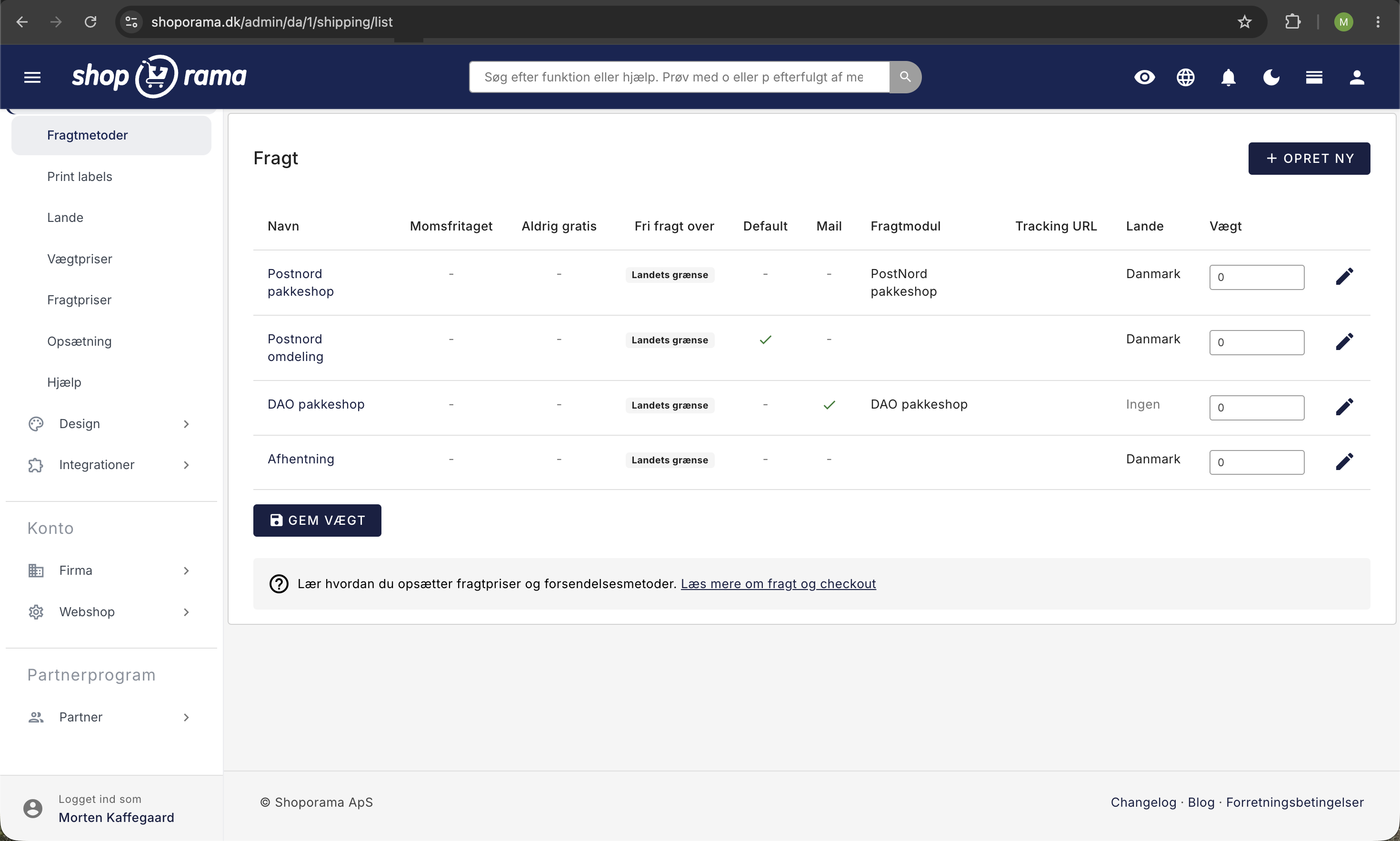
- Gå til Levering → Fragtmetoder i administrationen
- Opret en ny forsendelsesmetode eller rediger en eksisterende
- Vælg DHL som pakkeshopmodul
- Angiv navn, pris og eventuel vægtgrænse
- Gem forsendelsesmetoden
Kundens oplevelse
Når kunden vælger DHL pakkeshop under checkout:
- Kunden indtaster sin leveringsadresse
- Shoporama finder automatisk de nærmeste DHL ServicePoints inden for 15 km
- Kunden ser en liste med op til 15 pakkeshops med adresser
- Kunden vælger den foretrukne pakkeshop
- Den valgte pakkeshop gemmes som leveringsadresse på ordren
Understøttede lokationer
Shoporama finder både DHL ServicePoints (bemandede udleveringssteder) og DHL pakkebokse (automatiske bokse). Søgningen tilpasser sig automatisk til det land kunden vælger som leveringsland.
Tracking
Du kan konfigurere en tracking-URL på forsendelsesmetoden, så kunder automatisk får et link til at følge deres pakke. Brug %ID% som pladsholder for trackingnummeret i URL'en.
Notifikationer
Du kan opsætte automatiske SMS- eller e-mailnotifikationer til kunden når ordren skifter til "Klar til afhentning" eller "Afhentet".
Tip
DHL pakkeshop fungerer sammen med de andre pakkeshopmoduler i Shoporama (GLS, PostNord, DAO m.fl.), så du kan tilbyde flere pakkeshopmuligheder til dine kunder.