Remove a user from your shop
Guide to removing a user from your business in Shoporama admin.
Reading time: approx. 1-2 minutes
Shopejer
You can remove users who no longer need access to your store's admin panel. This could be, for example, a former employee or a business partner.
How to remove a user
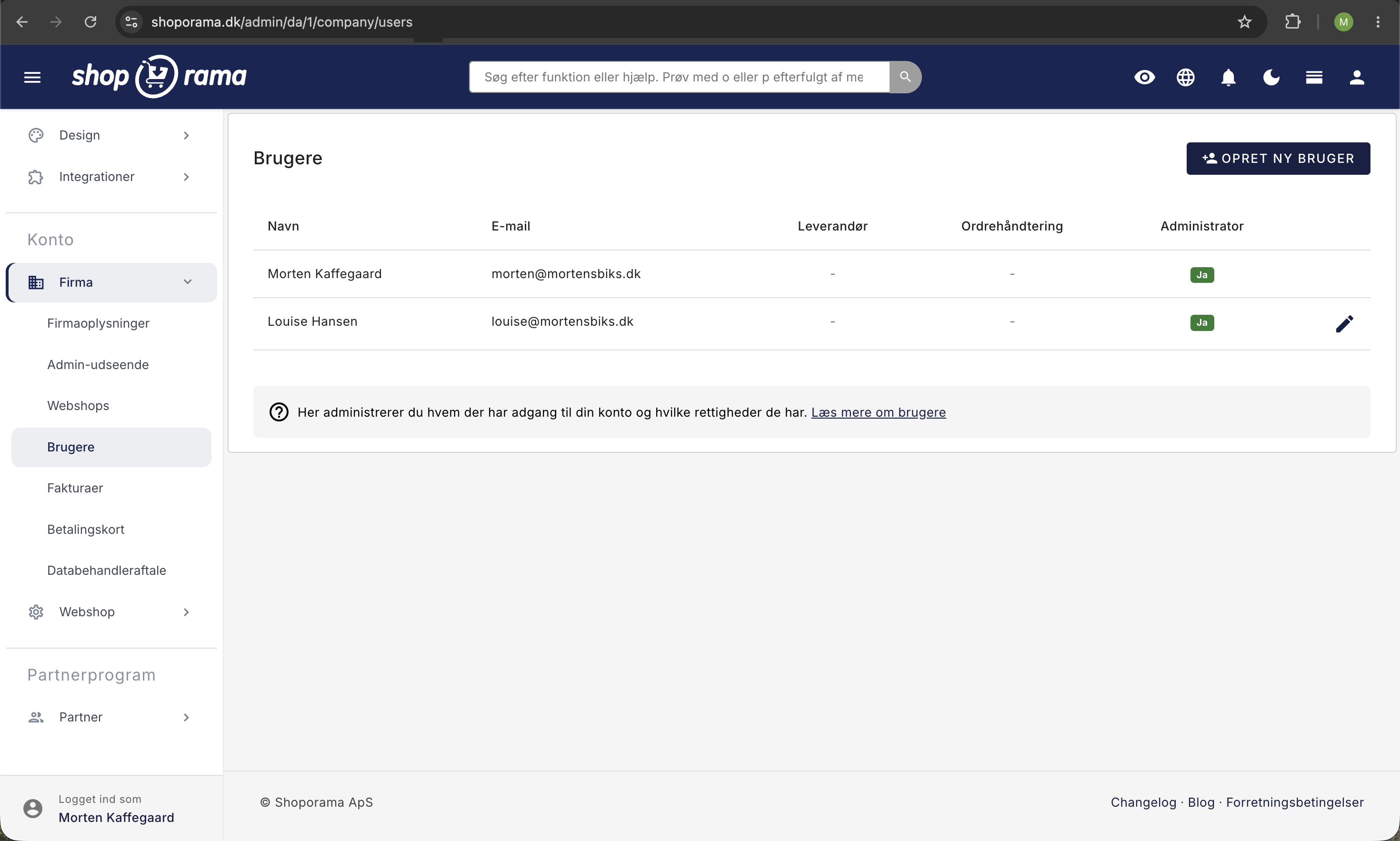
- Go to Account → Company → Users in the menu
- Find the user you want to remove
- Click the pencil icon (Edit) next to the user, and then click the Remove User button
- Confirm the deletion
What happens?
When you remove a user:
- The user loses all access to your shop’s admin panel
- The user’s actions and history are preserved (orders they’ve processed, etc.)
- The user cannot be restored: you must create a new user if they are to have access again
Note
You cannot remove the primary owner of the store. If you want to transfer ownership, please contact support@shoporama.dk.
See also: Create multiple users in your store.
Need help? Contact us at support@shoporama.dk.
Related articles
Which user receives system emails?
Guide to view and change which user receives system emails from Shoporama.
Create more users in your shop
Guide to creating multiple user logins for your Shoporama admin.
View emails sent to a customer from your shop
Guide to see which emails a customer has received in connection with an order.