Add comments to an order
Guide to adding internal comments and notes to orders in Shoporama admin.
Du kan tilføje interne kommentarer til ordrer i Shoporama. Kommentarerne er kun synlige i admin og er nyttige til intern kommunikation om specifikke ordrer.
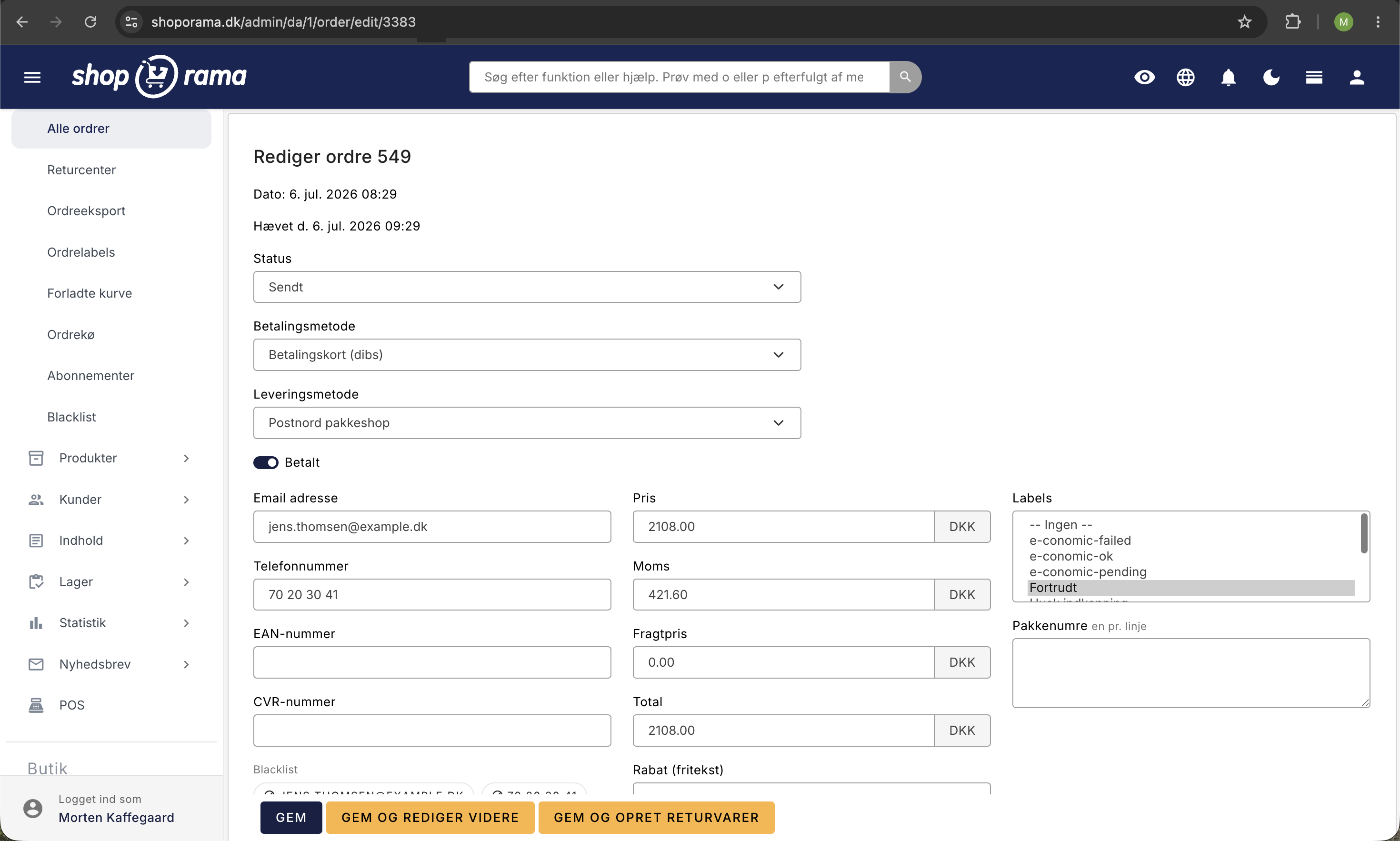
Sådan tilføjer du en kommentar
- Gå til Ordrer og åbn den pågældende ordre
- Scroll ned til Intern kommentar
- Skriv din kommentar i tekstfeltet
- Klik Gem for at gemme ordren
Hvornår er kommentarer nyttige?
- Kundehenvendelser — noter hvad kunden har spurgt om
- Returvarer — beskriv årsagen til en returnering
- Intern kommunikation — giv besked til kolleger om en ordre
- Specielle aftaler — noter hvis der er lavet en særlig aftale med kunden
Synlighed
Kommentarer er kun synlige i admin. Kunden kan ikke se dem. De bruges udelukkende til intern dokumentation.
Tip
Hvis du bruger GLS og vil tilføje kommentarer der sendes med til GLS, se vores guide om kommentarer på GLS-ordrer.
Har du brug for hjælp? Kontakt os på support@shoporama.dk.
Related articles
Get an email when a new order is placed
Guide to setting up email notification when a new order is received in your Shoporama online shop.
Comments on GLS orders
How comments work on GLS orders in Shoporama. The customer's checkout comment is used as a DepositService instruction to the driver, and you can...
Automatic cancellation of unpaid orders
Set Shoporama to automatically cancel unpaid orders after a number of minutes. Frees up inventory and keeps the order list clean. The value is in...