Countries and Currency: Delivery Countries, Sales Tax, and Shipping
Set up delivery countries under Delivery → Countries with VAT rates, VAT zones, shipping options, and free shipping, and see how they relate to Webstore → Countries and Currency per Country.
Under Delivery → Countries, you specify which countries you ship to and which VAT and shipping rules apply to each country. This is also where you configure the VAT zones for B2B and B2C sales.
"Delivery Countries" and "Countries" are two different things
The countries listed under Delivery → Countries are delivery countries: the countries to which you ship goods. Under Webstore → Countries, you add the countries where you want to sell with their own address, language, currency, and pricing model—for example, minshop.dk/se in Swedish and in Swedish kronor. A country listed under Webstore → Countries is always based on a delivery country from this section. Read more in “Sell in Multiple Countries and in Multiple Languages.”
Overview of your countries
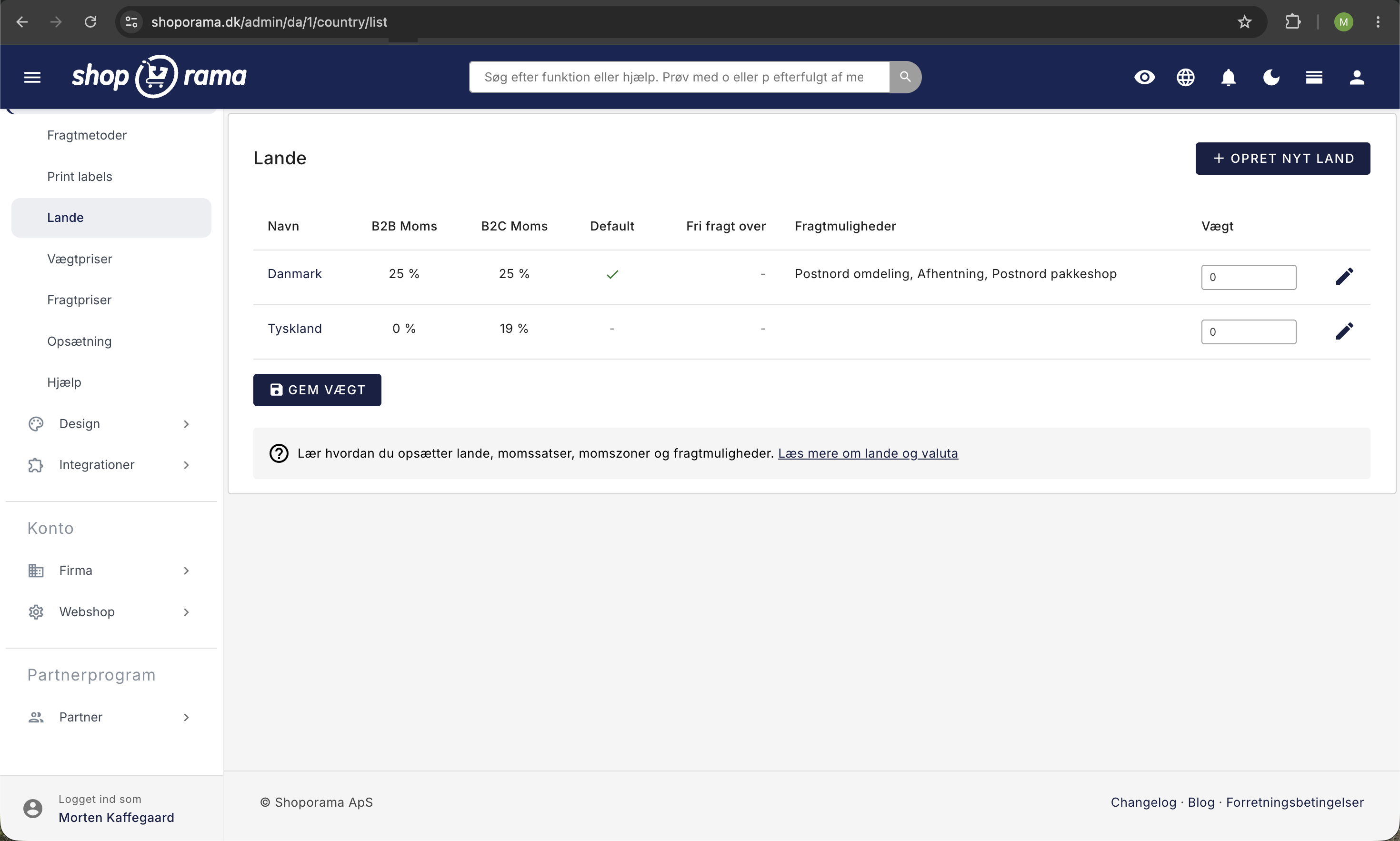
You’ll find your delivery countries under Delivery → Countries. The overview shows all the countries you’ve created, including:
- Name: The country’s name as it appears in your store
- B2B VAT: The VAT rate for business customers
- B2C VAT: The VAT rate for individual customers
- Default: Whether the country is set as the default country
- Free Shipping Over: The minimum order amount for free shipping
- Shipping Options: Which shipping methods are available for the country
You can change the order of the countries by adjusting the weight and clicking Save Weight. The order determines how the countries are displayed at checkout.
Create a new country
- Go to Shipping → Countries
- Click Create New Country
- Enter a name (e.g., “Germany” or “Sweden”)
- Select the correct country code (e.g., DE for Germany, SE for Sweden)
- If applicable, specify a threshold for free shipping
- Click Save
The form has no VAT fields, so a new country is created with 0% for both B2B VAT (%) and B2C VAT (%). After clicking Save, you’ll be taken to the country’s edit page. Set the correct rates there, then click Save again.
If you also want to sell in that country in the local language and currency, add that information afterward under Webshop → Countries. Learn how in “Sell in Multiple Countries and Languages.”
Edit a Country
Click the edit icon next to a country to open the edit page. Here, you can configure all settings for that country.
VAT Rates (B2B and B2C)
For each country, you can set separate VAT rates for B2B (business) and B2C (consumer). This gives you full control over VAT calculation per country:
- B2B VAT: The VAT rate for business customers. Set to 0% for countries where you do not charge VAT on B2B sales (e.g., other EU countries when the company has a valid VAT number)
- B2C VAT: The VAT rate for private customers. In Denmark, it is typically 25%
The VAT rate of the country to which the item is shipped determines how much VAT is applied to the order. If you enter your prices excluding VAT, the rate is added to the price. If you enter them including VAT, the price is the same in all countries by default, and the VAT is calculated based on the country’s rate. If you’ve set the VAT rate for Norway to 0%, a Norwegian customer will pay the same price as a Danish customer, just with 0 DKK in VAT.
If you enter prices including VAT and sell in a country listed under Webshop → Countries with their own currency, price adjustment, or rounding, the price will not be the same there. In that country, the price is calculated based on the price excluding the standard country’s VAT, and the country’s B2C VAT is then added.
If you want the Norwegian customer to pay the price excluding Danish VAT instead, enable “Adjust prices to the destination country’s VAT ” under Webshop → General. Your prices will then be calculated as including the B2C VAT you have set for your default country (for items with a VAT category, the rate of that category in the default country). For deliveries to a country with a different rate, that VAT is deducted, and the destination country’s VAT is added. With 25% VAT in Denmark and 0% in Norway, an item priced at 125 DKK will cost 100 DKK when delivered to Norway. This setting only works when “Prices for products in the admin include VAT” is also enabled. For a country under Webshop → Countries with Custom Prices, the price is adjusted based on that country’s VAT rate instead of the default country’s. Read more in the article about prices including VAT.
With this setting enabled, the price for a business with a VAT number will only reflect the country’s B2B VAT rate if you have also enabled “Validate VAT Numbers Against VIES (EU) ” under Webshop → General, and VIES has confirmed the number. This is only possible for VAT numbers from EU countries. Otherwise, the company pays the same price as a private customer in that country. However, without VIES validation, the VAT on the order will still be based on the B2B VAT rate. If Germany is set to 19% B2C VAT and 0% B2B VAT, a German company will pay 119 DKK for an item priced at 125 DKK, but with 0 DKK in VAT. Learn more about VIES validation.
B2C VAT and B2B VAT are the country’s standard VAT rates. Items with a specific VAT category—such as books or food—are instead subject to that category’s rate in the country, both when calculating VAT and when converting prices. However, if the country’s rate for the customer is 0%—for example, for exports outside the EU or for B2B VAT at 0% to a company in another EU country—the item’s VAT is also 0%. For EU countries, the country’s edit page displays a warning under “B2C VAT (%)” if the rate does not match the country’s standard rate according to Shoporama’s VAT table. The warning does not appear for other countries that have the same rate as your default country. Read more in “VAT Categories.”
VAT Zones
In addition to VAT rates, you can select a VAT zone for each country for B2B and B2C, respectively. The VAT zone does not change the VAT on the order. It is used for accounting purposes when orders are transferred to e-conomic or Dinero:
- Home Country: Sales in your own country
- EU: Sales to other EU countries
- Rest of the World: Sales to countries outside the EU
Free shipping
You can set a spending threshold for free shipping per country. When a customer’s order exceeds this amount, they automatically receive free shipping. Leave the field blank if you do not offer free shipping for that country. A shipping method can have its own threshold in the “Free Shipping Over” field under Delivery → Shipping Methods, and this takes precedence over the country’s threshold.
Enter the threshold in your own currency. If the customer is shopping from a country listed under Webstore → Countries with a different currency, the threshold and shipping rates are converted using the country’s exchange rate.
If you have enabled “Adjust prices to the delivery country’s VAT,” the threshold is compared to the adjusted total in the cart, but the threshold itself is not adjusted. A customer in a country with a lower VAT rate must therefore add a few more items to the cart before the threshold is reached.
Shipping Options by Country
For each country, you can choose which shipping methods should be available. Select “All” to offer all the shipping methods you’ve created, or select specific shipping methods for each country. This allows you to offer, for example, GLS in Denmark and DHL in Germany.
You can select which shipping method is preselected at checkout by checking the “Default Shipping” box for that method under Delivery → Shipping Methods. If that method isn’t available in a particular country, one of the methods permitted in that country will be preselected instead.
Default Country
Select a country as the “Default Country ” to make it the default selection at checkout. When a customer visits your store, prices and shipping costs are displayed based on the default country until the delivery country is known. This happens when the customer selects a country—typically at checkout—or logs in with an account that has an address in another country.
The default country is also your main country under Webshop → Countries. If the customer shops in one of your other countries there—for example, at minshop.dk/se—that country is preselected as the delivery country, and the sales tax is calculated using that country’s rate until the customer selects a different country.
If you have enabled “Adjust prices to the delivery country’s VAT,” the default country’s B2C VAT is also the VAT rate included in your prices. Therefore, if you change the default country to a country with a different B2C VAT rate, this will change the prices in all countries.
Currency
You set your store’s currency in the “Currency” field under Webstore → General. This is the currency of your main country, and you should always enter your prices, shipping rates, and free shipping thresholds in this currency.
If you want to sell in a different currency—for example, Swedish kronor in Sweden—add the country under Web Store → Countries and select the currency there. Prices are then converted using the current exchange rate from the National Bank or a fixed rate, and you can apply a price adjustment and rounding. The delivery countries listed under Delivery → Countries do not have their own currency. Read more in the article “Set the Currency in Your Store.”
How Delivery Countries and Countries Are Linked
If you sell in multiple countries using Webshop → Countries, each country still uses the settings from here:
- The country is based on a delivery country. Under Web Store → Countries, you can only add countries that you’ve created here. If the country isn’t listed, create it here first.
- VAT and shipping rates come from the delivery country. The country’s VAT is the B2C VAT rate of the delivery country, and the delivery country’s shipping options and free shipping threshold also apply to that country. The same applies to the delivery country’s prices under Delivery → Shipping Rates and Delivery → Weight-Based Rates.
- You can restrict a country, but not expand it. On the country page under Webshop → Countries, select the delivery countries, shipping methods, and payment methods that customers can use in that country on the Delivery and Payment tab. A shipping method must still be enabled for the delivery country here; otherwise, it cannot be used.
- Only the delivery address is restricted. The customer can have a billing address in any of your delivery countries, but the items will only be shipped to the delivery countries you’ve selected for that country.
Typical Setup
A Danish online store that sells to Denmark and Sweden will typically have:
- Denmark: B2C VAT 25%, B2B VAT 25%, VAT zone: Home country, default country
- Sweden: B2C VAT 25%, B2B VAT 0%, VAT zone B2C: EU, VAT zone B2B: EU
If you want Swedish customers to be able to shop in Swedish and in Swedish kronor, add Sweden under Web Store → Countries afterward.
Tip
If you’re unsure about VAT rates and VAT zones for specific countries, we recommend contacting your accountant. VAT rules vary by country and depend on your company’s revenue and registration status.
Frequently Asked Questions
Do I need to use Webshop → Countries to sell to Sweden?
No. Selecting a delivery country here is sufficient for Swedish customers to make purchases and have the items delivered. They will then shop in your Danish store, in Danish, and in your currency. Webshop → Countries is for when you want a Swedish version of the store with Swedish language, Swedish kronor, and a separate address.
Why can’t I select a country under Webshop → Countries?
The list only shows your shipping countries, not the main country or countries you’ve already added. Create the country here under Shipping → Countries first, and then you’ll be able to select it.
Why can’t customers in my new country select a shipping method?
The shipping method must be enabled for the delivery country in the Shipping Options field here. Also check the Delivery and Payment tab on the country’s page under Webshop → Countries. If none of the country’s shipping methods can be used, the page will display a warning.
Does the B2C VAT setting here also determine the VAT for my Swedish country?
Yes. If you’ve added Sweden under Webstore → Countries, the VAT is calculated using the B2C VAT rate you’ve set for Sweden here. If you enter prices including VAT and sell in that country in Swedish kronor—or with price adjustments or rounding—the rate is also included in the Swedish prices. Products with a VAT category will have that category’s rate applied in Sweden.
Need help? Contact us at support@shoporama.dk.
Related articles
Create a new shipping country
Guide to creating a new shipping country under Shipping → Countries in your Shoporama online store, and when you should also add the country under...
Set currency in your shop
Set your store's currency and sell in other currencies by country using the current exchange rate or a fixed rate, price adjustments, rounding, and...
Shipping Rates: How to Set Rates by Country and Amount
How to use the pricing matrix under "Shipping Rates": one price per country and shipping method, empty fields that default to 0 DKK, free shipping...
Reverse charge og VIES-validering: sælg uden moms til erhverv i EU
Restrict payment methods to specific countries
Restrict which payment methods are shown in checkout based on the customer's country of delivery.
Sell in multiple countries and in multiple languages
Here's how to sell in other countries in your customers' languages and currencies using "Countries": Add a country, set up the address, language,...
Related features
Shipping options
Set up shipping with PostNord, GLS, DAO, DHL and Shipmondo. Parcel shops in checkout, tracking, free shipping and weight-based shipping calculation.
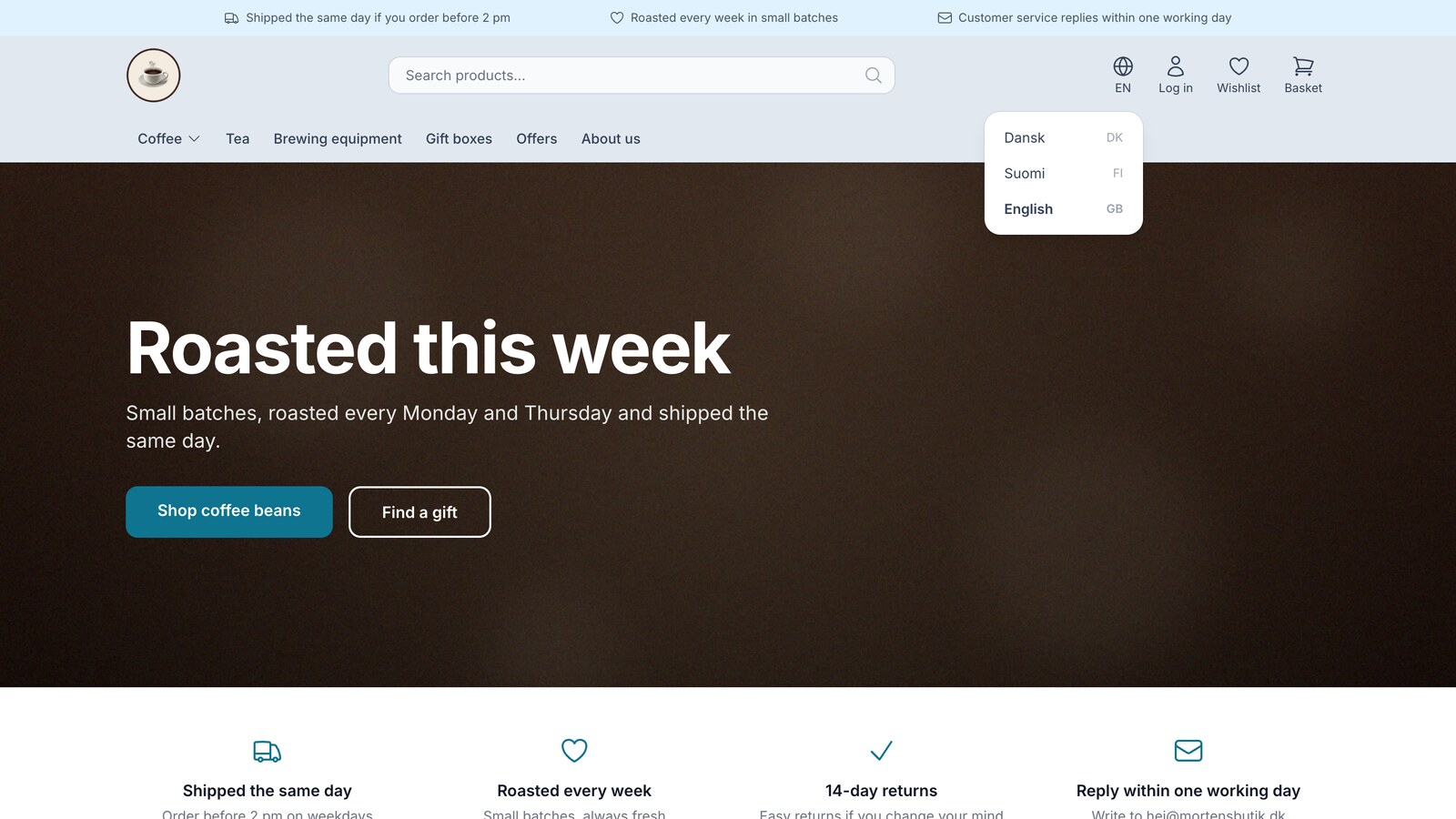
Sell in multiple countries through the online store you already have
New on Shoporama: Sell in Sweden, Finland, or Germany using each country's language, currency, and prices. Translation is included in the price,...
Countries: Sell in multiple countries from the same online store
Sell in multiple countries from the same online store, with your own language, currency, and prices for each country. Automatic translation of your...
Set up shipping: shipping methods, prices by country, and free shipping
How to set up shipping in Shoporama: shipping methods, prices by country, weight-based rates, and free shipping. Avoid accidentally setting...