Create more users in your shop
Guide to creating multiple user logins for your Shoporama admin.
You can create multiple users in your Shoporama store so that colleagues, business partners, or a web designer can log in with their own login credentials.
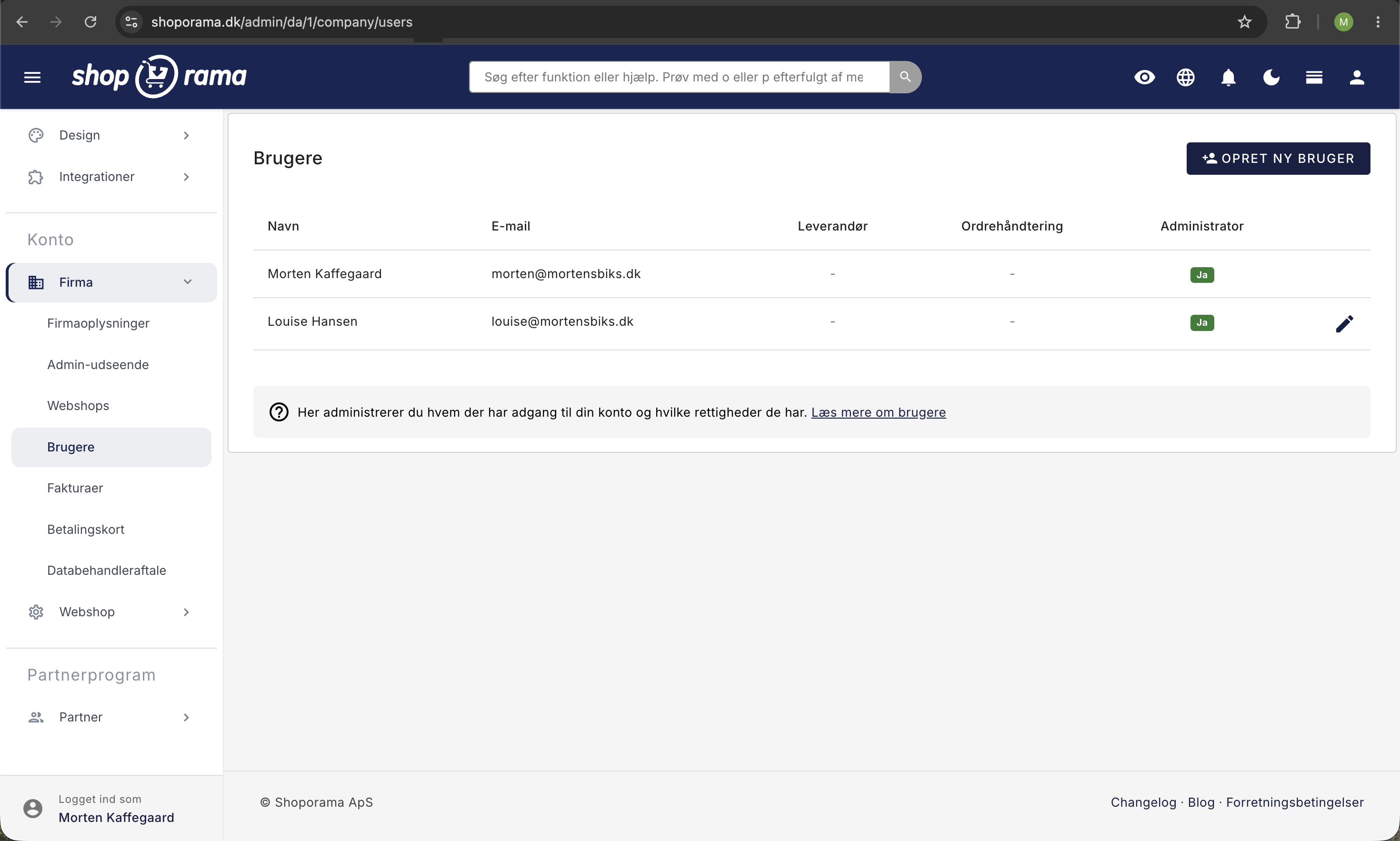
How to create a new user
- Go to Account in the left-hand menu
- Select Company and click Users
- Click “Create New User”
- Enter the name and email address
- Select the user's permissions
- Click Save
User Permissions
You can assign three different permission levels to a user, and you can combine them as you like:
- Administrator: full access to all features in the store
- Order Management: Can view and manage orders
- Supplier: Can only view and edit products in selected categories
If a user has neither Administrator nor Order Management permissions assigned, the user has access only to the areas you grant access to. You can further fine-tune a supplier’s access via the user’s Permissions, where you select which categories the user has access to.
Best Practices
- Grant only the permissions necessary for the user’s role
- Create separate logins for each person; do not share a single login
- Remove users who no longer need access
Tip
Separate user accounts provide traceability—you can see who made changes and processed orders.
Need help? Contact us at support@shoporama.dk.
Related articles
Remove a user from your shop
Guide to removing a user from your business in Shoporama admin.
Multiple recipients on the contact form
Learn how to send the contact form to multiple recipients by adding user IDs as a hidden field.
Create an additional webshop
Guide to creating an additional online store under the same login in Shoporama.