Redirects when moving shop
Guide to setting up redirects when moving your shop to Shoporama to preserve SEO value.
When you migrate your online store from another platform to Shoporama, your products and categories will likely have new URLs. It’s important to set up redirects so that visitors and search engines can find the correct pages.
Why are redirects important?
There are two main reasons to set up redirects:
- User experience — visitors coming from old links won’t see a 404 error page
- SEO — you preserve the “link juice” (SEO value) from inbound links to your old store
Prioritize your redirects
In an ideal world, you’d create a redirect for all your old URLs. But if time is limited, we recommend focusing on:
- The homepage — especially if it has an unusual URL (e.g., /shop/frontpage.html)
- Your 10–20 most important categories
- Your 10–20 most important products
- All pages with known inbound links (check Google Search Console)
Set up redirects in Shoporama
Read our detailed guide on how to create redirects in Shoporama, including how to use regular expressions to handle multiple URLs at once.
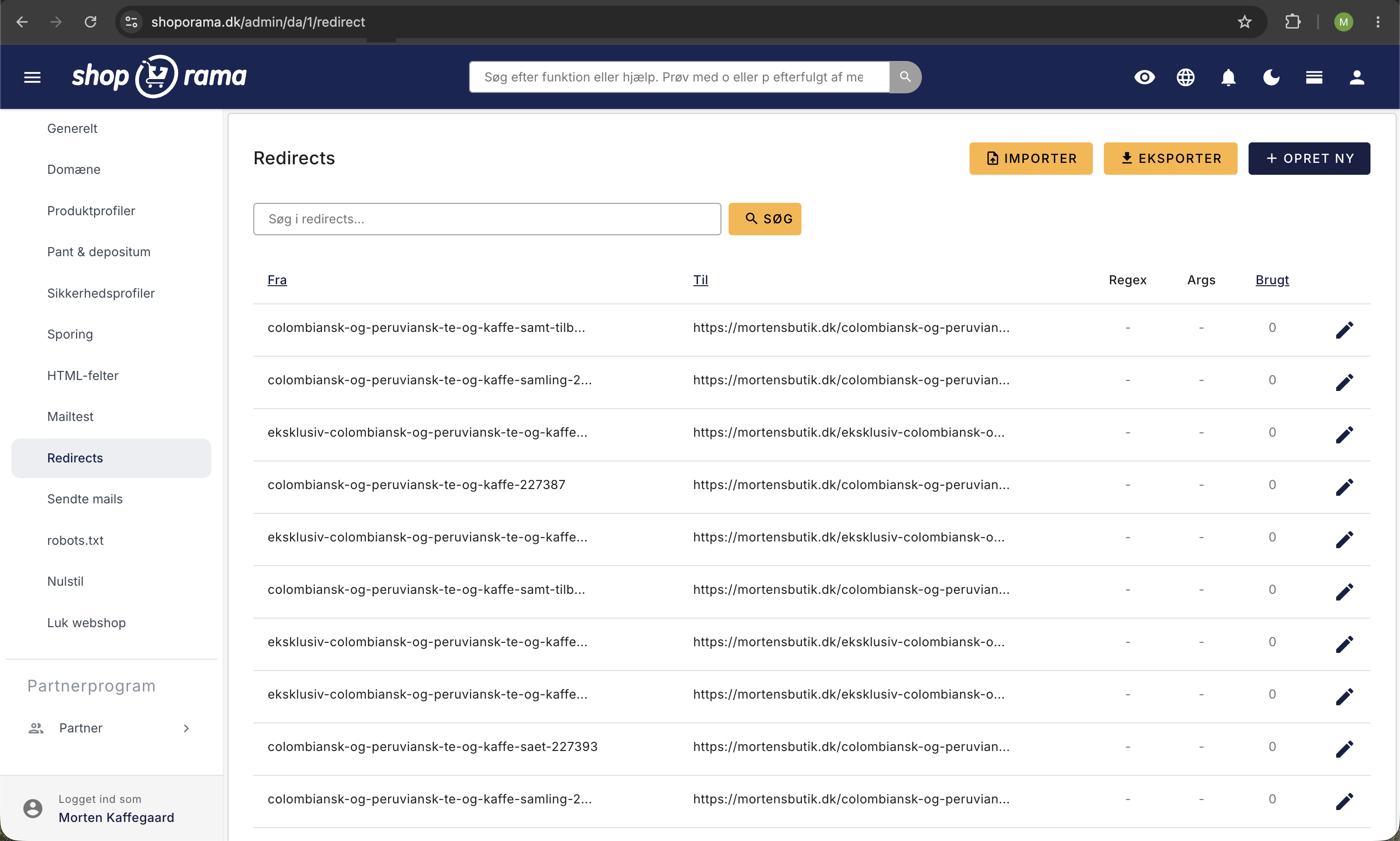
After the migration
During the first few weeks after the migration, you should keep an eye out for:
- 404 errors in Shoporama — in your dashboard, there’s a link to “View your 404 errors here”
- Google Search Console — check for crawl errors and pages that can’t be found
Create redirects on an ongoing basis for any URLs you may have overlooked. It’s completely normal to discover new ones in the first few weeks.
Tip
Use Shoporama’s guide to redirects and guide to maintaining Google rankings for a comprehensive migration strategy.
Need help with the migration? Contact us at support@shoporama.dk.
Related articles
The big guide to redirects
Complete guide to redirects in Shoporama. Learn when and how to create redirects and avoid losing rankings in Google.
Create redirects in Shoporama
Short guide to creating redirects in Shoporama so that old URLs point to the right pages.
How to create redirects on Shoporama
Guide to creating redirects in Shoporama - from simple redirects to regex and CSV import.
Related features
Shoporama vs WooCommerce
Compare Shoporama and WooCommerce: price, security, speed, GDPR and maintenance. Find the best online shopping platform for your business.
Shoporama vs DanDomain
Compare Shoporama and DanDomain on price, speed, AI features and integrations. See which Danish webshop platform is best for your business.