Send emails to customers who have purchased a product
Guide to send an email to all customers who have purchased a specific product in your Shoporama online store.
Vil du sende en mail til alle kunder, der har købt et bestemt produkt, fx ved produktopdateringer, tilbagekaldelser eller mersalg, gør du det i Shoporamas nyhedsbrevsmodul ved at oprette et segment.
Bemærk
Der findes ikke længere en separat "Send email til købere"-knap på det enkelte produkt. Funktionen er erstattet af nyhedsbrevs-segmenter, som er mere fleksible og opfylder GDPR bedre.
Sådan gør du via segmenter
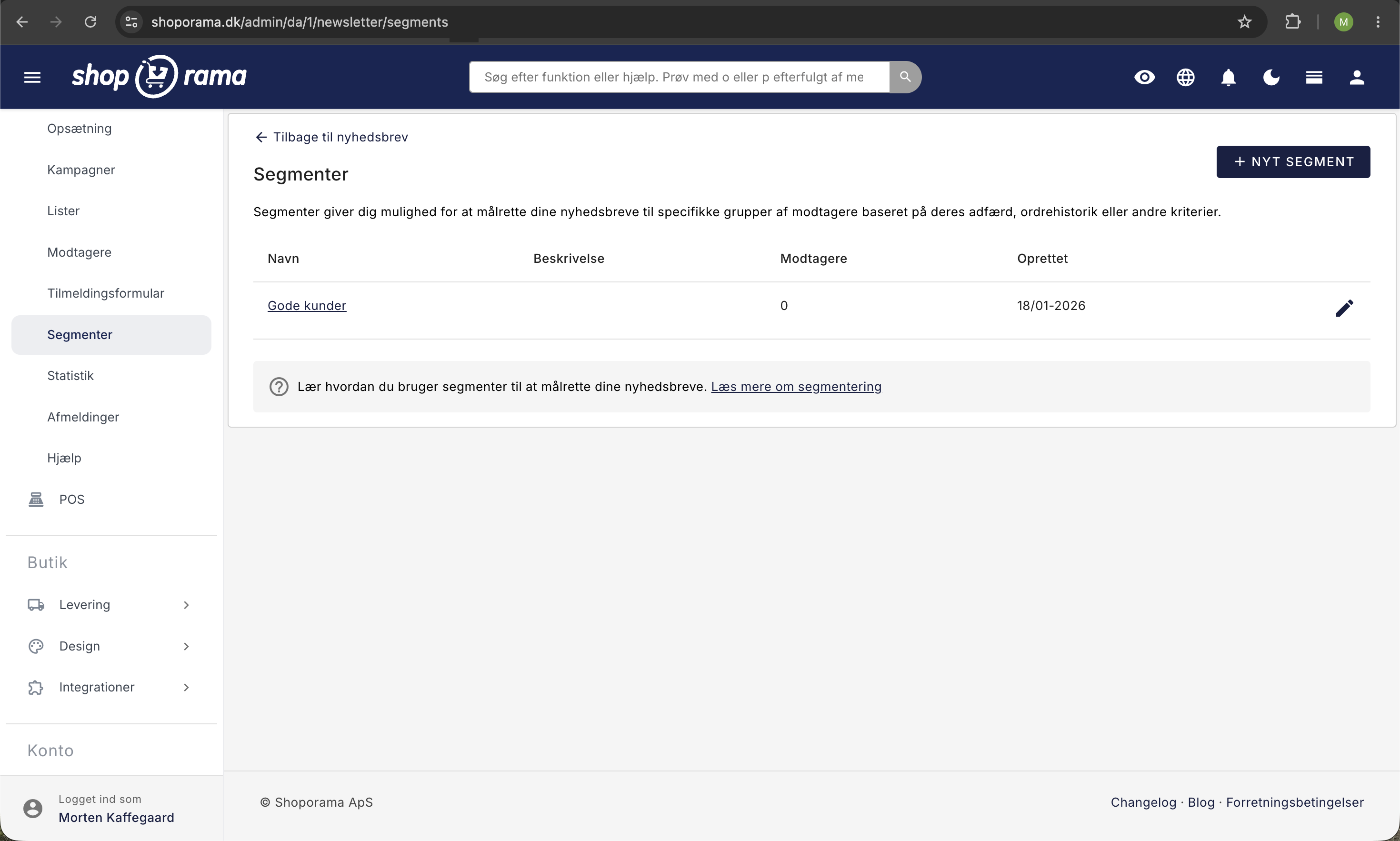
- Gå til Nyhedsbrev → Segmenter i menuen
- Opret et nyt segment af typen "Kunder der har købt bestemte produkter"
- Vælg det/de produkter segmentet skal gælde for
- Gem segmentet
- Gå til Nyhedsbrev → Kampagner og opret en ny kampagne
- Vælg dit segment som modtager, skriv emne og indhold, og send
Du kan også segmentere på produkter med en bestemt label eller på kategori, hvis det matcher dit behov bedre.
Hvem modtager mailen?
Mailen sendes til kunder med en gennemført ordre, der indeholder det/de valgte produkter, og som er tilmeldt nyhedsbrevet (eller på anden måde har givet samtykke til markedsføringsmails).
Eksporter i stedet
Hvis du hellere vil eksportere kundelisten og sende via dit eget nyhedsbrevssystem:
- Eksportér kunder der har købt et produkt som CSV-fil
- Importér listen i Klaviyo, Mailchimp eller lignende
Bemærk om GDPR
Vær opmærksom på GDPR-regler, når du sender markedsføringsmails. Kunder der ikke har givet samtykke, bør kun kontaktes ved produktopdateringer, sikkerhed eller tilbagekaldelser, ikke til mersalg.
Har du brug for hjælp? Kontakt os på support@shoporama.dk.
Related articles
Export customers who have purchased a specific product
Guide to export a list of customers who have purchased a specific product and send them an email.
Stock notification: Notify your customers when items are back in stock
Learn how to set up email notifications so your customers can be notified when out-of-stock products are restocked in your Shoporama online store.