View emails sent to a customer from your shop
Guide to see which emails a customer has received in connection with an order.
Du kan se en log over alle mails Shoporama har sendt fra din shop, og filtrere efter modtager (kunde) eller ordre. Det er nyttigt til fejlfinding, hvis en kunde ikke har modtaget en ordrebekræftelse eller forsendelsesmail.
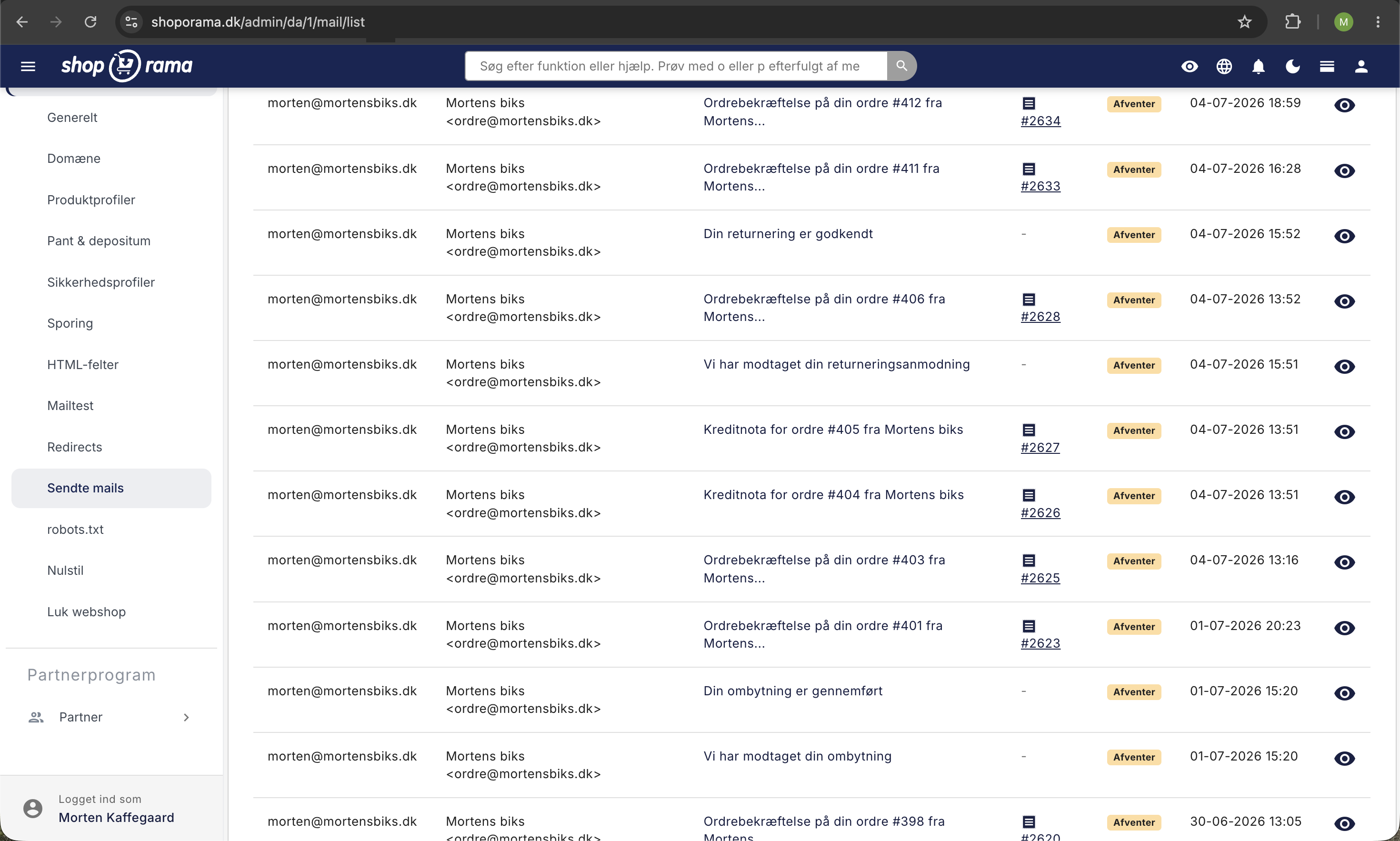
Sådan finder du mails sendt til en kunde
- Gå til Konto → Webshop → Sendte mails (URL: /mail/list)
- Brug søgefeltet til at søge på kundens e-mailadresse, afsender eller emne
- Klik på en mail for at se afsendt indhold
Du kan også åbne en konkret ordre i Ordrer og derfra følge linket til de mails der er sendt på den ordre. Listen er global for hele shoppen og er ikke et selvstændigt afsnit på den enkelte kundeprofil.
Hvad vises?
For hver mail kan du se:
- Dato og tid, hvornår mailen blev sendt
- Afsender, hvilken e-mailadresse mailen blev sendt fra
- Modtager, hvilken e-mailadresse den blev sendt til
- Emne, mailens emnelinje
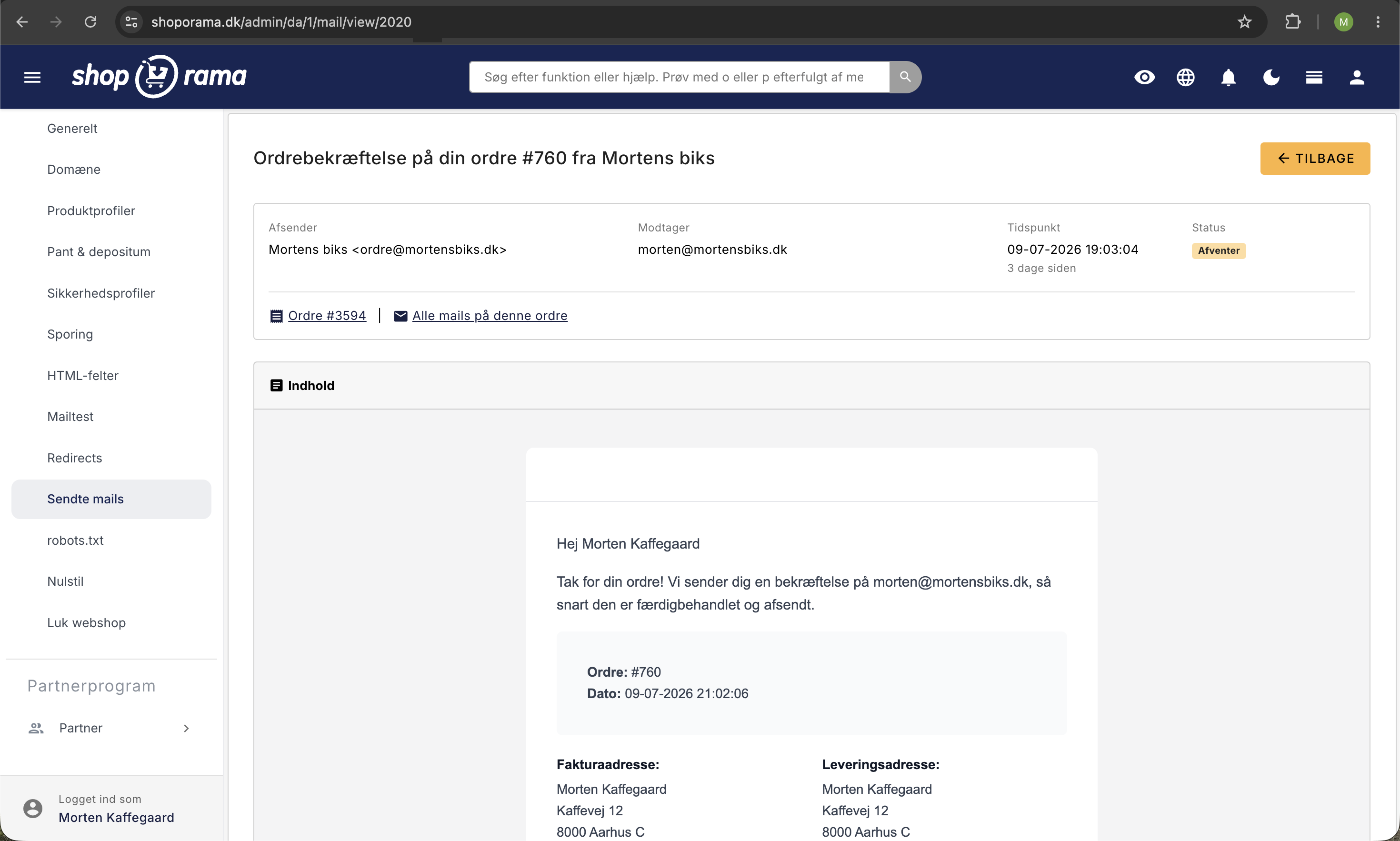
Alle sendte mails
For en samlet oversigt over alle mails sendt fra din shop, se Se hvilke mails Shoporama har sendt.
Kunde har ikke modtaget mail?
Hvis en kunde ikke har modtaget en mail:
- Søg efter kundens e-mailadresse i Sendte mails. Hvis mailen står på listen, er den sendt fra Shoporama
- Bed kunden tjekke spam/junkmail-mappen
- Du kan altid sende ordrebekræftelsen igen fra ordresiden
Har du brug for hjælp? Kontakt os på support@shoporama.dk.
Related articles
What emails does Shoporama send to my customers?
Overview of automatic emails Shoporama sends to your customers - order confirmation, abandoned baskets, track-and-trace, product reviews, and more.
Blacklist - Block unwanted orders
Learn how to use Shoporama's blacklist feature to block spam orders and unwanted customers by blacklisting email, phone number or IP address.
Unsubscribe links in automatic emails
Give your customers the option to unsubscribe from automatic follow-up emails after purchases and product reviews - with a simple link in the email.