Update stock with CSV file
Guide to updating inventory on many products via CSV import in Shoporama.
I stedet for at opdatere hvert produkts lagerstatus manuelt, kan du uploade en CSV-fil med din lagerstatus. Filen skal blot indeholde produktets SKU og antal på lager.
Forudsætninger
Vigtigt: Unikke SKU-numre
Det er afgørende, at ingen to produkter har samme SKU. Har du produkter med varianter (fx t-shirts i small, medium, large), skal hver variant have sit eget unikke SKU — fx 557788-S, 557788-M, 557788-L.
Filens format
CSV-filen skal indeholde to kolonner adskilt af semikolon: SKU og antal.
283750;90
283742;130
283634;60
I dette eksempel sættes der 90 stk. på lager af produktet med SKU 283750, 130 stk. af 283742 osv.
Gem filen som .csv — fx lagerstatus.csv.
Upload lagerfilen
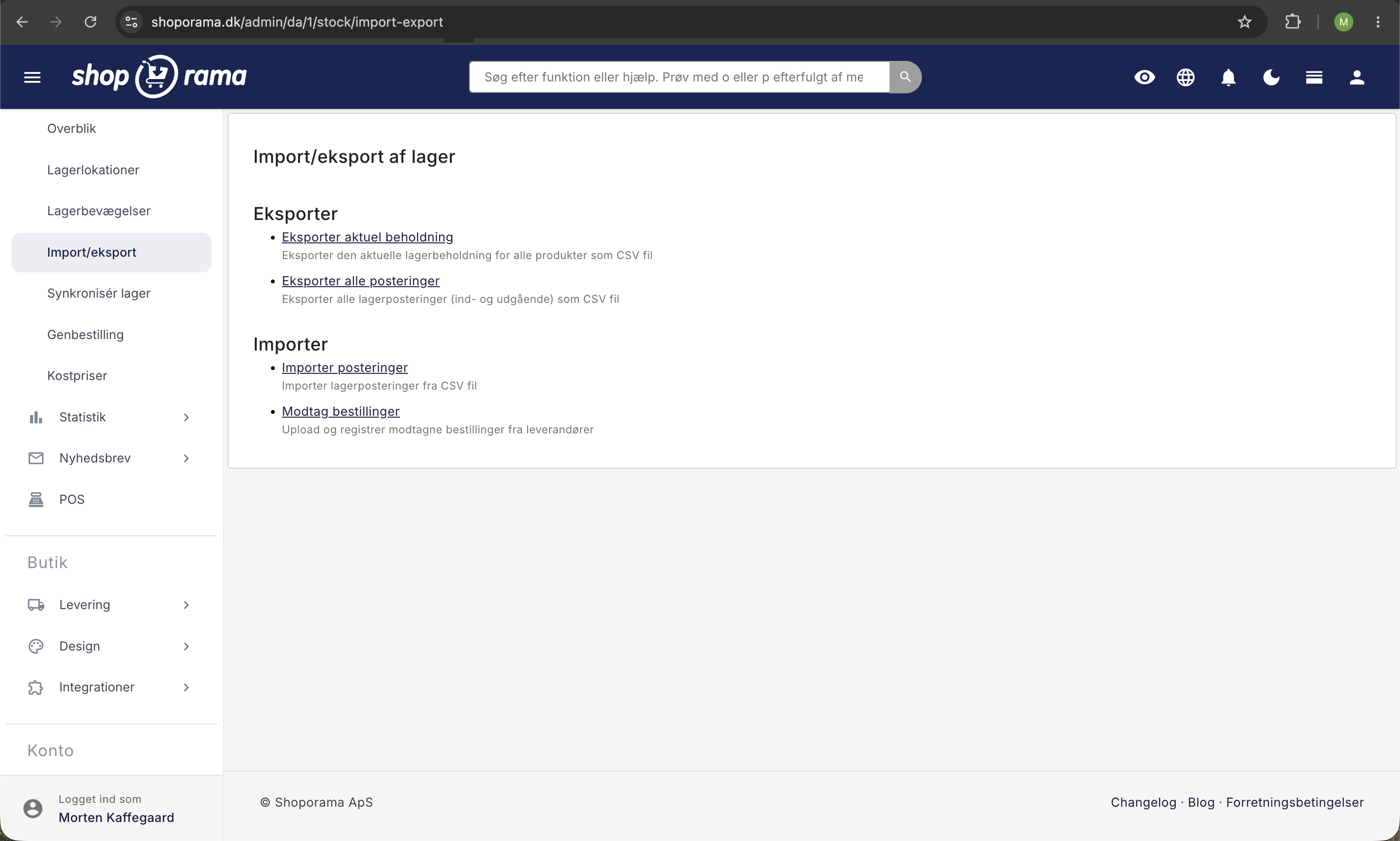
- Klik på Lager i menuen
- Klik på Import/eksport og derefter Importer posteringer
- Klik "Gennemse" og vælg din CSV-fil
- Klik "Upload"
Dit lager bliver opdateret inden for de næste par minutter. Du modtager også en bekræftelsesmail.
Bemærk
Lagerværdien (kostpris × antal) bliver ikke opskrevet via CSV-upload. Hvis du har brug for at opdatere lagerværdien, skal det gøres manuelt eller via produktimport.
Eksempel med varianter
Har du en t-shirt med tre størrelser, ser filen ud som:
TSHIRT-S;25
TSHIRT-M;40
TSHIRT-L;15
Hver variant opdateres individuelt baseret på sit unikke SKU.
Har du brug for hjælp? Kontakt os på support@shoporama.dk.
Related articles
Shared inventory between webshops
Guide to setting up shared inventory so that two Shoporama webshops draw from the same inventory.
Stock notification: Notify your customers when items are back in stock
Learn how to set up email notifications so your customers can be notified when out-of-stock products are restocked in your Shoporama online store.
Update the cost price of multiple products at once
Guide to mass edit the cost price (purchase price) of multiple products in the Shoporama admin.
Related features
Mass editing
Edit many products at once. Loop Edit, stock update, bulk actions and queued bulk edits in the background.
Stock integrations
Stock records, stock locations, order list, stock value and automatic notifications. Avoid overselling with Shoporama inventory management.
Import features - move your shop or update thousands of products
Import via CSV or migrate from Shopify, DanDomain and Magento 2. Products, categories, prices, stock and extra fields.