Setting up OnPay
Step-by-step guide to setting up OnPay as a payment gateway on your Shoporama online store. Supports payment links, capture, refund and cancel.
OnPay is a Danish payment gateway that allows your customers to pay with Dankort, Visa, MasterCard, MobilePay, and more. Here’s a guide to setting up OnPay on your Shoporama online store.
Step 1: Set up the payment gateway
- Log in to the Shoporama admin panel
- Go to Integrations → Payment Gateways in the left-hand menu
- Click Create Payment Gateway and select OnPay
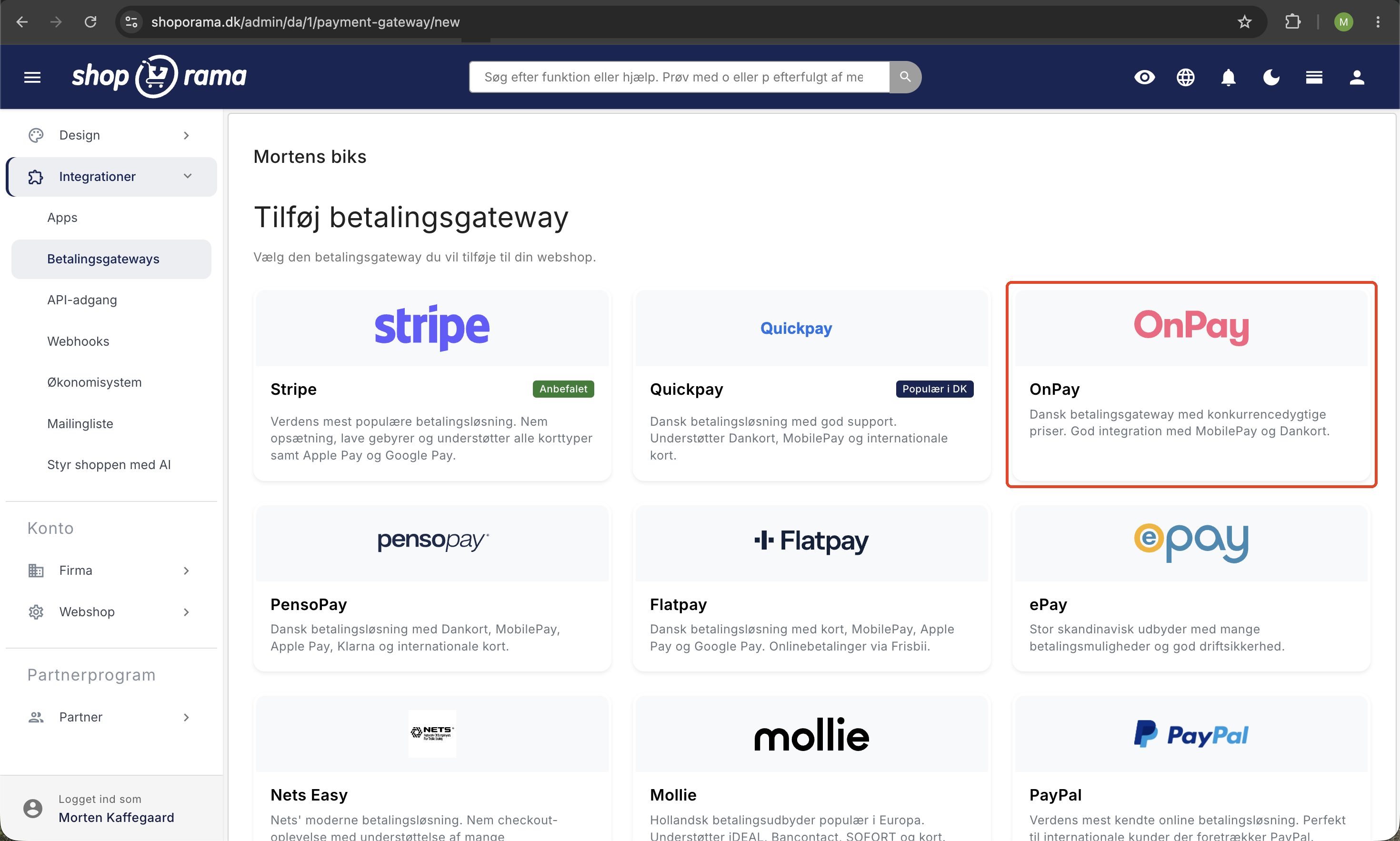
Step 2: Connect to OnPay
Once the gateway is created, a link to connect to OnPay will appear. Follow the link and authorize access on the OnPay website.
Once you’ve granted access to Shoporama, you’re ready to accept payments via OnPay.
Features
Shoporama supports the following OnPay features:
- Payment Links — Send payment links to customers
- Capture — Process the payment from the order page in the admin panel
- Refund — Refund orders in full or in part
- Cancel — Cancel an authorization
- Automatic capture — Automatically capture the payment when the order is shipped or picked up
Need help? Contact us at support@shoporama.dk.
Related articles
Setting up Nets Easy
Guide to setting up Nets Easy (Nexi) as a payment gateway on your Shoporama online shop.
Setting up PensoPay
Step-by-step guide to setting up PensoPay as a payment gateway on your Shoporama online shop.
Setting up QuickPay
Guide to setting up QuickPay as a payment gateway on your Shoporama online shop. Supports Dankort, MobilePay, Visa, Mastercard and many more.