Optimizing images for mobile
Guide to using responsive images with srcset in your Shoporama theme to provide optimized images for mobile users.
Mobile users shouldn't have to download a 1200px image when their phone only displays 400px. With responsive images, you let the browser choose the right size, so the page loads faster and the customer has a better experience. This is especially important on product listings and homepages, where there are many images displayed at once.
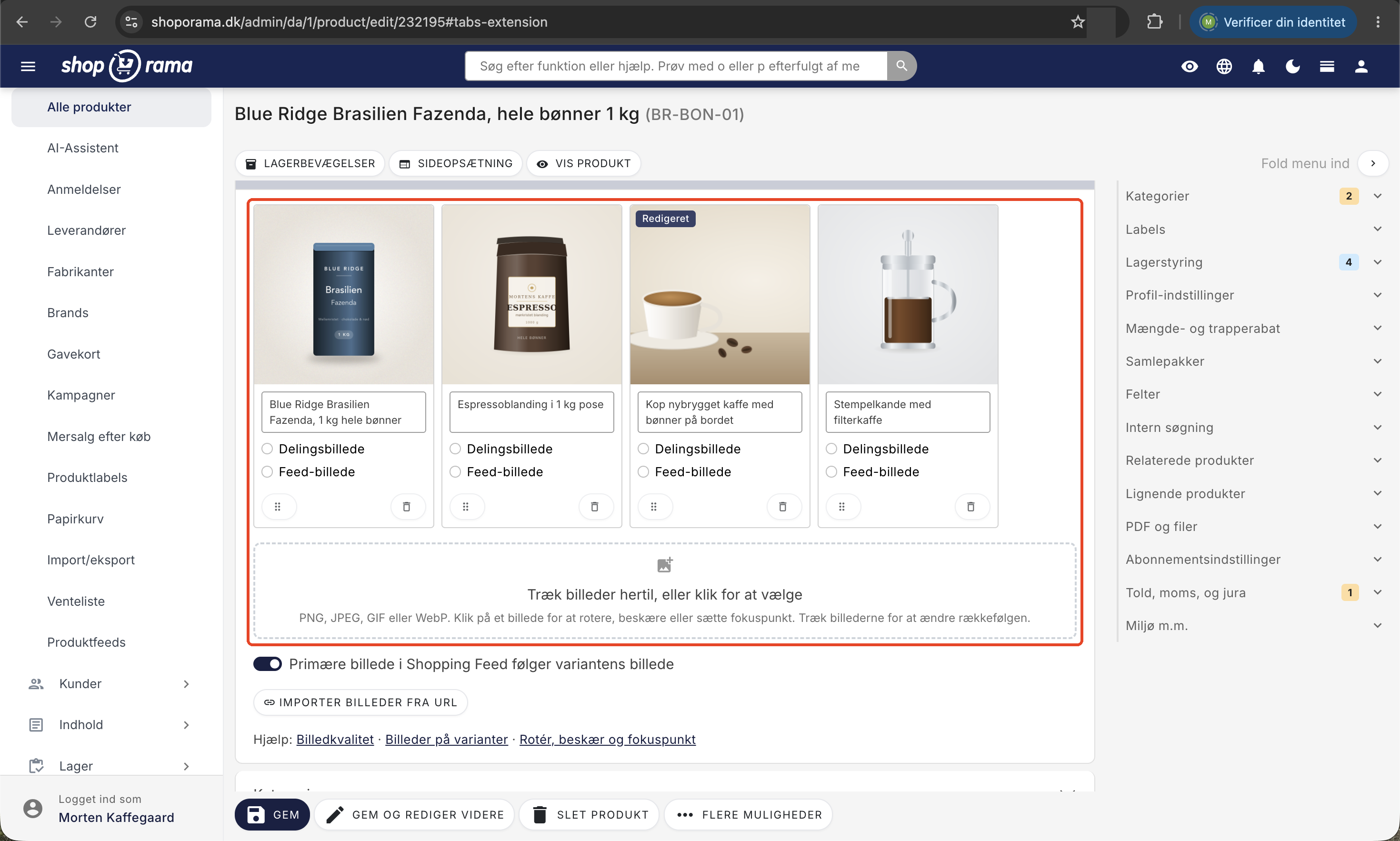
How Shoporama Resizes Your Images
Shoporama automatically optimizes your product images when they’re displayed in the online store:
- Resizing. Images are resized down to the exact size your theme requires, so the browser doesn’t have to handle huge files.
- WebP conversion. Modern browsers automatically receive images in the WebP format, which is significantly smaller than JPG.
- Quality adjustment. You can control the compression to choose the balance between file size and sharpness yourself.
- Caching. Resized images are cached so that resizing only occurs the first time a specific size is requested.
How to resize an image in your theme
In your Smarty theme, use the getSrc() method on an image. It’s available on all image objects, such as $product->getImage(), $category->getImages(), and similar. It returns the URL for the resized image:
<img src="<{$product->getImage()->getSrc(400, 400)}>" alt="<{$product->getName()}>">Parameters for getSrc()
The method takes five parameters, the last three of which are optional:
| Parameter | Description |
|---|---|
| $w | Width in pixels |
| $h | Height in pixels |
| $t | Scaling type: fit (fits within the container, preserves aspect ratio, default) or box (fills the entire container and crops) |
| $format | Force format: jpg, png, or webp (leave blank for automatic selection) |
| $quality | Compression quality 0–100 (typically 80–90 for a good balance between size and quality) |
Responsive images with srcset
When you want to serve different sizes for mobile, tablet, and desktop, combine getSrc() with the HTML srcset attribute. The browser will then automatically select the size that matches the screen resolution:
<img
  src="<{$product->getImage()->getSrc(400, 400)}>"
  srcset="<{$product->getImage()->getSrc(400, 400)}> 400w,
          <{$product->getImage()->getSrc(800, 800)}> 800w,
          <{$product->getImage()->getSrc(1200, 1200)}> 1200w"
  sizes="(max-width: 640px) 400px,
         (max-width: 1024px) 800px,
         1200px"
  alt="<{$product->getName()}>"
  loading="lazy"
>
Tip: Add loading="lazy" to images further down the page so they load only when the customer scrolls to them.
Example: Cropped product image with a fixed aspect ratio
If you want all images to have the same square aspect ratio, such as on a product list, use the " box" scaling type:
<img src="<{$product->getImage()->getSrc(600, 600, 'box')}>" alt="<{$product->getName()}>">Example: Force WebP and lower quality
For thumbnails, you can save a significant amount of file size by forcing WebP and lowering the quality slightly:
<img src="<{$product->getImage()->getSrc(200, 200, 'box', 'webp', 75)}>" alt="">Tip: Always upload high-resolution images, at least 1200px on the longest side. Shoporama scales them down to the desired size but cannot make a small image sharper. See also image quality and image format.
Frequently Asked Questions
Do I need to do anything myself, or does it happen automatically?
If you’re using one of Shoporama’s default themes, such as Delaware, responsive images are already set up for you. You only need to worry about this if you’re customizing the theme yourself or building a new one.
How much of a difference does this make to the customer experience?
A big one. A full product image at 1200x1200 can be several hundred kilobytes, while a 400x400 mobile version is typically under 50 kb. On a phone with a slow connection, that can be the difference between a fast-loading page and a customer leaving the store.
What’s the difference between “fit” and “box”?
"Fit" preserves the image’s original aspect ratio and fits it into the specified box. "Box" fills the entire box and crops whatever doesn’t fit. Use "Box" for uniform product lists and "Fit" for detail pages where the entire image needs to be displayed.
Are images resized every time the page is loaded?
No. Shoporama caches the scaled image the first time it’s requested, so it loads quickly on all subsequent visits. You don’t need to worry about caching yourself.
Will I be penalized in Google PageSpeed for large images?
Yes, if you serve images that are too large for mobile devices. If you use `srcset` and `sizes` correctly, you’ll usually eliminate the “Properly size images” warnings in PageSpeed Insights.
Does this affect my ranking on Google?
Mobile page speed is a factor in Google’s evaluation. Faster image loading can improve Core Web Vitals (especially LCP), which is beneficial for SEO. It’s not magic, but it helps.
Can I use the same approach for blog or landing page images?
Yes. All image objects in Shoporama have getSrc(). It works the same way for products, categories, landing pages, blog posts, and brand logos.
Do you need help customizing your theme so that images load optimally on mobile? Email support@shoporama.dk.
Related articles
Images on landing pages
How to upload images to a Shoporama landing page and display them correctly in your theme with getImages() and getSrc().
Delaware-themed configuration and customization
Complete guide to setting up the Delaware theme on your Shoporama online store. Footer, mega menu, colors, payment icons, Trustpilot, Instagram...
What themes are there on Shoporama?
Complete overview of all free themes on Shoporama: Delaware, DelawareDK, California, Alaska 2, Washington, Montana, and the classic Smarty 2 themes...
How to switch to Smarty 4
Guide to upgrading your Shoporama webshop from Smarty 2 to Smarty 4. Smarty 4 is faster, more secure and runs on PHP 8.