How to create redirects on Shoporama
Guide to creating redirects in Shoporama - from simple redirects to regex and CSV import.
A redirect sends visitors from an old URL to a new one. This is important for SEO and for avoiding 404 errors—for example, when you’ve switched e-commerce platforms or changed your URL structure.
Shoporama always creates 301 redirects (permanent redirects), which tell search engines that the page has been permanently moved.
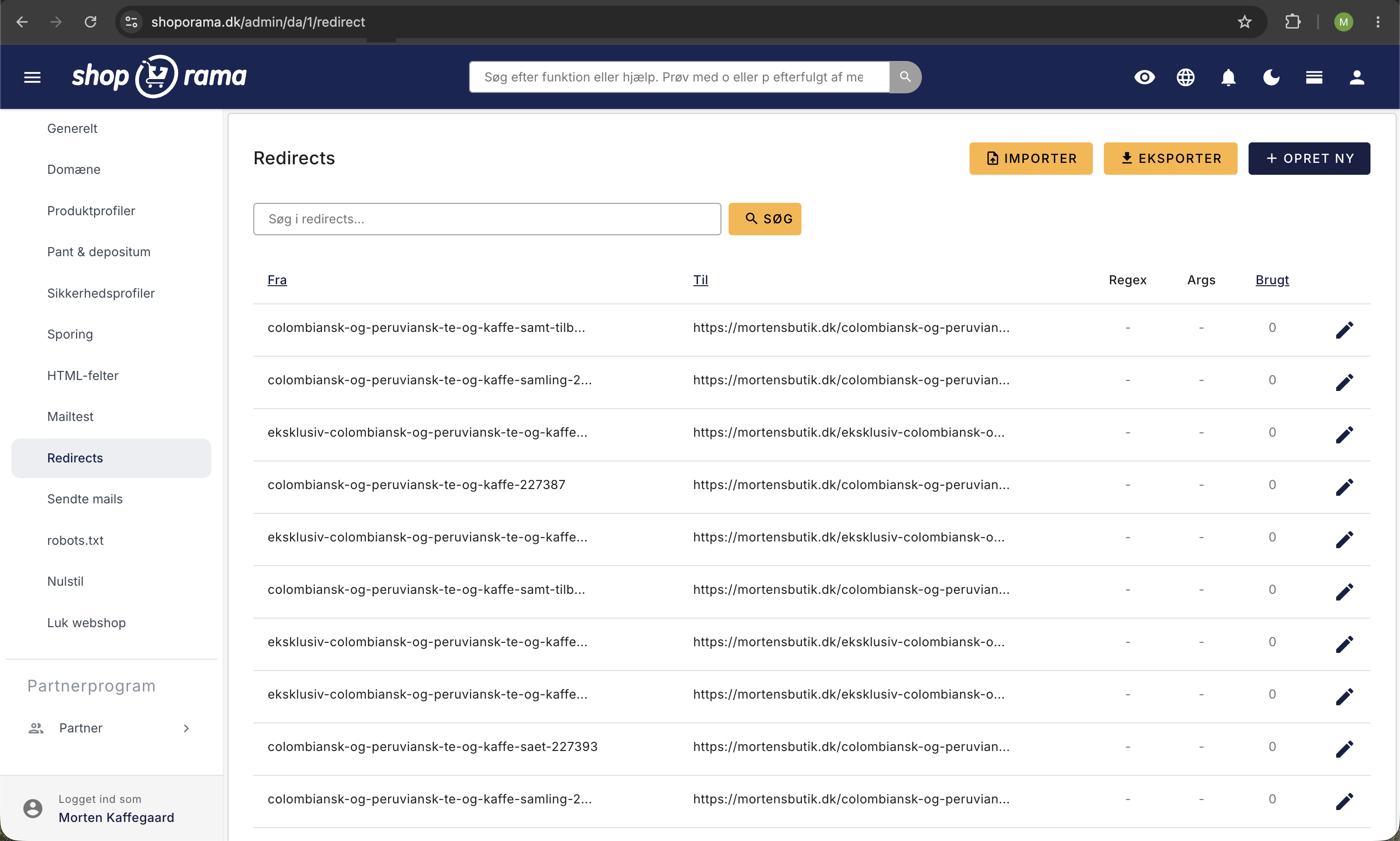
Create a simple redirect
- Click the gear icon in the top right corner of the admin panel
- Select “Redirects” from the menu
- Click Create New Redirect
- Fill in the From field with the old URL (relative, without the domain) — e.g., blaa-sweater-p4433.html
- Enter the new URL (absolute, with domain) in the "To" field — e.g., https://www.dinshop.dk/blaa-sweater
- Click Save
Note
The "To" address must be absolute (with https://) because you can redirect to a completely different page or domain. The "From" address must be relative (without a domain).
Include URL parameters
If you want to preserve URL parameters (e.g., ?affiliateid=57333) during the redirect, check the "Include arguments" box before saving.
Without this setting, parameters will be removed, and affiliate tracking or campaign links may be lost.
Redirects with regular expressions (regex)
If you need to redirect many URLs that share a common pattern, you can use regular expressions. Check the "Regular expression" box when creating the redirect.
Example: You want to redirect all URLs that start with "product-" and end with ".html":
product-.*\.htmlExample: Redirect URLs with varying parameters:
blaa-sweater\?affiliateid=.*This will match blaa-sweater?affiliateid=66789, blaa-sweater?affiliateid=12345, etc.
Important
Regular expressions are a complex topic. If you’re not familiar with regex, we recommend that you team up with someone who has experience with it.
Import redirects via CSV
If you have many redirects (e.g., when moving a store), you can import them as a CSV file. Go to Redirects in Settings and click Import.
The CSV file must be semicolon-separated and follow this format:
from_url;to_url;is_regex;include_arguments
blaa-sweater-p4433.html;https://www.dinshop.dk/blaa-sweater;0;0
old-category/.*;https://www.dinshop.dk/ny-kategori;1;0
The import runs in the background, and you’ll receive an email when it’s finished.
Troubleshooting
- The redirect isn’t working — Make sure there isn’t already a product, category, or static page with the same URL as the “from” address. Actual pages take precedence over redirects.
- Circular redirect — You cannot redirect a URL to itself. Shoporama automatically blocks this.
- Duplicate URL — The same “from” URL can only be used once. Delete the existing redirect first if you want to change the destination.
- Images cannot be redirected — The redirect system only works on page URLs, not on images.
Export and Monitor
You can export all your redirects as a CSV file for backup or for an overview. Shoporama also keeps track of how many times each redirect has been used and when it was last used—so you can clean up outdated redirects.
Need help? Contact us at support@shoporama.dk.
Related articles
Image name in the URL
Guide to getting the product image name in the URL for better SEO.
Mass editing of products
Guide to bulk editing products in Shoporama - edit prices, inventory, SEO fields and more in a spreadsheet-like interface.
How to create the most common landing pages
Guide to creating landing pages in Shoporama with rules for brands, price ranges, extra fields and more.