Send product recommendation emails manually
Shoporama does not have a dedicated 'Send product recommendation email' button. Learn what's actually in the platform and how to send targeted product recommendations via the newsletter module, segments and marketing integrations instead.
You may have come here because you’re looking for a button labeled something like “Manually send a product recommendation email.” That’s a good idea, and many e-commerce platforms market this feature as a standard function. In Shoporama, however, there isn’t a dedicated menu item or page labeled “product recommendations” or “manual recommendation email.” Instead, there are several practical ways to achieve exactly the same result, and we’ll walk you through them here.
In short: You send product recommendations by creating a newsletter campaign with a product block in Shoporama’s newsletter module and targeting it to a segment. If you want automated, personalized recommendations for each customer, Klaviyo or HeyLoyalty is the right choice.
What’s not available?
Just to be clear, these features aren’t currently part of Shoporama’s admin panel:
- A menu item called “Marketing” or “Product Recommendations”
- An automated system that selects recommended products for each customer and sends an email on your behalf
- A “Send Recommendations” button on individual products or for individual customers
If a previous support article or an old guide referred you to such a page, that information is now outdated. It has been corrected, and this page shows the actual alternatives.
Send recommendations via the newsletter module
The easiest way to send an email with product recommendations to a selected group of customers is via the built-in newsletter module. The module features a visual block editor with a product block where you can choose which products to include and how they should be displayed.
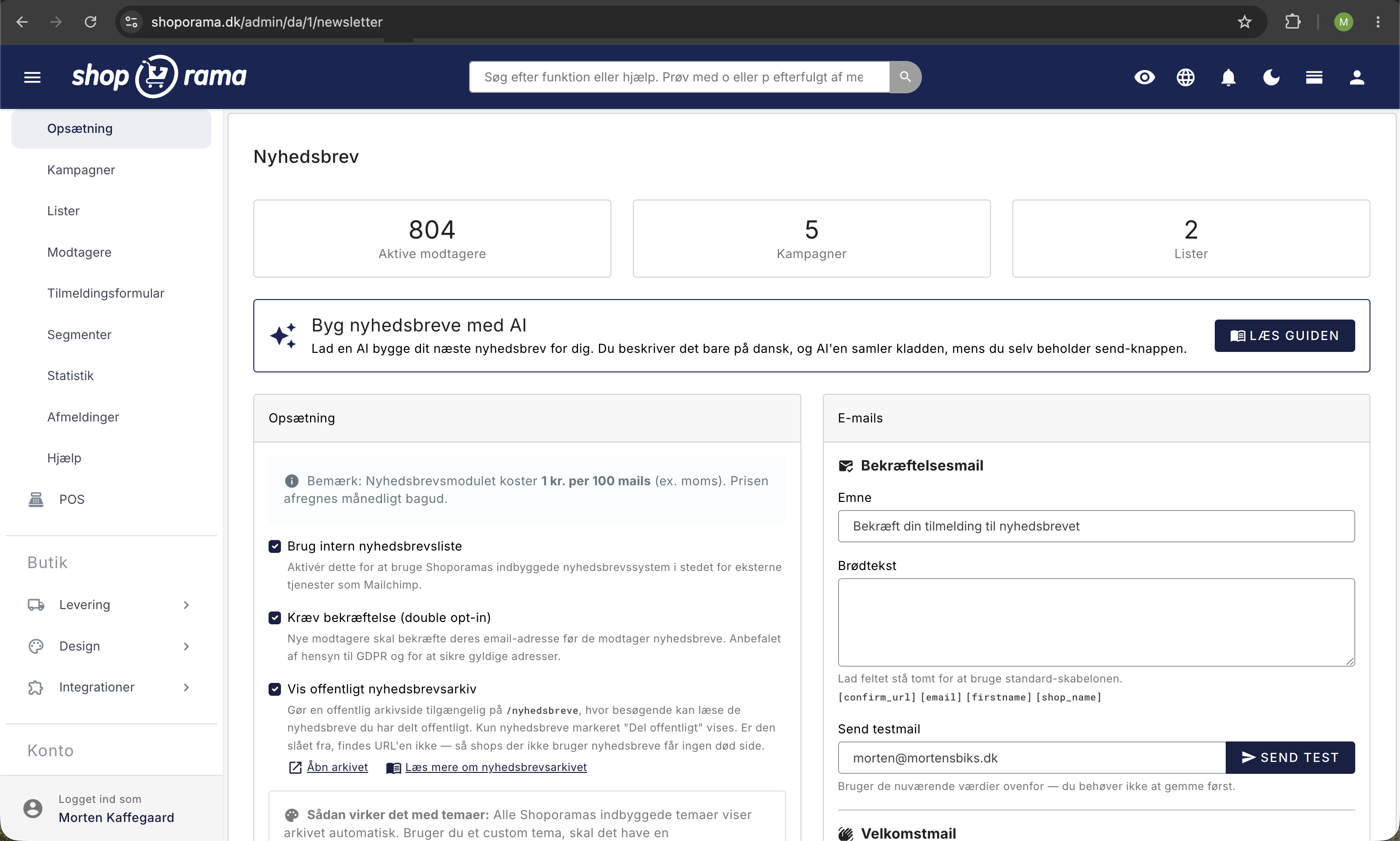
- Go to Newsletter in the left-hand menu and select Campaigns.
- Click Create Campaign and give it a descriptive subject line, such as “New favorites for you.”
- In the block editor, add a Product block. Select “Featured Products” as the source, and search for the products you want to recommend.
- Feel free to add a Text block explaining why you’re recommending these specific products, and a Button block for a clear call to action.
- Under Settings, select recipient lists or a segment (see the next section).
- Send immediately or schedule the email for a specific time.
Target with Segments
It’s rarely a good idea to send the same product recommendation to all your subscribers. Instead, use a segment so the email goes only to customers for whom the recommendation actually makes sense.
You can create segments under Newsletter → Segments. Examples of segments you can use to “manually” send recommendations:
- Customers who have purchased a specific product, e.g., to recommend accessories or follow-up products.
- Customers who have purchased from a specific category, e.g., to send new items from the same category.
- Customers with total spending over X kr., e.g., to recommend exclusive products to your VIP customers.
- Customers who haven’t made a purchase in Y days, e.g., for win-back campaigns featuring a selection of bestsellers.
The segments are dynamic. You can see the current number of recipients in real time while building the rules, and combine multiple rules using AND or OR. It has exactly the same effect as a “send recommendation email manually” button would, but with full control over both the recipient list and the content.
Automatic triggers make it semi-manual
If you want to send recommendations without having to remember to click “Send” every time, you can use the newsletter module’s triggers:
- After a purchase, e.g., “send 14 days after a customer has purchased a coffee maker” with a selection of recommended coffee beans and accessories.
- After sign-up, e.g., a welcome series where email #3 contains your best recommendations for new customers.
- Low activity, e.g., a win-back email after X days of inactivity with a personally curated product block.
Triggers run automatically, but you still decide which products are displayed and to whom. Think of it as “send manually, automatically.”
Personalized recommendations per customer with Klaviyo or HeyLoyalty
If you want true 1:1 recommendations, where each customer receives a personalized selection of products based on their past purchases and behavior, then a specialized marketing platform is the right choice. Shoporama offers deep integration with both:
- Klaviyo syncs orders, products, and customers, so you can build recommendation blocks in Klaviyo that select products for each customer and send automated flows.
- HeyLoyalty is a Danish platform with robust order synchronization, segmentation, and loyalty features. It’s a good fit if you want everything in Danish.
Both platforms handle the actual selection of recommended products, so you don’t have to do it manually. However, you’ll need to set aside time for setup and typically pay a monthly subscription fee to the platform on top of that.
Important note about Brevo: The Brevo integration only syncs email and name, not order data. Therefore, you cannot create automatic product recommendations based on purchases in Brevo using the standard integration. See the Brevo integration for details.
Recommendations on the Product Page Itself
Although this isn’t an email feature, it’s worth mentioning that Shoporama offers robust recommendation options directly on the online store, which often reduces the need for recommendation emails:
- Related and reverse-related products that you manage yourself on a per-product basis.
- "Bought Together" statistics that show which product pairs your customers actually buy together.
- Stock notification, where customers can request an email when a sold-out item is back in stock. This isn’t a “recommendation email,” but an email about something the customer has already shown interest in.
Which solution should I choose?
It depends on how much time you want to spend and how personalized the recommendations should be:
- Fora quick campaign every now and then, use the newsletter module’s product block combined with a segment. You have full control, and it only costs the small per-email fee.
- Forrecurring automation without 1:1 recommendations, use triggers in the newsletter module.
- Fortruly personalized recommendations per customer, use Klaviyo or HeyLoyalty.
For most small and medium-sized online stores, the built-in newsletter solution is more than sufficient and easy to use. As your product range or volume grows, it often makes sense to supplement it with a specialized platform.
Frequently Asked Questions
Is there really no “Send Recommendation Email” button?
No. There is no dedicated button or page in Shoporama with “recommendation email” in its name. Instead, this functionality is covered by the newsletter module using segments, or by Klaviyo and HeyLoyalty. In practice, this offers far greater flexibility.
Can I choose the products myself, or is it done automatically?
Both. In the newsletter module, you select products yourself using the block editor. In Klaviyo or HeyLoyalty, you can set up rules so that the system automatically selects recommendations for each customer based on behavior and purchase history.
How much does it cost to send a campaign with product recommendations?
Shoporama’s built-in newsletter module costs 1 DKK per 100 emails, excluding VAT. For example, if you send to 1,000 recipients, it costs 10 DKK. Klaviyo and HeyLoyalty bill separately according to their own pricing plans.
Does the customer need to give consent to receive product recommendations?
Yes. Recommendation emails constitute marketing and require active consent under the GDPR and the Marketing Practices Act. Make sure your customers have subscribed to the newsletter, or that you have a legal basis, such as an existing customer relationship involving similar products.
Can I send recommendations to customers who have purchased a specific product?
Yes. Create a segment under Newsletter → Segments based on product purchases, and select it as the recipient of your campaign. This is the same method described in the article “Send emails to customers who have purchased a product.”
Where does Shoporama get prices, images, and links for the product block?
Directly from your products in the admin panel. The price, main image, name, and product link are automatically pulled into the newsletter, so you don’t have to maintain them manually. If you want to customize the layout, your theme may have its own newsletter/products.html template.
If you have questions about product recommendations or need help setting up your first campaign, feel free to email us at support@shoporama.dk.
Related articles
The newsletter module
Complete guide to Shoporama's built-in newsletter module. Learn how to create campaigns, segment recipients, use A/B testing, set up automatic...
Send emails to customers who have purchased a product
Guide to send an email to all customers who have purchased a specific product in your Shoporama online store.
Open baskets - View and restore abandoned shopping carts
Set up Klaviyo integration
Guide to setting up Klaviyo integration with your Shoporama online store for automated email flows.
HeyLoyalty integration
Guide to setting up HeyLoyalty in Shoporama for email marketing with automatic synchronization of subscribers and order data.
Brevo integration newsletter signup integration from your webshop
How to connect your Shoporama webshop to Brevo (formerly Sendinblue) so that new newsletter subscriptions automatically land in Brevo. Read what...
Reverse related products
Understand the difference between related and unrelated products and how to set them up.