Image quality and aspect ratio in Shoporama
Understand how Shoporama handles image quality and aspect ratio - and what you can do if your images don't look sharp enough.
Shoporama automatically optimizes your product images to ensure fast loading times. Here you can read about how image quality and image format work.
Image Format
Shoporama supports three image formats for product images:
| Format | Description |
|---|---|
| WebP (default) | A modern format with good compression and quality. Supported by all modern browsers. |
| JPG | Classic format with adjustable quality. Good for photographs. |
| PNG | Lossless format with transparency. Larger file size, but no loss of quality. |
Image Quality
The quality of your images is controlled by a setting specified as a number between 1 and 100. The default value is 75, which provides a good balance between file size and image quality.
Lower quality (e.g., 60–70)
- Smaller file size
- Faster loading
- May result in visible compression on detailed images
Higher quality (e.g., 85–100)
- Sharper images
- Larger file size
- Slower loading
Tip: If you notice that your images look blurry or compressed, you can contact us at support@shoporama.dk to have the image quality for your store adjusted.
Tips for images
- Always upload images in the highest quality you have—Shoporama automatically scales and compresses them
- Use square images for products to ensure a consistent look
- Avoid uploading images that are already heavily compressed
- The WebP format typically offers the best balance between quality and file size
Edit the image after uploading
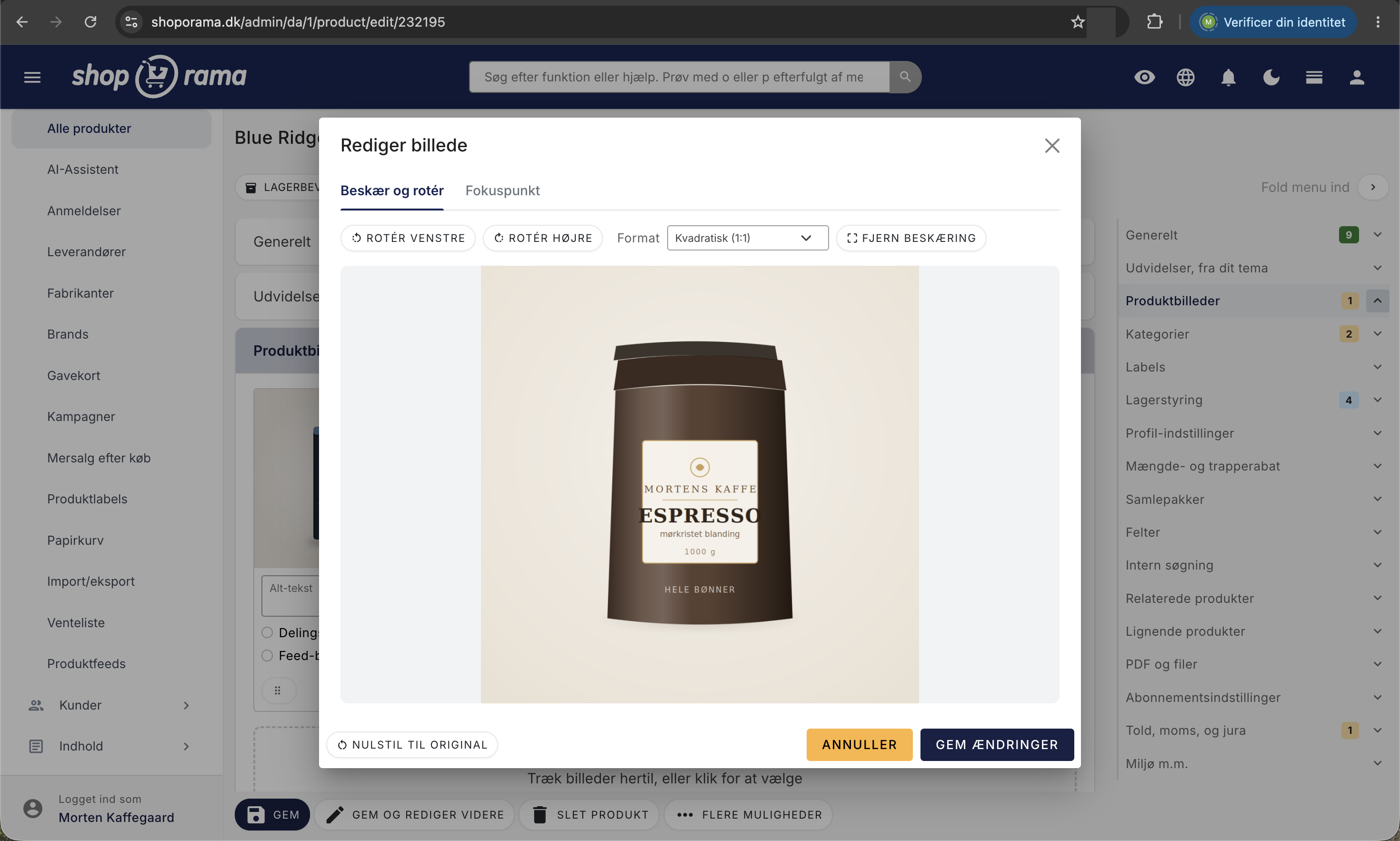
You can edit an image directly in the admin panel after you’ve uploaded it: rotate it, crop it, or set a focus point so that the most important part always remains in the image when the theme crops it. The original is preserved, and you can always reset it. Learn how to edit images.
Related articles
Unsubscribe links in automatic emails
Give your customers the option to unsubscribe from automatic follow-up emails after purchases and product reviews - with a simple link in the email.
AI assistant in the text editor
Learn how to use Shoporama's built-in AI assistant to generate product texts, image descriptions and text suggestions.
Ajax filtering
Technical documentation for Shoporama's /ajax endpoint for filtering products. For developers and theme designers.
Related features
Speed is a feature - that's why we've made Shoporama shops lightning fast
We love fast online shops. Everyone does. That's why we've made Shoporama webshops lightning fast. It's good for you, your user and your SEO
Image Archive
Full design freedom - your design, your rules
Design your online store freely with full access to HTML, CSS and templates. Use templates, Page Builder or build from scratch.