Warehouse locations
Learn how to organize your inventory across multiple locations in Shoporama.
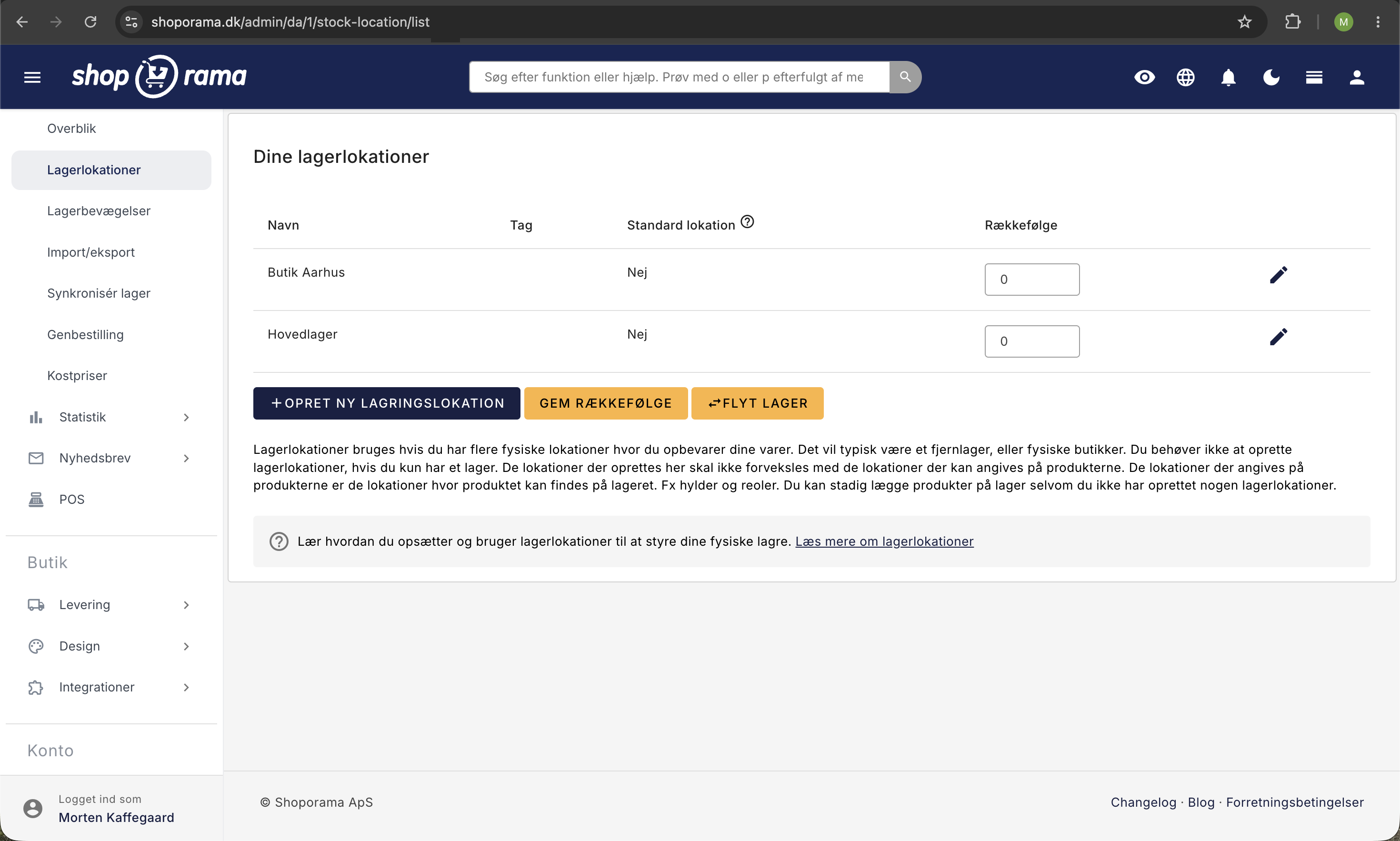
Med lagerlokationer kan du fordele din lagerbeholdning på flere fysiske lokationer, fx et hovedlager, en butik og et fjernlager. Shoporama holder styr på beholdningen per lokation og prioriterer automatisk, hvilken lokation der plukkes fra.
Opsætning
Du finder lagerlokationer under Lager → Lagerlokationer. Her kan du:
- Oprette nye lokationer med navn og prioritet
- Sætte én lokation som standard
- Angive en vægtning, der bestemmer plukkerækkefølgen
Prioritering
Lokationer har en vægtning, der afgør hvilken lokation der plukkes fra først. Lokationen med højest prioritet bruges først, og når den er tom, skifter systemet til den næste.
Har du spørgsmål til lagerlokationer, er du velkommen til at kontakte os på support@shoporama.dk.
Related articles
Pick list
Guide to Shoporama's pick list. Pick and pack orders efficiently with barcode scanning, batch management and mobile-friendly interface.
Order queue
Guide to the order queue in Shoporama. See the status of automatic order actions such as capture, invoicing and stock pull, and learn how to manage...