Inventory value without cost price
What to do if your inventory value is not correct because you missed the cost price when registering stock.
Inventory value is typically calculated based on the cost of your products. If a product is missing its cost, this affects the inventory value calculation.
What happens if there is no cost price?
Products without a cost price are not included in the inventory value. This means that the displayed inventory value may be lower than the actual value.
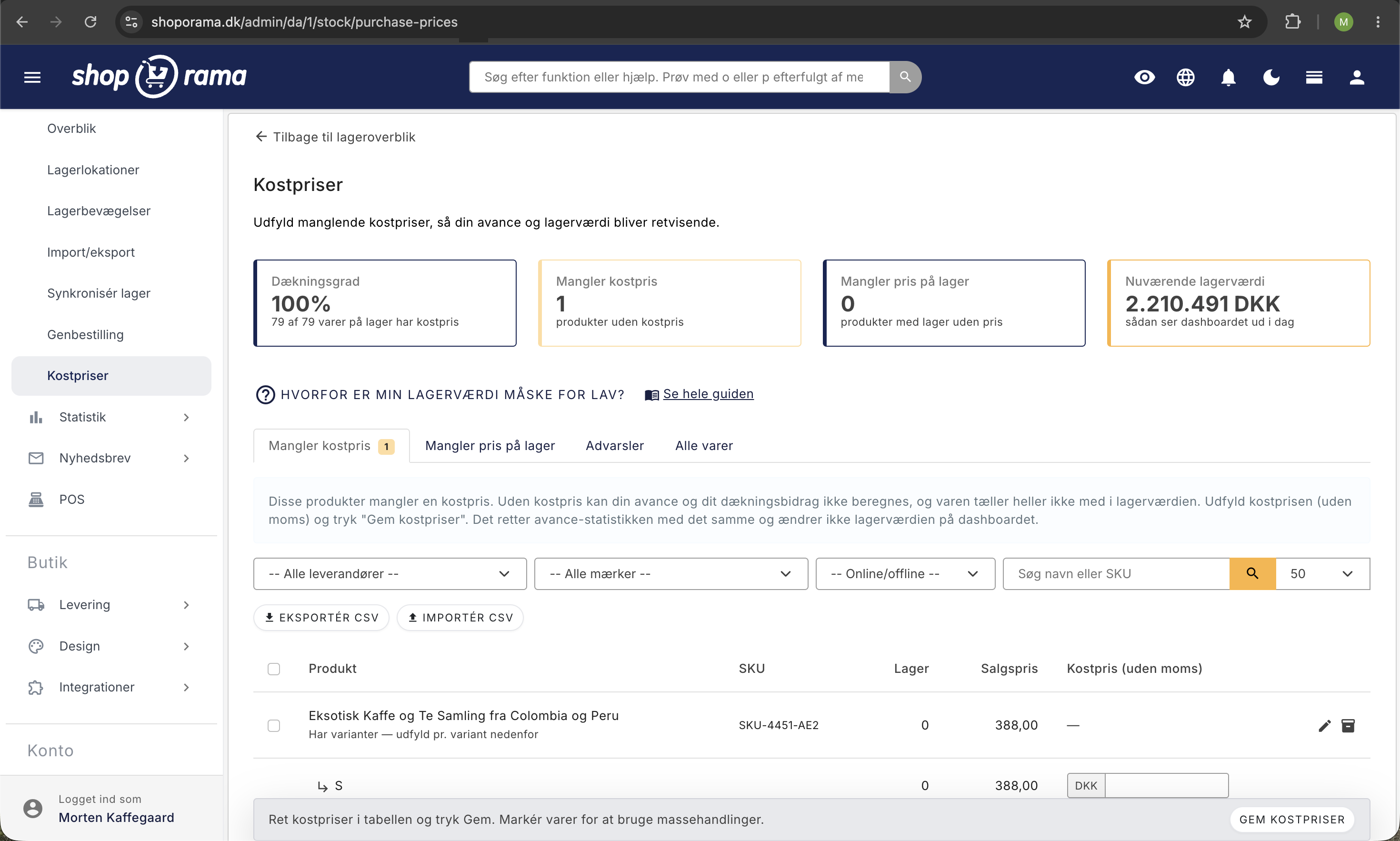
How to Add a Cost Price
- Go to Products and click Edit on the product
- Under General, you’ll find the Cost Price (excl. VAT) field
- Enter the purchase price excluding VAT
- Click Save
Update the cost price for multiple products
If you have many products without a cost price, you can:
- Update the cost price for multiple products via bulk editing
- Import cost prices via CSV import
See also "Calculating Inventory Value " for a full explanation of the calculation.
Tip
An accurate cost price is important for getting a true picture of your profit margin and inventory value. Make it a priority to enter cost prices for your best-selling products first.
Need help? Contact us at support@shoporama.dk.
Related articles
Calculating inventory value
Explanation of how the inventory value is calculated in Shoporama. Weighted average, cost price, bundles, variants and credit notes.
Unsubscribe links in automatic emails
Give your customers the option to unsubscribe from automatic follow-up emails after purchases and product reviews - with a simple link in the email.
AI assistant in the text editor
Learn how to use Shoporama's built-in AI assistant to generate product texts, image descriptions and text suggestions.
Related features
Cost price
The cost price is the amount it cost to purchase or manufacture an item, always excluding VAT. Find out what the cost price is used for and why it...
Cost Prices
If you don't have cost prices, your inventory value and profit margin will be incorrect. See why cost prices are worth their weight in gold for...
Inventory value
Inventory value is the total value of your goods in stock, calculated at cost. See how it is reported in the financial statements and why it may be...