See the number sold of a product
Guide to see how many units you have sold of a specific product in Shoporama.
You can see how many units of each product you’ve sold directly in the Shoporama admin. This gives you a quick overview of your bestsellers.
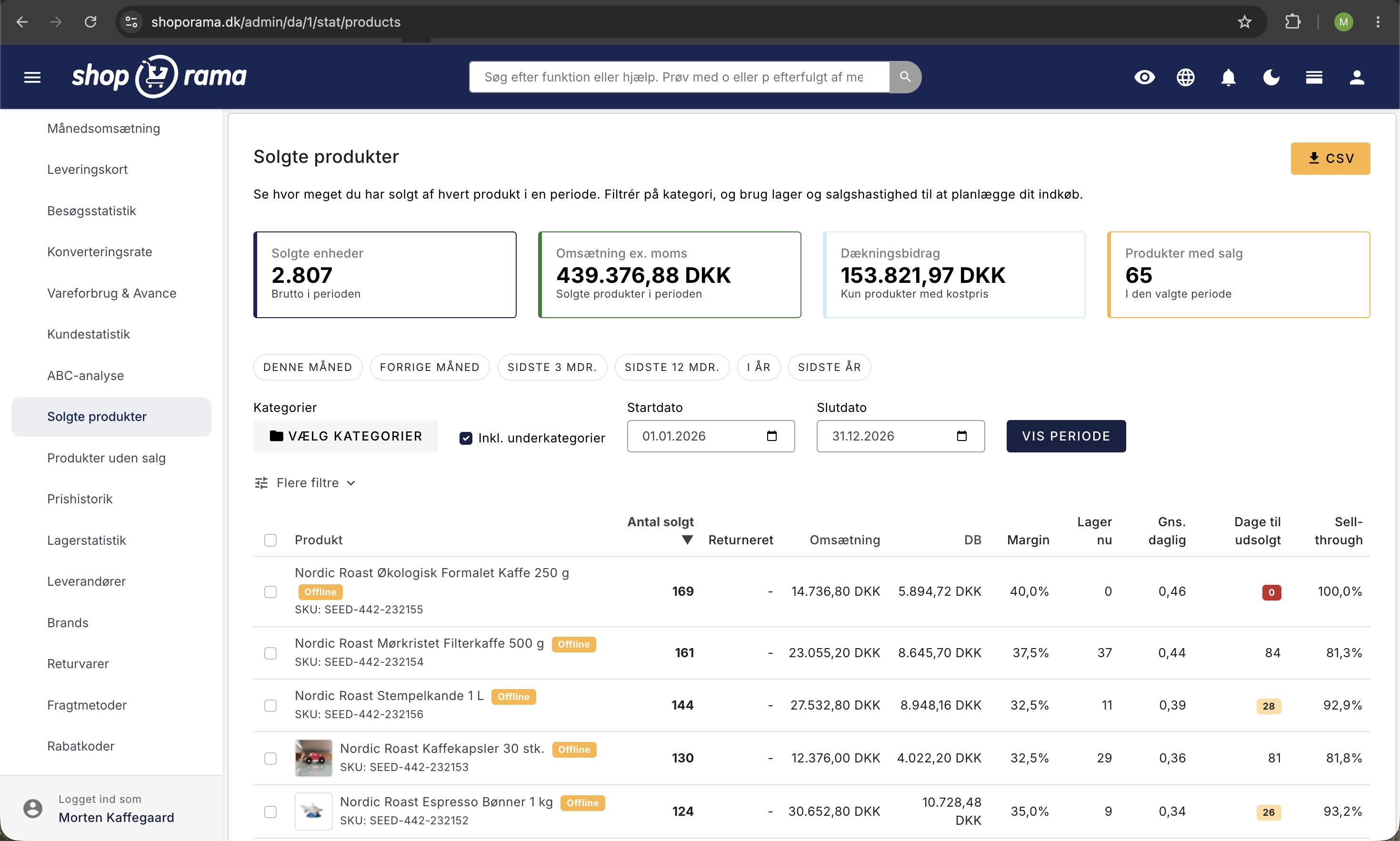
How to View Sales Volume
- Go to Products in your admin
- The “Sold ” column is displayed by default in the product list
- The number next to each product shows how many units have been sold
Sort by best-selling
Click the "Sold" column header to sort the product list by number of units sold. Click again to toggle between ascending and descending order.
Export sales data
For more detailed sales statistics, you can:
- Export products as a CSV file —includes the number of units sold per product
- Export orders – for detailed revenue per product over a period
- View revenue – the admin dashboard shows your total revenue
Tip
The number of items sold is calculated from orders with the status “completed.” Canceled orders are not included.
Need help? Contact us at support@shoporama.dk.
Related articles
Export customers who have purchased a specific product
Guide to export a list of customers who have purchased a specific product and send them an email.
Copy a product
Guide to copying a product in Shoporama - including variants, images and descriptions.
Set noindex on a page, product or category
Guide to setting noindex in Shoporama so that search engines do not index certain pages.