The Omnibus Directive Requires Price History
Since 2022, the EU’s Omnibus Directive has required all online stores to display the lowest price within the past 30 days when a product is put on sale. The purpose is to protect consumers from artificially inflated “before” prices and ensure transparency in price communication.
With Shoporama’s price history feature, you’re automatically in compliance. The system logs all price changes in the background, and you can display the correct “before” price in your design at any time.
How it works
When price history is enabled, Shoporama automatically logs:
- Changes to the regular price
- Changes to the sale price
- Price changes for variants (sizes, colors, etc.)
- The time of each change
- Who made the change
Everything happens automatically—you don’t need to do anything special when you change prices. Logging runs in the background and does not affect performance.
Lowest price in the last 30 days
The key feature is the calculation of the lowest price over the past 30 days. This calculation takes into account all four price columns—regular price, sale price, previous regular price, and previous sale price—to capture all prices that have been in effect during the period.
The price can be retrieved per variant, so an XL size may have a different Omnibus price than an S size if they have had different price histories.
Display the previous price in your design
In your Smarty templates, you can use this method to retrieve the lowest 30-day price and display it as the “before” price next to the sale price. This ensures that you always comply with the law, no matter how quickly your prices change.
The price is returned including tax, so it’s ready to be displayed directly to the consumer.
Overview and export
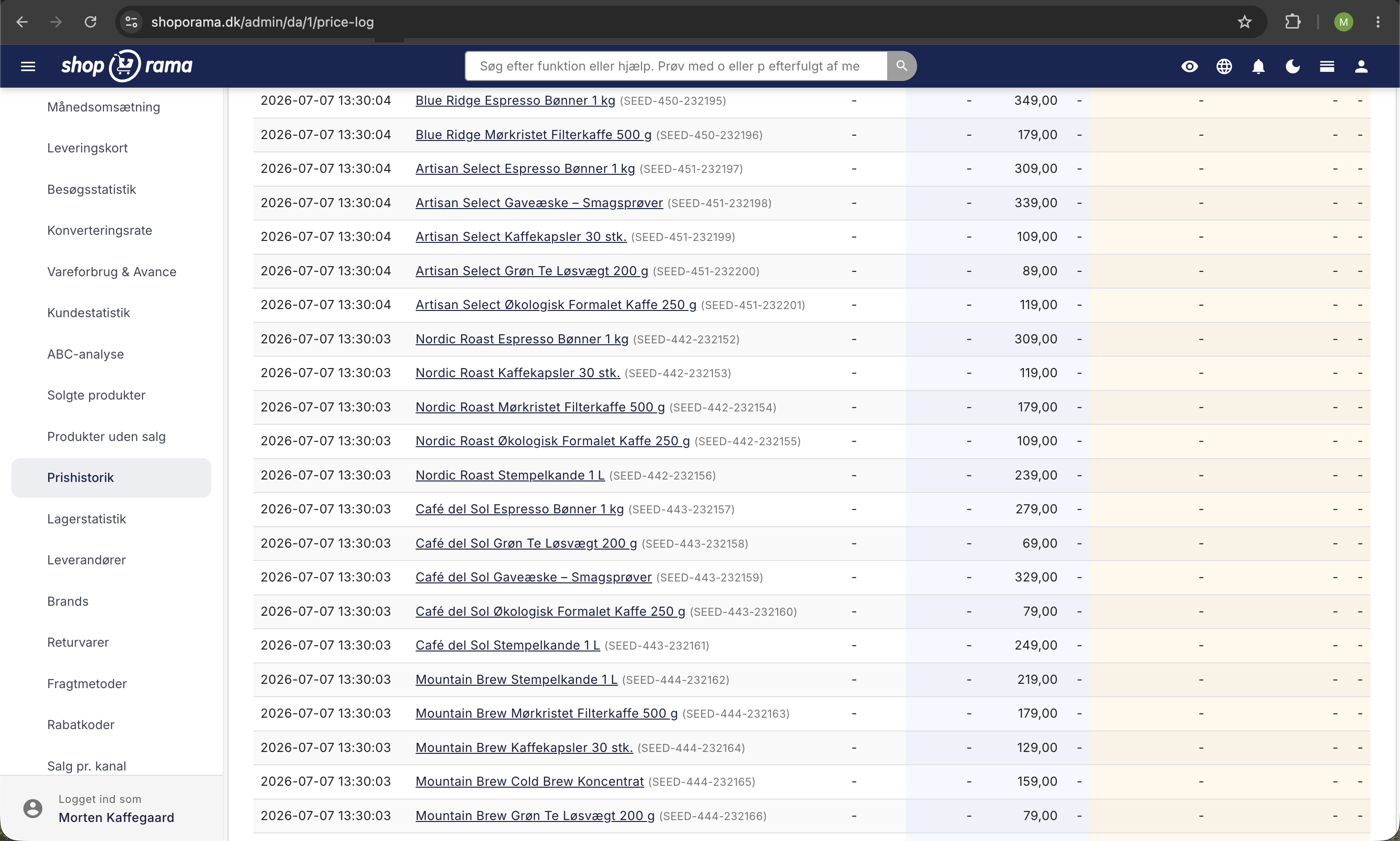
In the admin panel, you’ll find a complete price log with:
- Search — Find price changes for specific products by name, item number, or product ID
- Date filtering — View price changes within a specific time period
- Pagination — Choose between 25, 50, 100, or 200 rows per page
- CSV Export — Download the entire price history, including the time of the change, product name, SKU, variant, price before and after, and promotional price before and after
Variants are fully supported
The price history tracks not only the main product’s price but also all variants. If you change the price of a specific size or color, it is logged separately with the variant specified. This means you can display the correct Omnibus pre-price for each individual variant.
Data is stored for up to 2 years
The price log is retained for up to 730 days (2 years), providing you with ample historical data. Older data is automatically purged to keep the database lean.
Activation
Price history can be enabled or disabled with a single click in the admin panel. When you enable the feature, logging begins immediately. Note that disabling the feature deletes existing price data, so the feature is designed to be permanently enabled.