What are webhooks?
Webhooks are automatic HTTP requests that send data from your Shoporama online store to a URL of your choice. When a specific event occurs—such as a new order or a change in inventory status—Shoporama immediately sends a notification to your server with all relevant data.
Instead of constantly asking the API, “Has anything new happened?”, webhooks proactively notify you when there’s something to respond to. This results in lower latency, less load, and a more elegant integration.
Supported Events
Shoporama supports webhooks for a wide range of events, grouped into four categories:
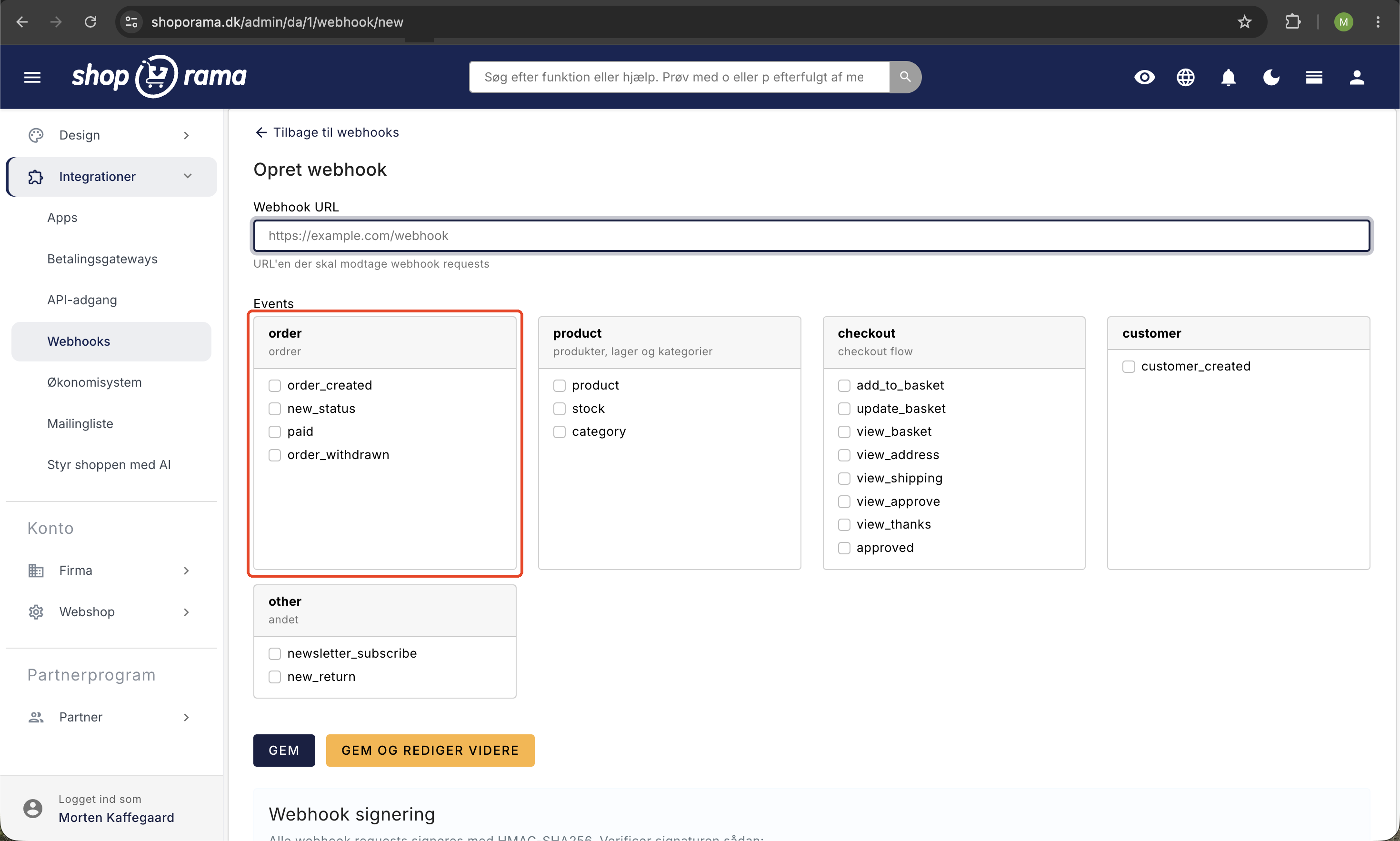
Orders
- Order Created — When a new order is placed
- New Status — When an order’s status changes (e.g., from “New” to “Shipped”)
- Paid — When payment for an order is processed
Products
- Product updated — When a product is created or updated
- Inventory updated — When inventory levels are updated
- Category Changed — When categories are created, changed, or deleted
Checkout flow
- Added to cart — When a customer adds a product to the cart
- Cart updated — When the cart is modified
- Checkout steps — Visits to the cart page, address page, shipping page, confirmation page, and thank-you page
- Order approved — When the order is finally approved
Customers and More
- Customer created — When a new customer is registered
- Newsletter sign-up — When a visitor signs up for the newsletter
- New return — When a customer creates a return request
Security and Reliability
Each webhook is signed with a unique secret, which is automatically generated upon creation. This allows your server to verify that the call is actually coming from Shoporama and has not been forged.
Shoporama delivers webhooks asynchronously via an internal queue, so events are not lost even if your server is temporarily down. You can view the log of delivered webhooks at any time, including status, response time, and any errors.
Logging and Troubleshooting
All webhook deliveries are logged with details such as:
- Time of dispatch
- Event type
- HTTP status code from your server
- Response time
- Ability to resend individual webhooks
You can filter the log by event type, status, and date—and you can send test webhooks to verify that your integration is working correctly before going live.
Statistics
For each webhook, you can view statistics for the past 30 days, including the number of deliveries, success rate, and error distribution. This gives you a quick overview of whether your integrations are running stably.
Create via the API
In addition to the admin panel, webhooks can also be created and managed programmatically via the REST API. This allows apps and integrations to set up their own webhooks automatically.
Typical use cases
- ERP integration: Send new orders directly to your ERP system the moment they are created
- Inventory alerts: Get notified when a product is running low in stock
- Marketing automation: Trigger email flows based on customer behavior at checkout
- Slack notifications: Send a message to your Slack channel for every new order
- Custom dashboards: Build your own real-time dashboard with live order data