How do I change company information
Guide to changing company name, address and other business information in Shoporama.
You can easily update your company name, address, CVR number, and other business information yourself in Shoporama. This information is used on invoices, in the footer, and elsewhere in your store.
How to change your company information
- Go to Account → Company → Company Information in the menu
- Edit the fields you want to change
- Click Save
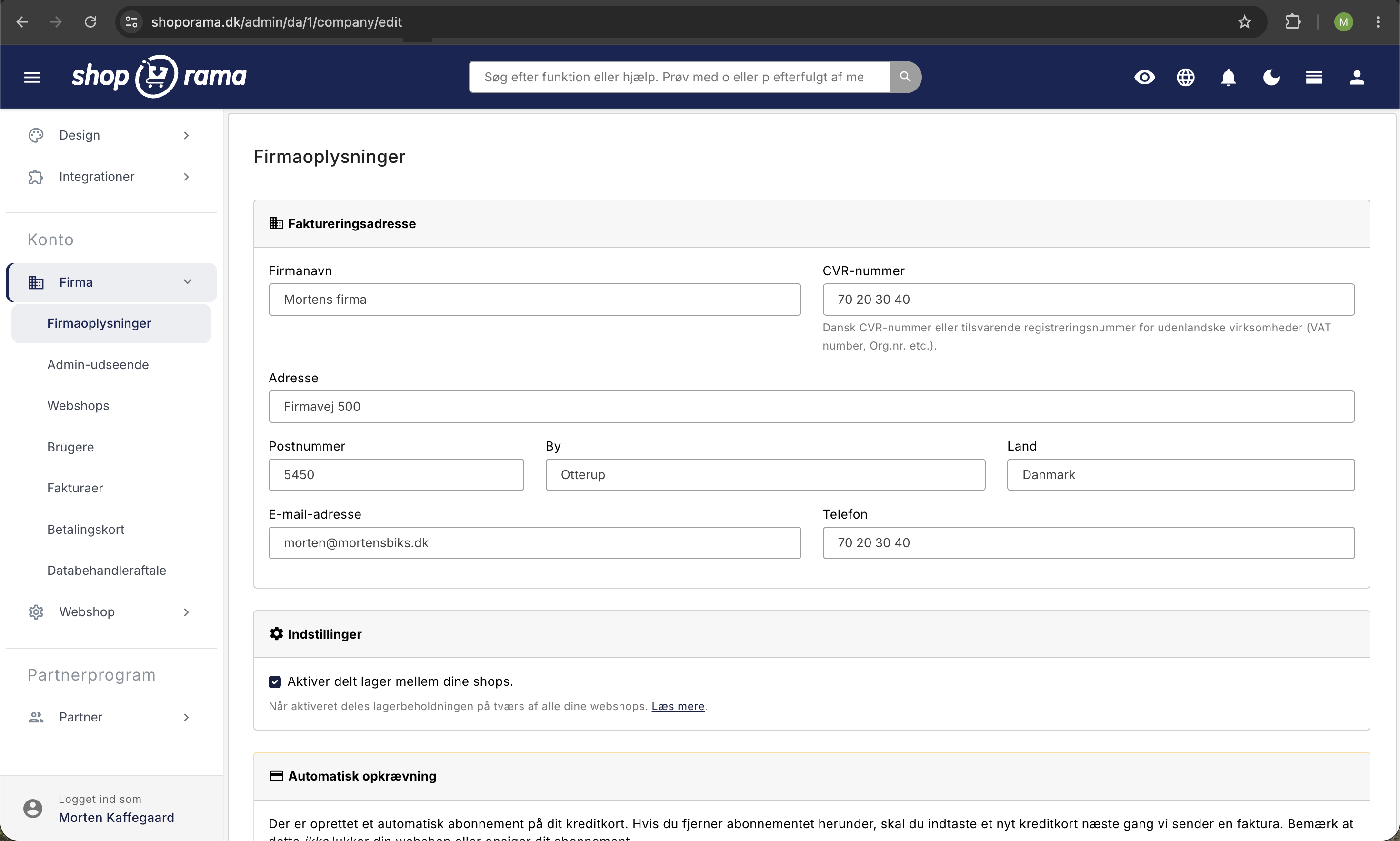
Fields you can edit
- Company Name: your official company name
- Address: street, ZIP code, and city
- CVR number: appears on invoices and in the footer
- Phone: your company’s contact phone number
- Email: contact email displayed in the store
- Country: your company’s country
Where is this information displayed?
Your company information is used in several places:
- Footer: in the bottom bar of your store (depending on the theme)
- Invoices: on all order invoices
- Emails: in transactional emails to customers
- Legal: in the terms of service and cookie policy
Important
Make sure your company information is always up to date. Incorrect information on invoices can cause problems with bookkeeping and customer inquiries.
Need help? Contact us at support@shoporama.dk.
Related articles
Blacklist - Block unwanted orders
Learn how to use Shoporama's blacklist feature to block spam orders and unwanted customers by blacklisting email, phone number or IP address.
Checkout flow and shipping calculation
Guide for developers to implement shipping in the checkout flow of a Shoporama theme.
DHL Parcel Shop
Guide to setting up DHL parcel shop as a shipping method in Shoporama. Let customers choose the nearest DHL ServicePoint at checkout.