How to calculate the numbers in the backend
Explanation of how revenue, number of orders and profit are calculated in the Shoporama backend. See exactly which order statuses count towards which figures.
The figures in the Shoporama backend (the dashboard, statistics, and reports) are calculated based on a fixed filter applied to the orders. Here’s a detailed explanation so you can be confident that the figures accurately reflect reality, even when comparing them to your financial statements.
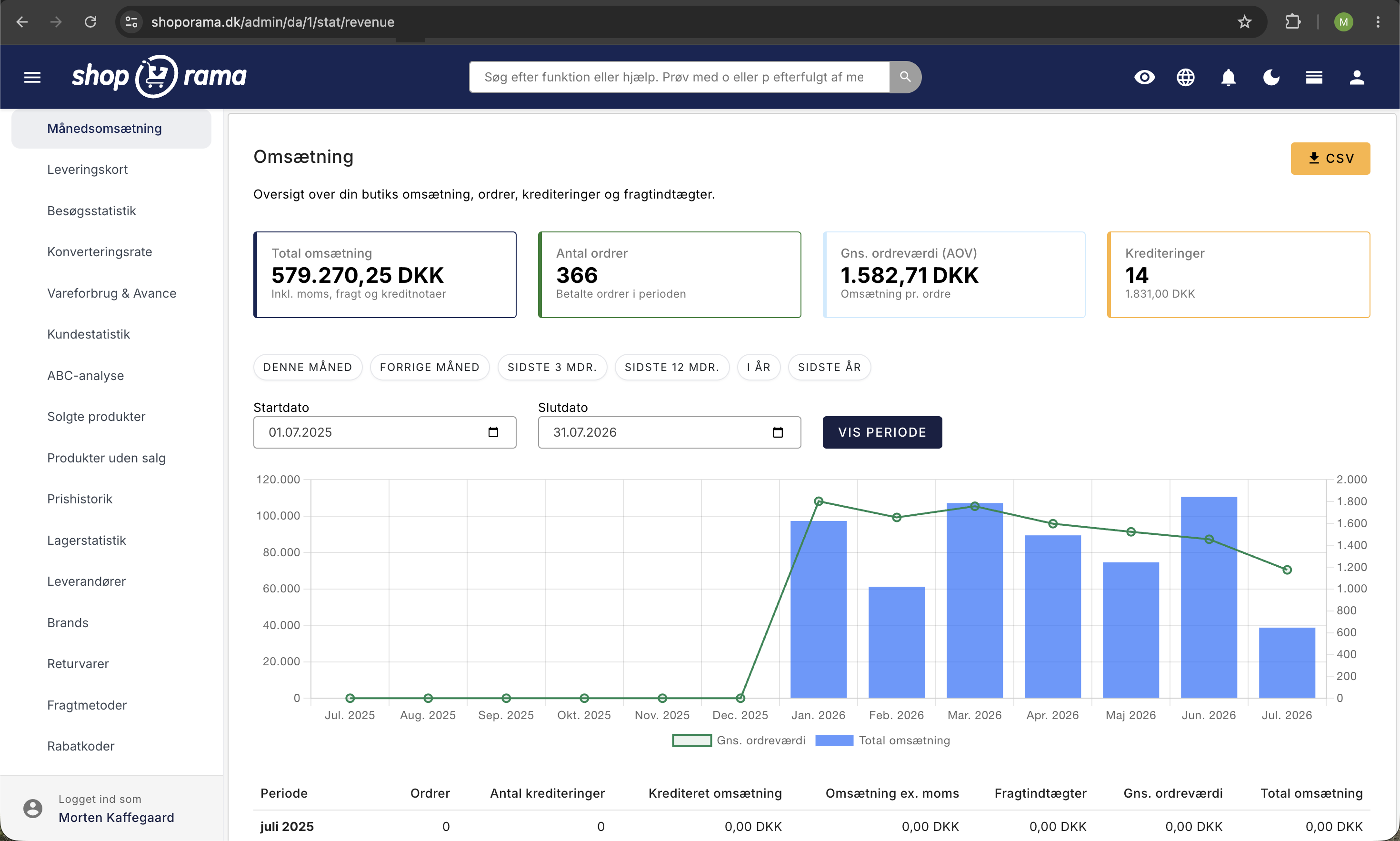
The Basic Filter
All revenue and order figures are based on two conditions, both of which must be met:
- The order is paid (in the database, ` paid` = 1)
- The order’s status is one of the counting statuses (see next section)
If both conditions are met, the order is counted. A “Shipped” order that is not marked as paid is therefore not counted. The same applies to a paid order whose status is set to “Canceled.”
Shoporama’s actual order statuses
Shoporama has several built-in order statuses. The most commonly used are:
- New: Recently created, not yet processed
- InProcess means picking and packing are in progress
- Pending:waiting for, e.g., a backorder or manual approval
- Ready: Ready for pickup or shipment
- "Sent" means the order has been shipped to the customer
- "Credit" refers to a credit memo created and linked to an original order
- "Canceled" means the order has been canceled and is never counted anywhere
Note: There is no status called "Completed." A “completed” order is typically in the “Sent” (shipped) or “Ready” (picked up) status. Both count toward revenue as long as they have been paid.
Which statuses count where
It’s important to know that the filter works slightly differently depending on which figure is being displayed. In practice, there are two variants:
Variant 1: Revenue and dashboard figures (6 statuses)
For revenue figures, profit, daily revenue, monthly revenue, annual revenue, and product statistics, these six statuses are included:
- New, In Progress, Pending, Ready, Shipped, and Credit Memo
Credited orders are included in revenue because, in Shoporama, a credit memo is treated as a separate order with an `original_order_id` that points to the original order. This provides an accurate sales figure.
Variant 2: Number of orders, supplier, and brand reports (5 statuses)
When displaying a raw count of orders (e.g., in the order counter on the homepage, supplier statistics, brand statistics, and shipping statistics), a slightly stricter filter is used with only five statuses:
- New, In Progress, Pending, Ready, and Shipped (Credit memos are not included)
At the same time, the filter checks for ` original_order_id IS NULL`, which means that returns and credit memos are not counted as separate orders. This prevents a return from being double-counted.
Which orders are NOT included
- Canceled orders (status: Canceled) are never included in the figures, regardless of payment status
- Unpaid orders (the pink ones in the order list, where the customer did not complete payment) are not included
- Return orders (orders where ` original_order_id ` points to an original order) are not included in order counters but are deducted in return reports
Tip: If a number on the dashboard doesn’t match your expectations, first check whether the missing orders are marked as paid. This is the most common cause of discrepancies.
VAT in the figures
By default, the figures on the front page are displayed including VAT. Read more about how to change the display in the article “Are the figures in the backend with or without VAT?”
Periods on the dashboard
The front page typically shows revenue and order counts for:
- Today from midnight to now (your local time zone)
- Yesterday —the entire day for comparison
- This month: from the 1st of the current month to now
- This year, from January 1 of the current year to now
Inventory Value
Inventory value is calculated based on cost prices and inventory levels and does not use the order status filter. Read the details in Calculating Inventory Value. For products without a cost price, see Inventory Value Without Cost Price.
Frequently Asked Questions
Why doesn’t the revenue in the dashboard match what I see in e-conomic?
The two systems may show different figures for several reasons. Shoporama counts an order as soon as it is paid and has a “counted” status. e-conomic only counts it once the invoice has been posted. Credits, VAT handling, and period cut-offs may also differ. For accounting purposes, e-conomic is the final authority. For day-to-day operations, the dashboard provides a quick overview.
Why doesn’t revenue decrease when I issue a credit memo for an order?
This is a deliberate choice. The credit memo is created as a separate order that references the original order. The original revenue remains recorded at the time the sale occurred. The credit memo itself appears as a negative entry in the returns report and is handled separately in the financial statements.
Anne (bookkeeper): Where can I view returns and credit memos separately?
Return orders are identified by having an original order associated with them. You’ll find them under the returns report in the statistics. The number of “pure” orders on the front page doesn’t include them, so you avoid double-counting. Both sales and credits are included in the revenue figure, so the net total is correct.
Peter (store owner): Does a bank transfer count before the money has been received?
No. The order must be marked as paid before it’s included in the figures. Only when you (or an automated integration) mark the order as paid will it be counted on the dashboard and in the statistics.
Jonas (Scala): What about subscription orders (recurring)?
Each renewal generates a new actual order in Shoporama, and each of them counts the same way as regular orders. A “Paid” and “Counted” status generates revenue. You can see the renewed orders alongside regular orders in the order list.
Do test and demo orders count?
Yes, if they’re created with a “counting” status and marked as paid. Remember to set test orders to “Canceled” or delete them entirely so they don’t skew your numbers.
Why does the number of orders appear to be lower than the revenue total?
This is intentional. The “Number of Orders” counter excludes credited orders and return orders so you don’t count them as actual sales. The revenue figure includes credit memos (as negative amounts in the net total) so that the cash flow balances.
Is there a status called “Completed”?
No. The most commonly used built-in statuses are New, In Progress, Pending, Ready, Shipped, Credit Memo, and Canceled. A completed order is typically marked as “Shipped” or “Ready.”
Can I change the filter myself so that I only see the “Shipped” status, for example?
The filter on the front page is fixed to ensure consistency across stores. If you want to segment by status, you can go directly to Orders and filter the list.
Where can I find a more detailed sales report?
For detailed reporting, we recommend sales reports and the revenue dashboard, or exporting orders as a CSV file to a spreadsheet.
Need help? Contact us at support@shoporama.dk.
Related articles
Are the numbers in the backend with or without VAT?
Answer whether the revenue figures on the Shoporama backend are with or without VAT.
Calculating inventory value
Explanation of how the inventory value is calculated in Shoporama. Weighted average, cost price, bundles, variants and credit notes.
Inventory value without cost price
What to do if your inventory value is not correct because you missed the cost price when registering stock.
Sales reports and revenue in dashboard
Guide to using the dashboard and sales reports in Shoporama to track revenue, orders and sales statistics.
Automatic cancellation of unpaid orders
Set Shoporama to automatically cancel unpaid orders after a number of minutes. Frees up inventory and keeps the order list clean. The value is in...