DNS setup for your domain
Step-by-step guide to DNS setup so you can use your own domain with your Shoporama online store.
For at bruge dit eget domæne (fx minshop.dk) med din Shoporama-webshop, skal du pege dit domænes DNS-records mod Shoporamas servere. Denne guide viser dig hvordan.
Hvad skal du gøre?
Du skal oprette to DNS-records hos din domæneudbyder:
- A-record – Peger dit domæne (fx minshop.dk) mod Shoporamas IP-adresse
- CNAME-record – Peger www-versionen (fx www.minshop.dk) mod dit domæne
Find IP-adressen i Shoporama
- Log ind i din Shoporama-administration
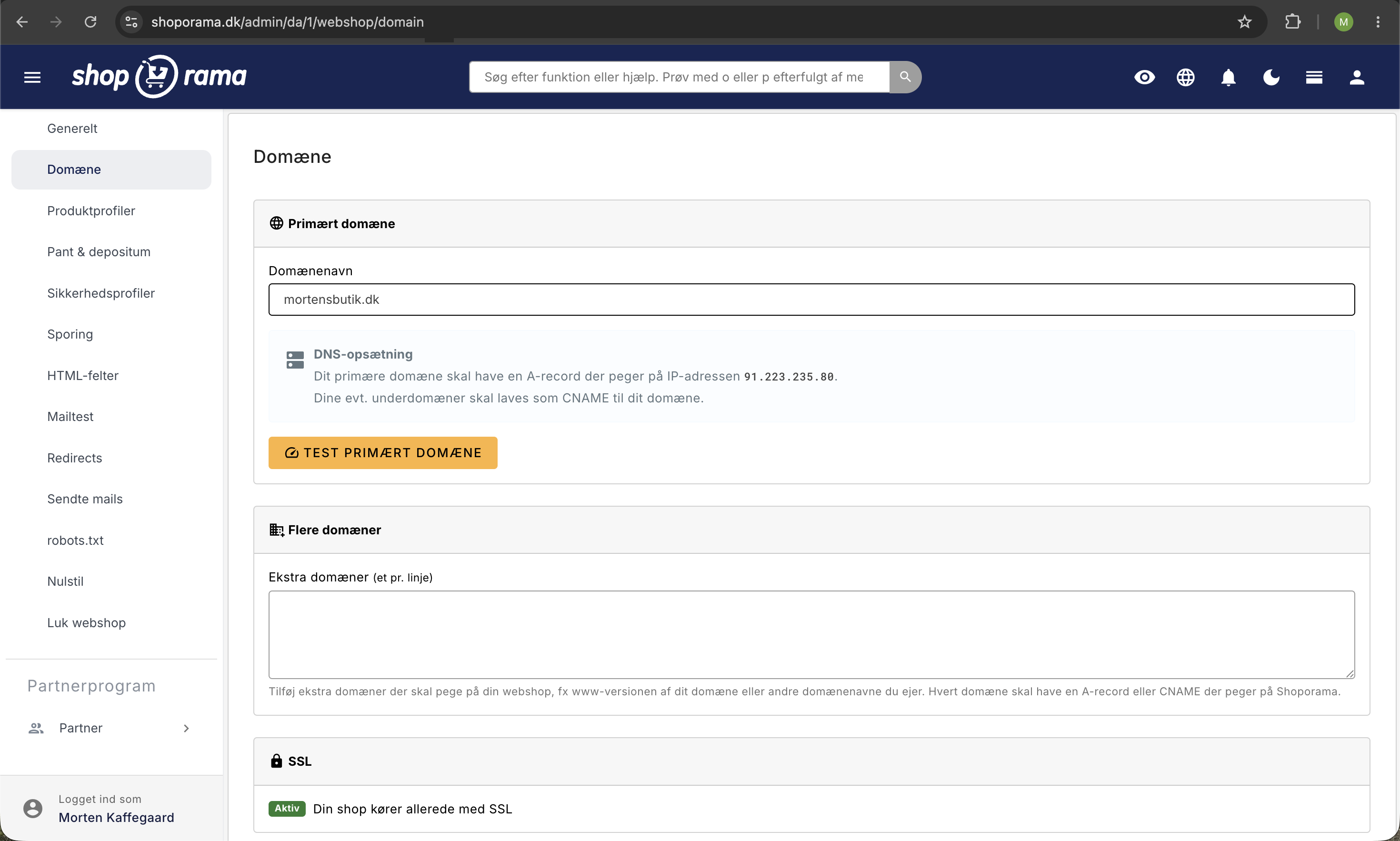
- Gå til Webshop > Domæne
- Her ser du den IP-adresse, dit domæne skal peges mod
- Tilføj dit domæne i listen, hvis det ikke allerede er der
Opsæt DNS hos din domæneudbyder
Log ind hos din domæneudbyder og find DNS-indstillinger for dit domæne. Opret følgende records:
Type    Navn    Værdi
A       @       [IP-adresse fra Shoporama]
CNAME   www     minshop.dk
@ betyder selve domænet (minshop.dk). www er subdomænet (www.minshop.dk).
Vent på DNS-opdatering
DNS-ændringer kan tage op til 24 timer at slå igennem, men det sker oftest inden for 1-2 timer. Du kan tjekke status under Webshop > Domæne i Shoporama.
SSL-certifikat
Når DNS-opsætningen er på plads, opretter Shoporama automatisk et gratis SSL-certifikat til dit domæne. Det kan tage op til et par timer efter DNS er korrekt konfigureret.
Fejlfinding
- DNS-status viser "verifying" – Vent op til 24 timer. Kontrollér at A-record peger på den korrekte IP.
- "Forbindelsen er usikker" – SSL-certifikatet er endnu ikke oprettet. Vent til DNS er fuldt propageret.
- Siden viser ikke din shop – Kontrollér at domænet er tilføjet under Webshop > Domæne i Shoporama.
Related articles
Own email on your domain
Information about email hosting and options to get email on your own domain with Shoporama.
Move your shop to your own domain
Guide to moving your Shoporama online store to your own domain with DNS setup, SSL and domain validation.
The connection is unsecure - troubleshooting
Solution to the 'Connection is insecure' error with yellow padlock even if you have an SSL certificate.