Email templates in your theme
Overview of all email templates in Shoporama themes. Learn what each template does, when it's sent, and what variables you can use to customize your emails.
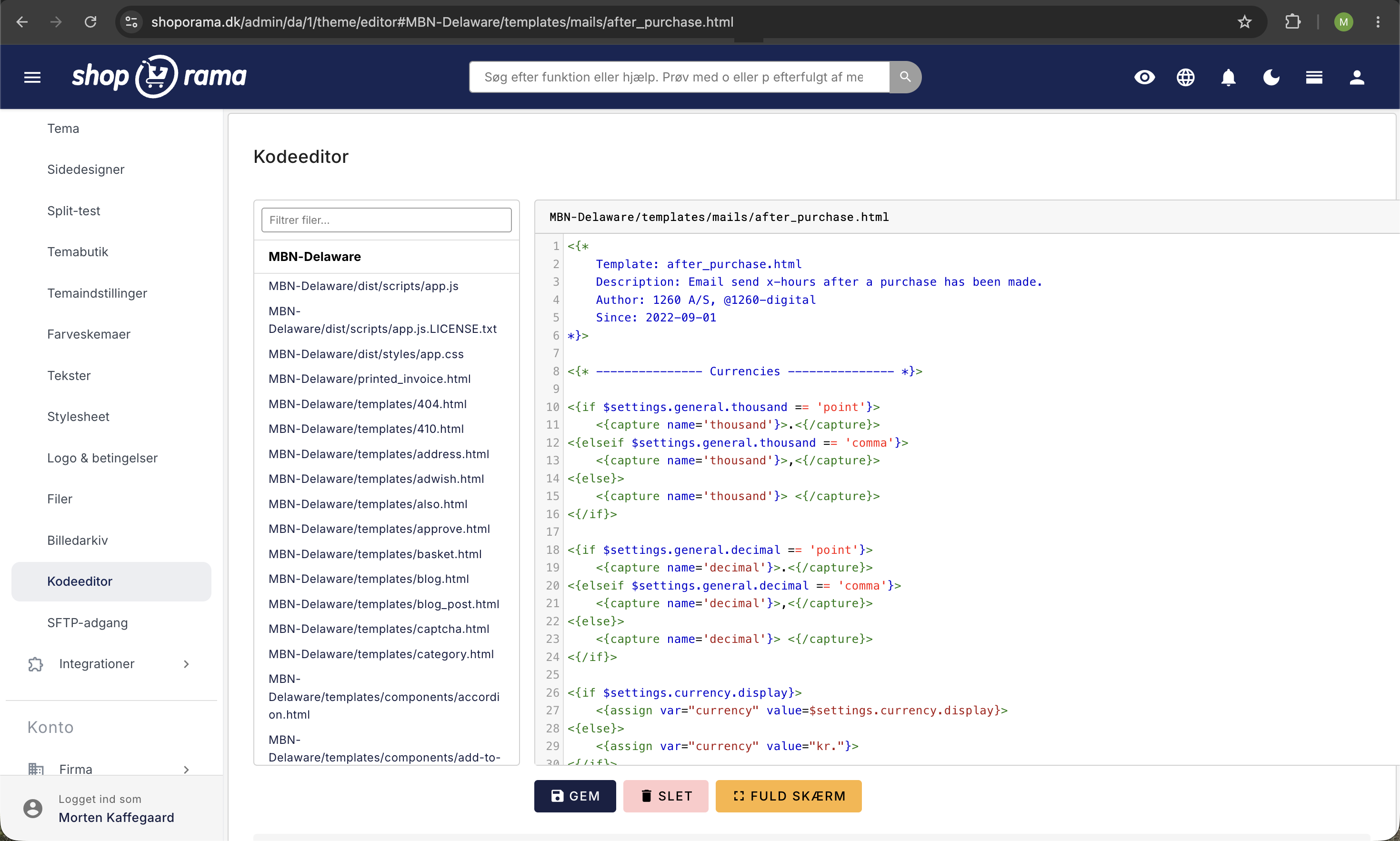
Shoporama-temaer indeholder en række mail-skabeloner, som styrer de automatiske emails din webshop sender. Alle skabeloner ligger i mappen templates/mails/ i dit tema og bruger Smarty som templatesprog.
Shoporamas standard Smarty 4-temaer (Delaware, DelawareDK, Alaska2, California, Montana, Washington) leverer mail-skabeloner, men ikke alle temaer indeholder alle skabeloner. Mangler en skabelon i dit tema, kan du kopiere den fra et af de andre standard-temaer.
Tip
Du kan tilpasse emnelinjen og indledende tekst for de fleste mails direkte i admin under Konto → Webshop → Generelt — uden at redigere skabelonerne.
Forhåndsvis og send test-mail
Inden du retter i din skabelon, eller for at se hvordan en mail tager sig ud efter dine ændringer, kan du forhåndsvise og sende test-mails direkte fra administrationen under Konto → Webshop → Mailtest.
- Vælg en skabelon i venstre kolonne (fx invoice.html eller basket_mail.html) for at se mailen med tilfældig testdata i en preview
- Indtast en e-mailadresse og klik Send test-mail for at modtage mailen i din egen indbakke
- Genindlæs siden for at få ny tilfældig data, fx en anden ordre eller en anden kunde, så du kan tjekke at layoutet holder uanset indholdet
Vil du oversætte eller ændre de indbyggede tekster i mailen, finder du dem under Butik → Design → Tekster. Søg i Mail-sektionen for at finde de strings som skabelonen bruger via {t section="Mail"}.
Ordre-relaterede mails
| Skabelon | Hvornår sendes den? | Vigtigste variabler |
|---|---|---|
| invoice.html | Ordrebekræftelse — sendes straks efter kunden har gennemført en ordre | $order, $webshop, $settings.company.* |
| order_sent.html | Når ordrestatus ændres til "Sendt" — inkl. track & trace | $order, $order->getTrackingUrl() |
| order_ready_for_pickup.html | Når ordren er klar til afhentning | $order, $pickup_name, $pickup_address |
| order_picked_up.html | Når ordren er afhentet | $order, $settings.company.* |
| order_credit.html | Når der oprettes en kreditnota | $order, $order->getPublicUrl() |
| payment_mail.html | Betalingslink — når ordren afventer betaling | $order, $payment_url |
| return_label.html | Når returlabel genereres (PDF vedhæftet) | $order |
| return_received.html | Når returnerede varer er modtaget | $order, $order_return |
| invoice_dropshipping.html | Sendes til leverandør ved dropshipping-ordre | $order, $webshop |
Marketing-mails
| Skabelon | Hvornår sendes den? | Vigtigste variabler |
|---|---|---|
| basket_mail.html | Forladt kurv-mail — sendes automatisk X timer efter kunden forlader kurven | $basket, $basket_url |
| after_purchase.html | Opfølgningsmail med produktanbefalinger — sendes X timer efter køb | $order, $webshop->getAfterPurchase($products) |
| product_review_mail.html | Anmod om produktanmeldelse — sendes X timer efter køb | $order, $order->getPublicUrl('product_review') |
Lager-mails
| Skabelon | Hvornår sendes den? | Vigtigste variabler |
|---|---|---|
| in_stock_mail.html | Når et udsolgt produkt kommer på lager igen (kunden har tilmeldt sig) | $product, $variant_name |
| out_of_stock_mail.html | Når et produkt bliver udsolgt (sendes til shopejer) | $product |
Kunde-mails
| Skabelon | Hvornår sendes den? | Vigtigste variabler |
|---|---|---|
| user-welcome-mail.html | Når en ny kundekonto oprettes | $customer, $customer->getTokenUrl() |
| user-reset-password-mail.html | Når kunden anmoder om nyt password | $customer, $customer->getTokenUrl() |
| user-points-expires-mail.html | Når kundens loyalitetspoint er ved at udløbe | $customer, $points_to_expire, $points_expire_date |
Delte include-filer
Skabelonerne bruger fælles includes til layout og genbrugelige blokke:
- email.wrapper.start.html / email.wrapper.end.html — HTML-ramme med logo og footer
- email.order.details.html — Faktura- og leveringsadresse
- email.order.products.html — Produktliste med billeder, SKU og priser
- email.order.recommendations.html — Produktanbefalinger
- email.basket.products.html — Kurv-produkter til forladt kurv-mail
- email.order.terms.html — Handelsbetingelser og privatlivspolitik
Tilpasning uden at redigere skabeloner
De fleste mails kan tilpasses direkte i admin under Konto → Webshop → Generelt:
- Emnelinje — Tilpas emnelinjen for hver mailtype
- Indledende tekst — Tilføj brugerdefineret tekst øverst i mailen
- Logo — Sættes under Konto → Webshop → Generelt og bruges automatisk i alle mails
Globale variabler
Disse Smarty-variabler er tilgængelige i alle mail-skabeloner:
$settings.company.name          Virksomhedsnavn
$settings.company.phone         Telefonnummer
$settings.company.email         Email
$settings.company.address       Adresse
$settings.company.zipcode       Postnummer
$settings.company.city          By
$settings.company.vat           CVR-nummer

$settings.currency.display      Valutasymbol (fx "kr.")
$settings.general.thousand      Tusindtalsseparator
$settings.general.decimal       Decimalseparator

$settings.theme.logo_url        URL til virksomhedens logo
$webshop->getName()             Webshoppens navn
$webshop->getUrl()              Webshoppens URL
Tips til tilpasning
- Brug UTM-koder på links i dine mails, så du kan måle effekten i Google Analytics
- Du kan bruge Smarty-logik til dynamisk indhold — fx skrive "God weekend" om fredagen med {if $smarty.now|date_format:'%u' == 5}
- Kopiér altid skabeloner fra et standard-tema som udgangspunkt — de indeholder allerede responsive HTML og alle nødvendige variabler
- Test dine mails primært via Konto → Webshop → Mailtest hvor du kan forhåndsvise og sende testmail med ét klik. Som backup kan du altid lave en rigtig testordre og gennemføre flowet hvis du vil teste det fulde samspil med betalingsgateway og fragtleverandør
Ofte stillede spørgsmål
Hvordan ser jeg hvordan en mail ser ud uden at lægge en rigtig ordre?
Gå til Konto → Webshop → Mailtest, vælg den ønskede skabelon i venstre kolonne og se mailen direkte i preview. Du kan også sende den til din egen indbakke for at se hvordan den ser ud i et rigtigt mailprogram.
Kan jeg oversætte teksterne i mailene uden at redigere skabelonen?
Ja. De indbyggede tekster er pakket ind i {t section="Mail"} og kan oversættes under Butik → Design → Tekster i Mail-sektionen. Det er den anbefalede måde at ændre formuleringer på.
Hvilken testdata bruges når jeg forhåndsviser en mail?
Shoporama vælger tilfældig data fra din webshop, fx en eksisterende ordre eller kunde. Genindlæser du siden, får du en ny tilfældig kombination. På den måde kan du tjekke om layoutet holder uanset hvor mange varer der er, hvor lange produktnavne der bruges, osv.
Hvorfor får mine kunder ikke en bestemt mail?
Mailen sendes kun hvis skabelonen findes i dit tema. Mangler den, kan du kopiere den fra et andet standard-tema og lægge den i templates/mails/ i dit eget tema. Nogle mails skal også aktiveres under Konto → Webshop → Generelt.
Skal jeg stadig lave en testordre når jeg har Mailtest?
Til daglige tjek og preview er Mailtest hurtigst. Vil du teste det fulde flow med betalingsgateway, fragtopsætning og statusskift, kan du lave en rigtig testordre. De to metoder supplerer hinanden.
Kan jeg sende test-mail til en kollega eller en kunde?
Ja. Du indtaster bare den ønskede e-mailadresse i feltet. Test-mail-funktionen har et fornuftigt rate-limit, så den kan ikke misbruges til masseudsendelse.
Har du brug for hjælp til at tilpasse dine mail-skabeloner? Kontakt os på support@shoporama.dk.
Related articles
Change the content of your emails
Guide to customize the content of the automatic emails your Shoporama webshop sends, either via admin or theme templates.
Which templates are used for which emails?
Complete overview of all email templates in Shoporama - order confirmations, abandoned baskets, return labels, product reviews and much more.
Implement Theme Builder in your theme
Guide to implementing Shoporama's Theme Builder in your theme so the merchant can build pages visually.