Put a file in the root of your online store
Guide to uploading a file to the root of your Shoporama online shop - for example, verification files for Google.
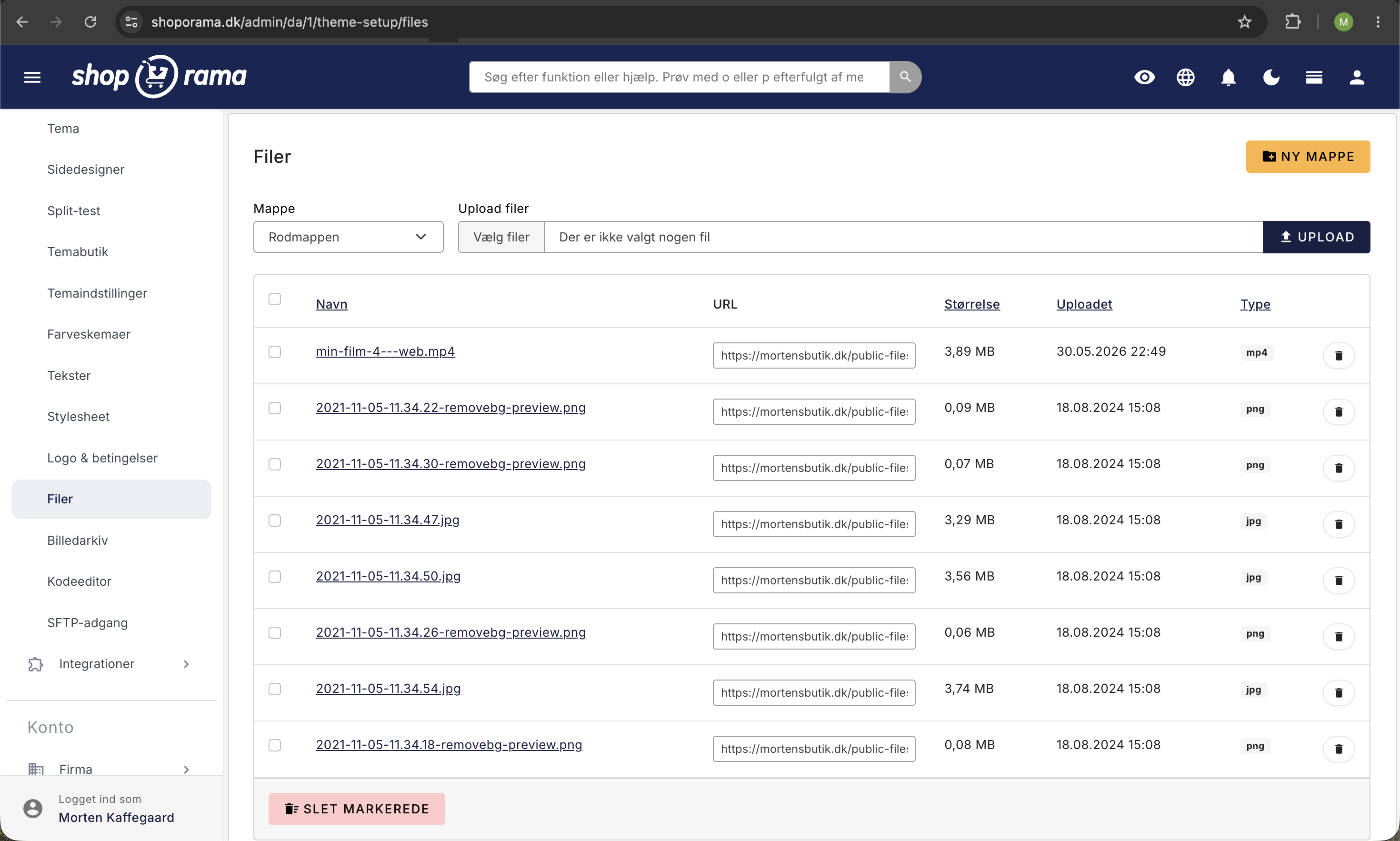
Nogle gange har du brug for at lægge en fil i roden af din webshop, fx en verifikationsfil til Google Search Console, en ads.txt eller lignende. I Shoporama uploader du den via dit tema.
Sådan gør du
- Gå til Butik i venstre menu
- Åbn menugruppen Design
- Klik på Filer
- Upload din fil. Når filen er uploadet, kan den tilgås i roden af din webshop på dinshop.dk/filnavn.txt
Bemærk
Filer-området er primært tænkt til billeder og andet media, men du kan også uploade små tekst- og verifikationsfiler her. Filerne skal være små og må ikke være eksekverbare scripts.
Typiske anvendelser
- Google Search Console, verifikationsfil (fx google1234abc.html)
- ads.txt, til annoncenetværk
- apple-developer-merchantid, til Apple Pay-verifikation
- Andre verifikationsfiler, fra diverse tjenester
Alternativ: Via SFTP
Har du SFTP-adgang (Pro-abonnement), kan du også lægge filer direkte i roden via din SFTP-klient.
Har du brug for hjælp? Kontakt os på support@shoporama.dk.
Related articles
Protect your webshop from spam orders
Guide to protecting your Shoporama webshop from spam orders and fraud using blacklist, captcha and 3D Secure.
Filtering on your online store
Guide to setting up filtering on your Shoporama online store so customers can filter products.
Google Analytics 4 (GA4) on your Shoporama online store
How to set up Google Analytics 4 on your Shoporama online store. Built-in GA4 integration with e-commerce events, server-side tracking and Consent...