Find your invoice from Shoporama
Guide to finding and downloading your invoices from Shoporama.
Din faktura fra Shoporama for dit abonnement finder du direkte i admin. Fakturaen indeholder alle oplysninger til bogføring.
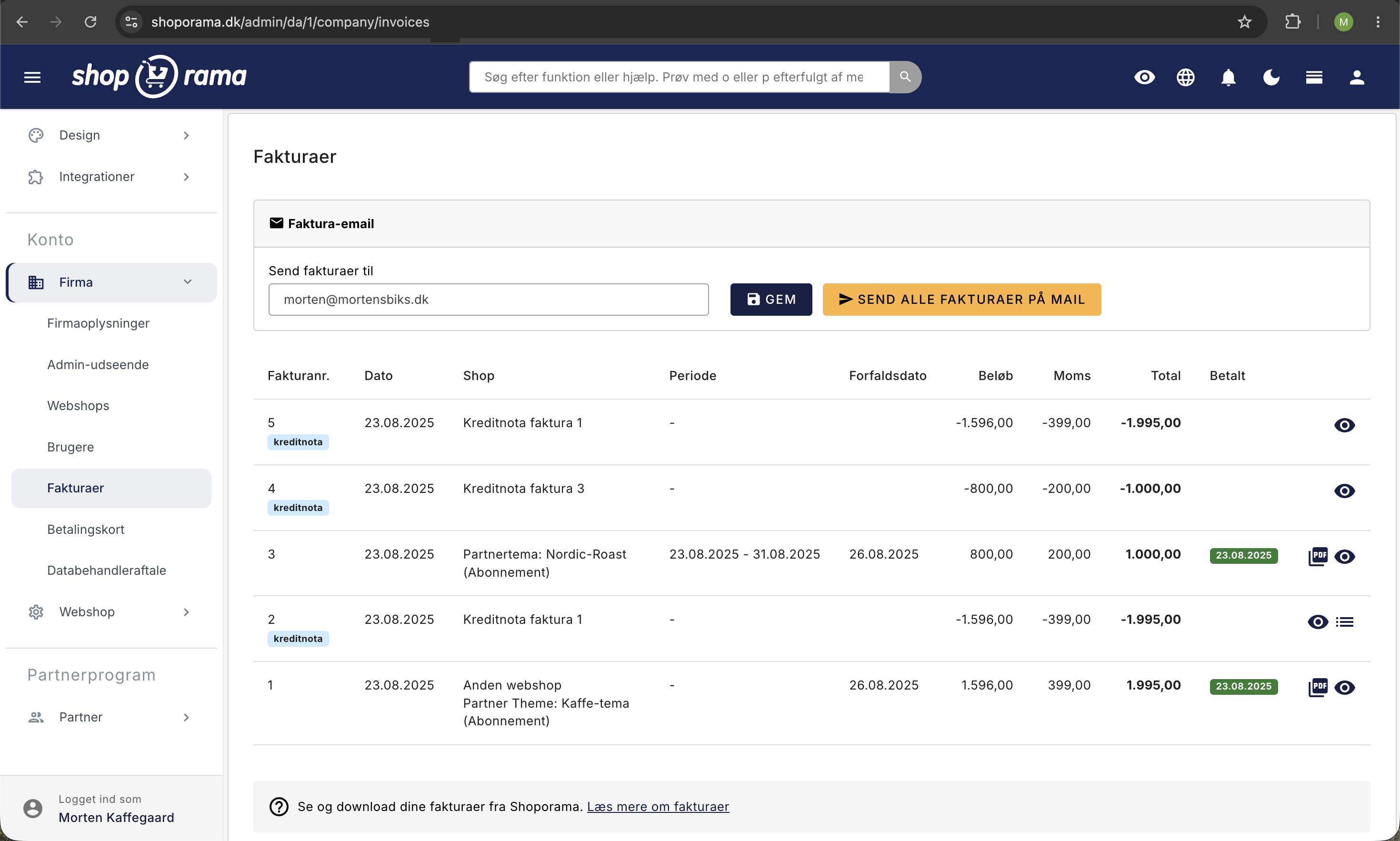
Sådan finder du din faktura
- Gå til Konto i venstre menu
- Vælg Firma og klik på Fakturaer
- Her kan du se dine fakturaer med dato, beløb og status
- Klik på en faktura for at åbne den som PDF
Hvad viser fakturaen?
- Abonnementstype, Flex eller Pro
- Periode, hvilken periode fakturaen dækker
- Beløb, inkl. og ekskl. moms
- Eventuel omsætning, på Flex-abonnementet vises din omsætning
Bogføring
Fakturaen kan downloades som PDF og bruges direkte i dit regnskab. Shoporamas CVR-nummer og øvrige oplysninger fremgår af fakturaen.
Tip
Har du brug for at skifte betalingskort, kan du gøre det under Konto, Firma, Betalingskort.
Har du brug for hjælp? Kontakt os på support@shoporama.dk.
Related articles
Print-friendly invoice
Guide to making your invoice print-friendly with a print stylesheet in your Shoporama theme.
Billy's Billing integration
Guide to setting up Billy's Billing in Shoporama. Automatically transfer orders to your accounts, synchronize products and post payments.
Troubleshooting E-conomic integration
Guide to troubleshooting the e-conomic app in Shoporama. Fix sync issues, failed transfers and incorrect posting.