Hreflang and Multilingual Online Stores
How Shoporama sets `hreflang`, `x-default`, and `html lang` for your countries, what happens to untranslated pages, and how to manage your own `hreflang` tags and separate online stores.
If you have a multilingual online store, hreflang tags tell Google which language versions of a page belong together. This allows Google to show Swedish customers the Swedish page and Danish customers the Danish page. If you sell in multiple countries using the “Countries” feature, Shoporama automatically sets hreflang tags. Here, you can see what Shoporama sets, what to do with hreflang tags you’ve added to the theme yourself, and how to use hreflang between two separate online stores.
What is hreflang?
Hreflang is an HTML attribute on a link in the page’s <head> section. It tells Google that the page is available in multiple languages and links to the other language versions. The code consists of a language and, optionally, a country, e.g., da-DK for Danish in Denmark or en-GB for English in the United Kingdom. You can read more about the concept in the glossary under “hreflang.”
<link rel="alternate" hreflang="da-DK" href="https://dinshop.dk/mit-produkt">
<link rel="alternate" hreflang="en-GB" href="https://dinshop.dk/en/my-product">
<link rel="alternate" hreflang="x-default" href="https://dinshop.dk/mit-produkt">
All language versions must have the same set of links, including a link to themselves. "x-default " is the version Google should display when none of the languages match the searcher’s.
Shoporama sets the hreflang tags for your countries
If you’ve enabled at least one country under Webshop → Countries, Shoporama automatically adds hreflang tags to the `<head> ` section on your pages. You don’t need to do anything in the theme. This happens on the finished page, so it works even if you’re using your own theme. On a product page, for example, it might look like this:
<link rel="alternate" hreflang="da-DK" href="https://dinshop.dk/filterkaffe-moerkristet">
<link rel="alternate" hreflang="x-default" href="https://dinshop.dk/filterkaffe-moerkristet">
<link rel="alternate" hreflang="sv-SE" href="https://dinshop.dk/se/filterkaffe-morkrostat">
<link rel="alternate" hreflang="en-GB" href="https://dinshop.dk/uk/dark-roast-filter-coffee">
Here are the rules:
- The main country and the active countries are included. Each version is assigned a code consisting of the country’s language and country code, e.g., sv-SE. If two countries share the same language, such as Germany and Austria, they are distinguished by their country codes.
- x-default points to the main country. This is your store as it is today.
- The links point to the same page in each country, with the page’s translated address. If you use a separate domain for each country, they point to that country’s domain.
- Countries that are not active are not included.
- Only pages available in at least two languages receive hreflang tags; a page that does not exist receives none.
Shoporama also sets the page’s language in <html lang="...">, including in the main country, and adjusts the theme’s `:locale` to the country’s, e.g., `sv_SE`. The page’s canonical tag and all links on the page point to the country’s own URL, and each country has its own sitemap, e.g., dinshop.dk/se/sitemap.xml.
Pages that haven’t been translated yet
A product, category, landing page, page, or blog post counts as translated when it has a URL in the country’s language. It gets one when the name is translated, either by the automatic translation or by you. Until then, the page is displayed with Danish text in that country, and Shoporama does three things:
- The country-specific version is not included in the page’s hreflang tags. If the page is translated into only one of your languages, only that version is included.
- The country-specific version is marked with <meta name="robots" content="noindex, follow"> so that Google does not index the Danish text under the country’s URL. After all, the page is already in Google from the main country.
- The page is not included in the country’s sitemap.
Once the page is translated, it will automatically appear in all three locations. The same applies to the country’s product feeds, such as Google Shopping, which only include products that have been translated into the country’s language. Pages without their own URL, such as the homepage and the search page, are always considered translated. You can check what’s missing under Webshop → Translations. Read more in Translate Your Webshop into Other Languages.
Have you added hreflang tags to the theme yourself?
Shoporama does not remove the hreflang tags included in your theme. If you use Countries and have also added your own hreflang tags, the page will have two sets, and if they don’t match, Google won’t know which one to trust. Therefore, remove your own hreflang tags from the theme when you start using Countries. They’re typically located in the theme’s header template or in an HTML field.
If you’re using the same theme across multiple stores and your custom tags are only meant for stores without country-specific versions, you can wrap them in a conditional statement. $webshop->getCountrySites() is empty when the store doesn’t have at least two versions, and that’s exactly when Shoporama doesn’t set hreflang itself:
<{if !$webshop->getCountrySites()}>
    <link rel="alternate" hreflang="da-DK" href="https://dinshop.dk/" />
    <link rel="alternate" hreflang="nb-NO" href="https://dinshop.no/" />
    <link rel="alternate" hreflang="x-default" href="https://dinshop.dk/" />
<{/if}>
Links with a hreflang attribute are not moved to the country. This also applies to links in the theme’s language selector, which must therefore include the attribute. Instructions on how to build a language selector using $webshop->getCountrySites() can be found in “Prepare Your Theme for Countries.”
Separate online stores on separate domains
If, instead, you have a separate online store for each country—for example, dinshop.dk and dinshop.no—Shoporama does not set the hreflang attribute between them. The shops do not know each other’s addresses, so you must manually add tags to the theme in both shops. This only makes sense for pages that have the same address in both shops, such as the homepage or products with the same address:
<{if $product}>
    <link rel="alternate" hreflang="da-DK" href="https://dinshop.dk/<{$product->getUrl()}>" />
    <link rel="alternate" hreflang="nb-NO" href="https://dinshop.no/<{$product->getUrl()}>" />
    <link rel="alternate" hreflang="x-default" href="https://dinshop.dk/<{$product->getUrl()}>" />
<{/if}>
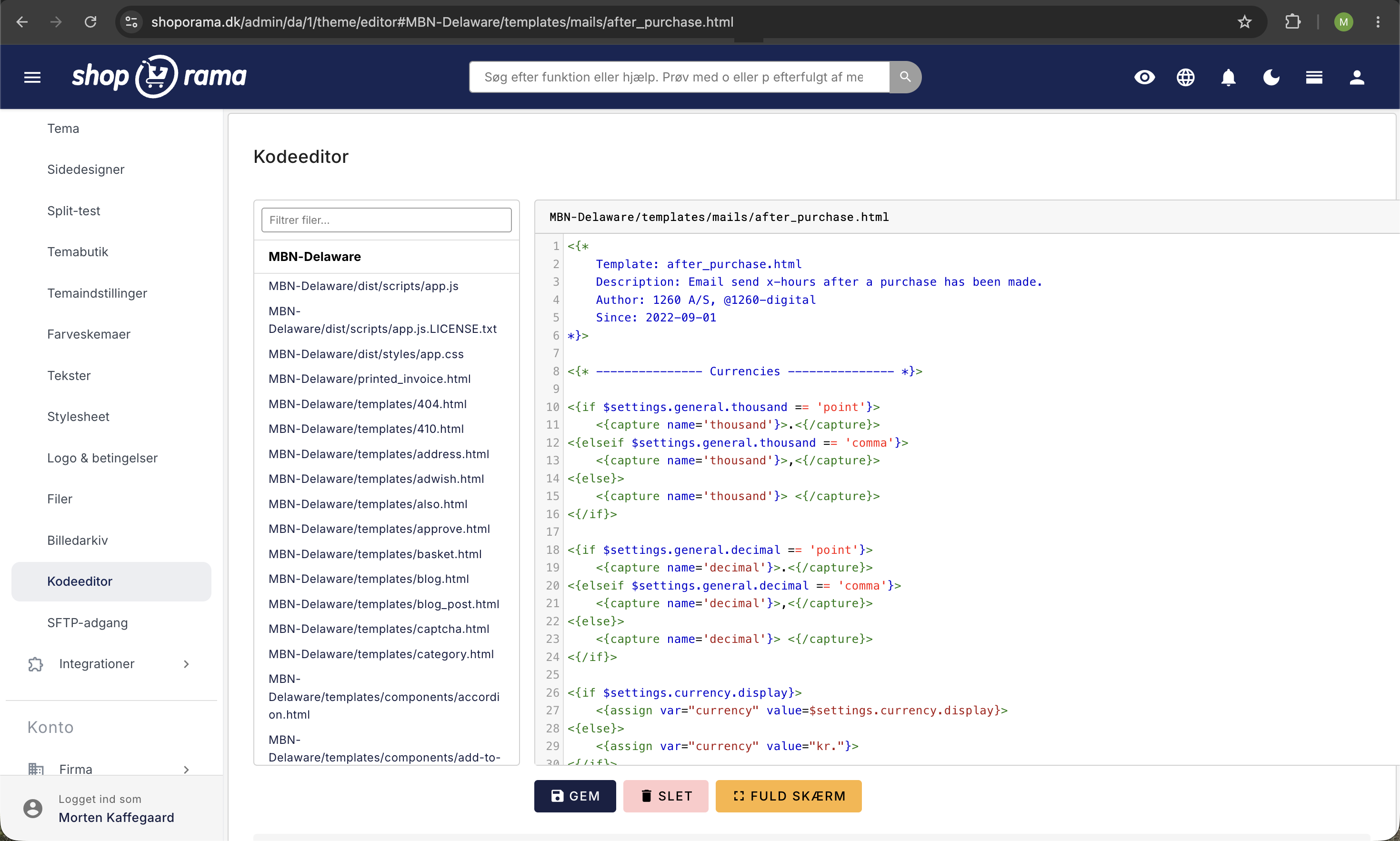
If a tag points to an address that doesn’t exist in the other store, Google will ignore it, or you’ll get an error in Google Search Console. If the products have different addresses in the two stores, it’s safer to leave it as is. If you want hreflang on all pages without having to maintain it yourself, you can merge the stores into a single store using “Countries.”
Tip
Always add an `x-default` tag that points to your primary language version. This tells Google which version to display to users when no specific language version applies. With Lande, Shoporama handles this automatically and points to the main country.
Frequently Asked Questions
Do I need to do anything to get hreflang tags for my countries?
No. When a country is active, Shoporama adds hreflang tags to all pages available in at least two languages. You only need to remove any hreflang tags you previously added to the theme yourself.
Why don’t some of my products have hreflang tags for my new country?
Because they haven’t been translated yet. A product is included once it has a name in the country’s language. The automatic translation is generated once the name is translated, and a large store may take a few days to complete. Under Webstore → Translations → Products, you can filter by “Missing Translation.”
How do I check that the hreflang is set correctly?
Open a page in the store, right-click, and select “View Page Source.” Search for `hreflang`, and you’ll see the links to the other countries. If you can’t see them, check that the country is active and that the page has been translated. You can view any errors found by Google in Google Search Console.
Can Google see a country I haven’t activated yet?
No. A country that isn’t active is only visible to you when you’re logged into the admin panel, and the pages are marked with `noindex`. The country also won’t appear in the `hreflang` attribute or in the robots.txt file’s list of sitemaps until you activate it.
Need help? Contact us at support@shoporama.dk.
Related articles
Add multiple products to the basket at a time
Guide to implementing an 'add more to cart' feature, for example on landing pages or wholesale pages.
Update the cost price of multiple products at once
Guide to mass edit the cost price (purchase price) of multiple products in the Shoporama admin.
Age verification on products
Here's how to set an age restriction of 15, 16, or 18 for products in Shoporama so that the customer's age is verified when paying with ePay....
Prepare your theme for multiple languages and countries
Step-by-Step Guide for Developers: How to Make Your Own Shoporama Theme Work with Countries, Including Translated Texts, the Country's Currency and...
Translate your online store into other languages
How to translate your online store when selling in multiple countries: automatic translation, status by language, corrections, addresses in the...
robots.txt: Control what search engines are allowed to crawl
Understand what robots.txt does in your Shoporama online store, what the default content is, how to add your own rules, and when to use "noindex"...
Sell in multiple countries and in multiple languages
Here's how to sell in other countries in your customers' languages and currencies using "Countries": Add a country, set up the address, language,...
Set noindex on a page, product or category
Here's how to set "noindex" for products, categories, static pages, landing pages, and blog posts in Shoporama so they don't appear in Google...
SEO in Shoporama
Complete guide to the SEO features in Shoporama - from meta tags and sitemap to Google Shopping and AI Assistant.
Related features
Canonical URL
A canonical URL tells search engines which version of a page is the official one. Learn what it is, when to use it and how it works in your online...
Hreflang
Hreflang tells Google that a page is available in multiple languages, so the customer sees their own language in the search results. See how...
SEO in Shoporama - get visible in Google
Shoporama has built-in SEO features: fast speed, full control over titles and meta descriptions, dynamic tags, automatic 301 redirects, XML...