Kundegrupper og B2B-priser: giv forskellige kunder forskellige priser
Do you sell to both individual customers and resellers? Or do you have customers who have negotiated special prices? With customer groups in Shoporama, you can automatically offer different prices to different customers. When a customer is logged in, they see their own prices without you having to do anything manually. This article shows you how it all works.
What is a customer group?
A customer group is a collection of customers who receive the same pricing treatment. For example, you could create a group called “Retailers” and add your retailers to it. Each customer is assigned to one group, and the customer automatically sees their own prices as soon as they log in to the online store.
Customers who aren’t assigned to a group shop as regular consumers at your standard prices. So you don’t need to do anything special for your private customers. Only the customers you place in a group receive different pricing.
You can create and edit customer groups under “Customers” in the admin panel. From there, you can manage the group’s discount, any special prices, and which brands the group is allowed to purchase. If you need to use customer groups for a true B2B solution with login and prices excluding VAT, you can read more on the page about the B2B online store.
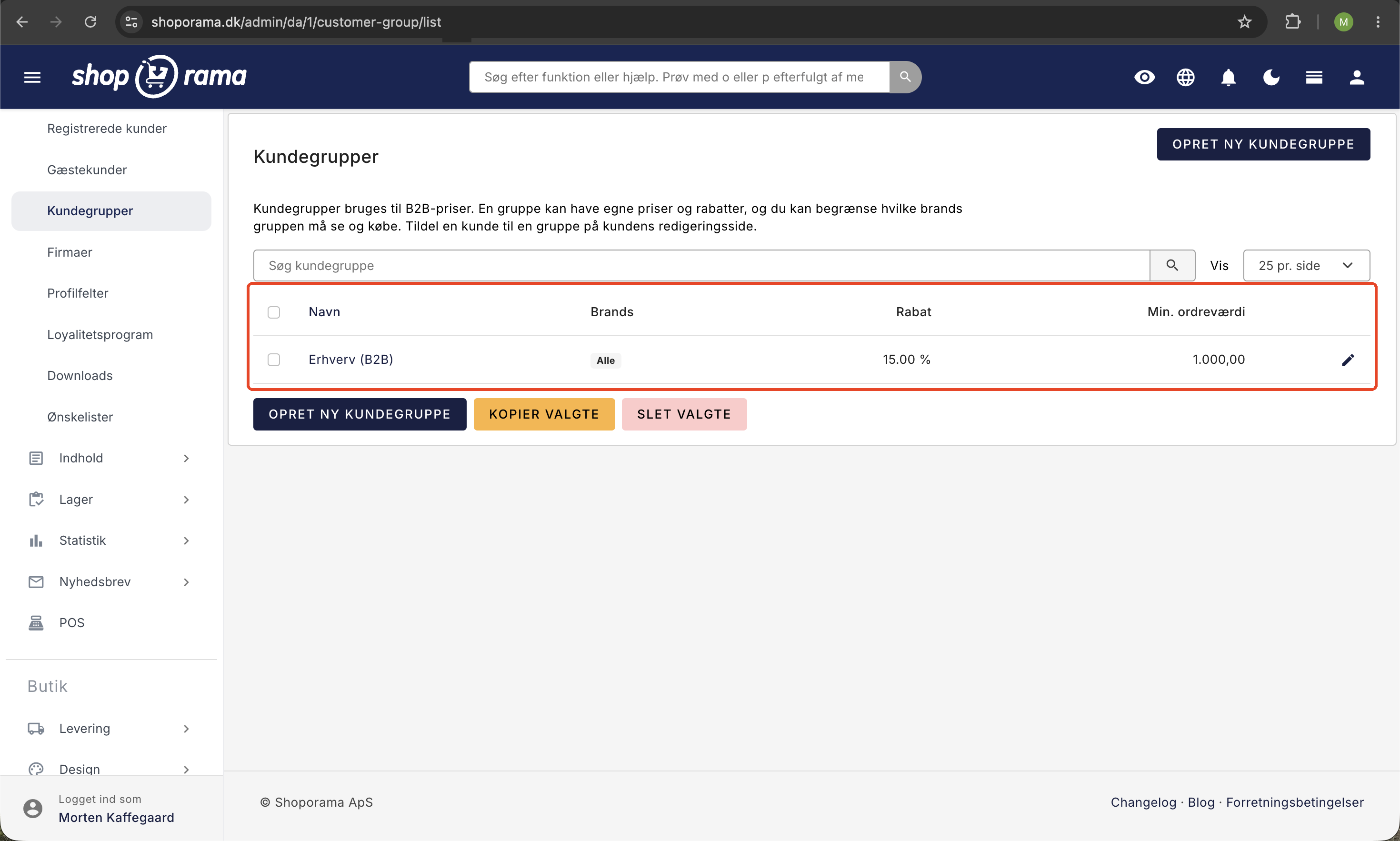
The four ways to assign a group its own price
A customer group can have four different types of pricing rules. You can use one of them or combine several, depending on what fits your agreement with customers.
- General discount percentage. A fixed percentage deducted from all prices for the group. If you set it to 15 percent, the entire group will see prices 15 percent below the regular price on all items.
- Fixed special prices per product. An agreed-upon price for selected items. The fixed price always takes precedence over the general discount for those specific products.
- Volume discount with tiered pricing. A price that decreases the more the customer buys. The correct tier is automatically selected based on the quantity in the cart.
- Brand visibility. A choice per brand between Standard, Hidden, and Exclusive, possibly with a discount percentage per brand.
Below, we’ll go through each of these with specific examples.
General discount percentage
The easiest way to offer a group better prices is through a general discount percentage. You apply this directly to the customer group. The percentage is deducted from all prices the group sees, so you don’t need to adjust your products individually to offer a broad discount.
Example: Your “Retailer” group has a 20 percent general discount. An item that normally costs 500 kroner will then be displayed at 400 kroner for everyone in that group. This applies to the entire product range until you override it with a fixed price or a tiered pricing structure for individual items.
Fixed Special Prices per Product
Sometimes you’ve agreed on a specific price for a single item, regardless of the general discount. You set this up on the product itself in the admin panel under the tab labeled “B2B Prices (Customer Groups).” Here, you select the group and enter the fixed price.
A fixed price per product always takes precedence over the group’s general discount. For example, if the group has a 20 percent general discount but you set a fixed price of 350 kroner for a specific item, the customer will pay 350 kroner. The general discount is not added on top of that. This gives you full control over the items for which you have a specific agreement.
On the same card, you can create a volume-based pricing tier with multiple levels per group, so the fixed price can also depend on the quantity. This brings us to tiered pricing.
Volume Discounts with Tiered Pricing
With tiered pricing, the price decreases the more the customer buys. You set up a tiered structure with multiple levels, where each level has a starting quantity and a price. The system automatically selects the correct level based on how many items the customer adds to the cart.
Example of a two-tiered pricing structure:
- From 1 item: 100 kroner per item
- From 50 items: 90 kroner per item
If the customer buys 30 items, they pay 100 kroner per item. If the customer buys 60 items, they reach step two and pay 90 kroner per item for all 60. The customer doesn’t need to do anything; the correct tier is automatically determined based on the quantity. You can add as many tiers as you need, allowing you to reward large orders with a better unit price.
Brand visibility: control which brands a group can see
Sometimes, a specific group of customers shouldn’t be able to purchase all your brands. Other times, it’s the opposite, and a brand should only be available to that specific group. You control both of these settings at the customer group level, where each brand has its own visibility settings.
- Default. The group sees the brand just like everyone else. This is the default setting for all brands.
- Hidden. Customers in the group cannot see or purchase the brand, and the items cannot be added to the cart. All other customers are unaffected.
- Exclusive. Only customers in the group can view and purchase the brand. It is invisible to everyone else, including visitors who are not logged in, and it is excluded from your product feeds and sitemap.
Example of “Hidden”: The “Kommune Nord” group has a purchasing agreement that does not cover the Gamma brand. You set Gamma to “Hidden” for the group. The municipality’s buyers do not see the Gamma products and cannot order them, while all your other customers shop as usual.
Example of “Exclusive”: You produce your own brand, Alfa, which only your resellers are allowed to purchase. You set Alfa to “Exclusive” for the “Resellers” group. Now only retailers can see and purchase Alfa, and the products do not appear on Google Shopping, price comparison sites, or in your sitemap.
The same brand can be set to “Exclusive” for multiple customer groups. For example, if you have dealers in Denmark and Norway in separate groups, both groups will have access to the same brand, while everyone else remains excluded.
The discount per brand is independent of visibility. This means you can give one group a 25 percent discount on one brand and a 10 percent discount on another without hiding any products. If you only want to offer a discount, leave the visibility setting at “Standard.”
The admin will alert you along the way. If the setup results in the group’s customers being unable to see a single product, you’ll be notified before the store runs out of items for them. The same applies if you make a brand exclusive to a group that doesn’t yet have any customers—in that case, the products will be hidden from everyone.
Read more in the blog post “Hide or Lock Brands for Specific Customer Groups.”
Minimum Order Value per Group
You can also set a minimum order value per customer group. This means that customers in the group must spend at least a certain amount before they can complete an order. This is useful in B2B, where you might not want to pack and ship very small orders. Each group can have its own minimum, so you can adjust it differently from group to group.
Prices Excluding Sales Tax in B2B
In the B2B theme, prices are displayed without tax. This is suitable for business customers who calculate amounts excluding tax. Your retail customers in a regular consumer store are not affected by this; they will still see prices including tax as usual.
Where do group prices apply?
Group prices apply wherever the customer is recognized:
- In the online store, when the customer is logged in.
- At the POS, when staff select the customer in the customer selector. Search for the customer by name, company name, or CVR number, and the entire cart will be calculated using the group’s prices.
- At the self-service POS, when the customer logs in to the self-service terminal.
This means you don’t have to set up prices in multiple places. The same group and the same prices are used, whether the customer shops online, at the counter, or at a self-service terminal.
How to Get Started
- Create a customer group under Customers in the admin panel, for example, “Retailer.”
- Choose how the group should be priced: a general discount percentage, fixed special prices per product, tiered pricing, or a combination.
- If necessary, set brand restrictions if the group is only allowed to purchase specific brands, and a minimum order value if applicable.
- Assign your customers to the group. When they log in, they’ll automatically see their own prices.
If you’d like a thorough walkthrough of the entire B2B setup from scratch, read Getting Started with B2B.
Frequently Asked Questions
Do I need to do anything for my regular retail customers?
No. Customers who aren’t in a group will shop as usual at your standard prices. You only need to make changes for the customers you choose to add to a customer group. Everything else will continue exactly as before.
What happens if a group has both a general discount and a fixed price on an item?
The fixed price per product takes precedence. The general discount is not applied on top of it. You can therefore safely offer a broad discount to the entire group while simultaneously setting fixed prices for the items where you have a specific agreement.
Can I automatically offer a better unit price for large orders?
Yes, you can do this with tiered pricing. You set a starting quantity and a price per tier, and the system automatically selects the correct tier based on the quantity in the cart. If the customer buys enough to qualify for a lower tier, the lower unit price applies to the entire quantity.
How do prices appear in the accounting system when they’re exclusive of VAT?
In the B2B theme, prices are displayed without tax in the store, which is appropriate for business customers. Tax is handled on the order as usual, so your bookkeeping and tax calculations are processed in the standard way. It’s only the display in the store that shows prices without tax.
Can I prevent a group from seeing specific brands?
Yes. Set the brand to “Hidden” for the group, and the group’s customers will neither be able to view nor purchase it, while all other customers remain unaffected. Conversely, if you want only that specific group to be able to purchase the brand, select “Exclusive” instead.
Can I require a minimum purchase from a B2B group?
Yes. You can set a minimum order value per customer group, so customers must spend at least a certain amount before they can complete the order. Each group can have its own minimum, so you can customize it based on who you’re selling to.
Can a group receive different discounts on different brands?
Yes. For each brand, you can set a discount percentage for the group, and this works independently of visibility. So, for example, one brand might have a 25 percent discount, while another has 10 percent, depending on what you’ve agreed upon with the suppliers.
Do group prices also apply in the physical store?
Yes. If staff select the customer in the POS customer selector, the sale is calculated using the customer’s group prices. The same applies at self-service POS terminals when the customer is logged in.
How does the customer know they’re getting their own prices?
The customer simply needs to be logged in to the online store. As soon as the customer is logged in, they automatically see their group prices throughout the store. There are no discount codes or extra steps for the customer—the prices adjust automatically.
Related articles
B2B sales in Shoporama
How to sell to businesses (B2B) and public institutions (B2G) in Shoporama with CVR, EAN and differentiated VAT.
Customer groups and segmentation
How to create customer groups and segments in Shoporama for targeted marketing and newsletters.
Firma-konti med flere brugere og roller
Reverse charge og VIES-validering: sælg uden moms til erhverv i EU
Hurtig genbestilling for erhvervskunder
Related features

Hide or lock brands for specific customer groups
Customer groups in Shoporama can now hide a brand entirely or make it exclusive so that only the group's customers can view and purchase it. Set...
B2B webshop
A B2B webshop sells to business customers with customer pricing, CVR validation and invoicing. Read about B2B e-commerce and features.
B2B webshop
Shoporama now offers a full-featured B2B solution: a login-based store, customer group pricing, volume discounts, company accounts with roles,...
B2B online store
Customer group
A customer group segments customers with different prices and discounts. Read about customer groups in webshops and B2B e-commerce.
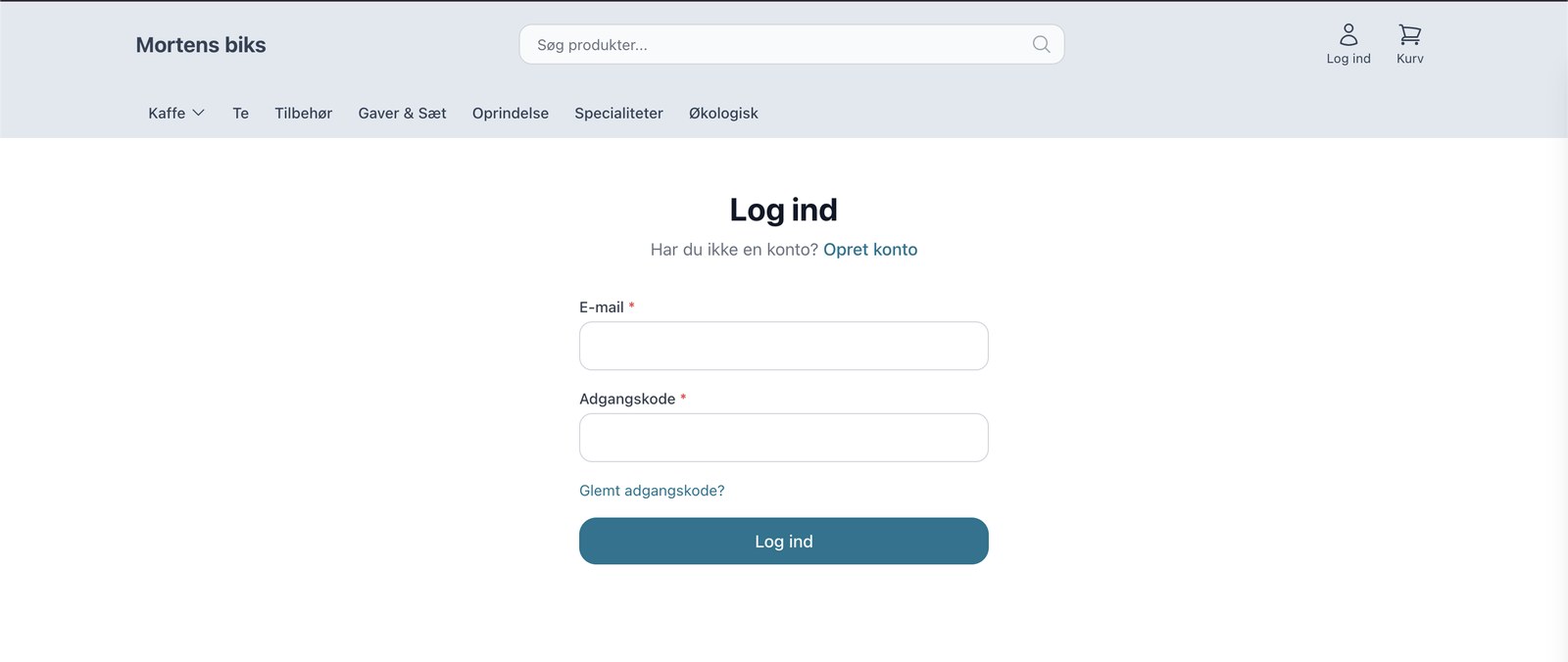
Nu kan du drive en rigtig B2B-webshop med Shoporama
Shoporama now offers a full-featured B2B solution: a login-based store, customer group pricing, volume discounts, corporate accounts, VIES reverse...
Theme Settings in MontanaB2B: Fields and B2B Features
An explanation of all fields in MontanaB2B's theme settings, plus the login screen, prices excluding VAT, customer groups, company accounts, and...