PostNord tracking and parcel labels
Guide to PostNord tracking links and parcel labels in Shoporama, including troubleshooting common issues.
Med PostNord-integrationen i Shoporama kan du oprette pakkelabels og sende tracking-links til dine kunder direkte fra administrationen.
Aktivér PostNord-integration
PostNord-integrationen aktiveres under Levering > Opsætning. Du skal have en aftale med PostNord og de nødvendige API-nøgler for at bruge integrationen.
Print pakkelabels
Du kan printe pakkelabels direkte fra ordrelisten eller fra en enkelt ordres detaljer. Se artiklen Print PostNord pakkelabels fra Shoporama for en detaljeret guide.
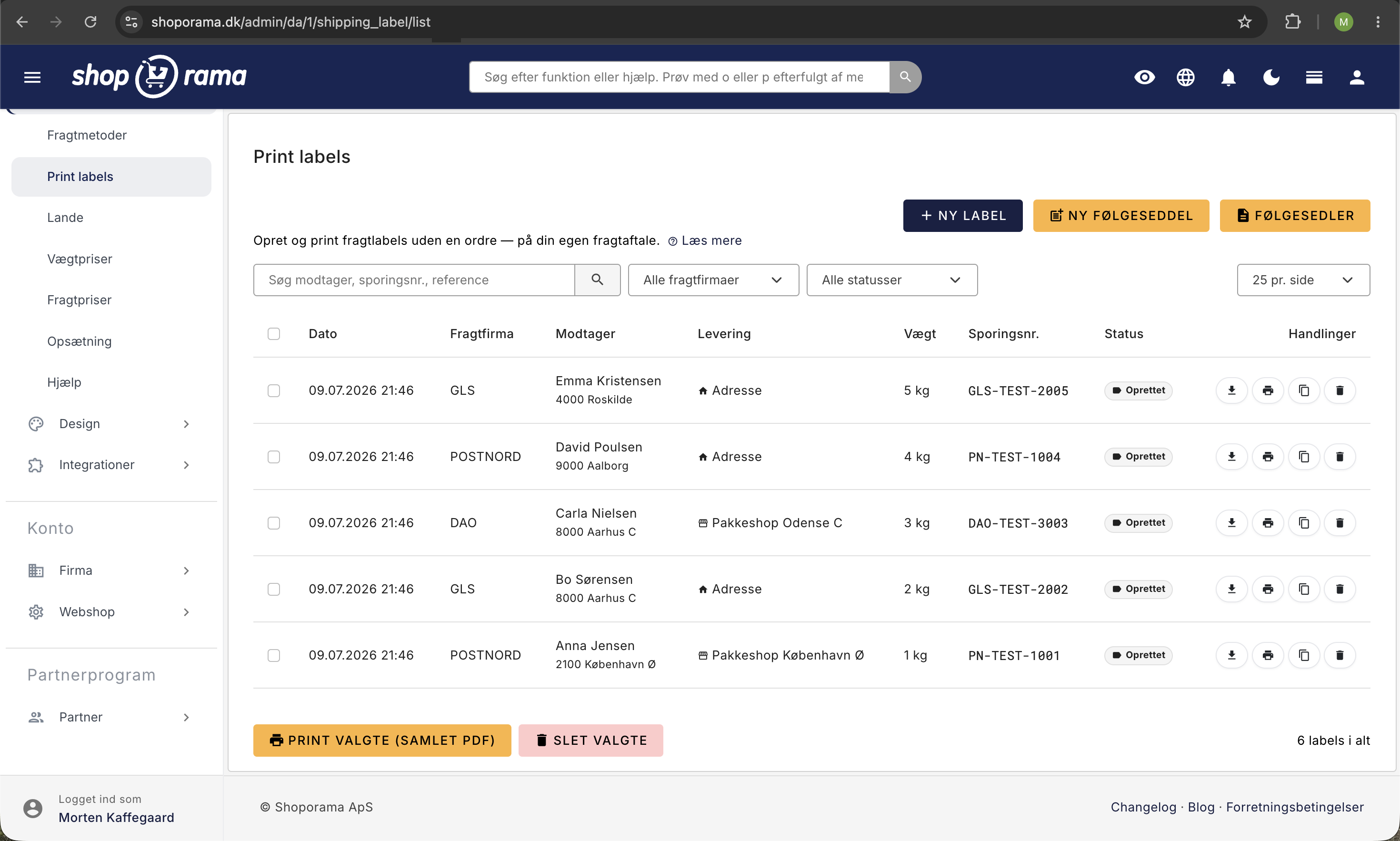
Tracking-link til kunden
Når du opretter en pakkelabel, gemmes tracking-nummeret automatisk på ordren. Kunden modtager tracking-linket i ordrestatus-mailen, så de kan følge pakken hos PostNord.
Fejlfinding
- Tracking-link virker ikke – Det kan tage op til et par timer, før PostNord registrerer pakken i deres system. Linket virker, når pakken er scannet.
- Fejl ved overførsel – Kontrollér at kundens adresseoplysninger er korrekte (postnummer, land) og at din PostNord-aftale dækker forsendelsestypen.
- Forkert tracking-nummer – Hvis et tracking-nummer er forkert, kan du redigere det manuelt i ordredetaljerne.
- Pakkelabel kan ikke oprettes – Kontrollér at du har de korrekte API-nøgler, og at din PostNord-aftale er aktiv.
Advisering
PostNord kan sende automatisk advisering til kunden via SMS eller e-mail. Denne funktion styres af PostNord og opsættes i din PostNord-aftale.
Følg pakkeshop-afhentninger
Sender du til PostNord-pakkeshop og danner pakkelabelen gennem Shoporama, følger systemet automatisk afhentnings-status på ordren. Så kan du se hvilke pakker der ligger og venter, og minde kunderne om at hente dem i tide. Læs mere i Sådan holder du styr på pakkeshop-afhentninger.
Related articles
Følg levering og pakkeshop-afhentning i Shoporama
Shoporama viser leveringsstatus direkte i ordrelisten, både for pakkeshop og levering til adressen. Se om pakken er undervejs, klar til afhentning,...
Print PostNord parcel labels from Shoporama
Guide to setting up PostNord integration and creating parcel labels directly from the Shoporama admin.
Google Analytics 4 (GA4) on your Shoporama online store
How to set up Google Analytics 4 on your Shoporama online store. Built-in GA4 integration with e-commerce events, server-side tracking and Consent...
Implement Pricerunner tracking
Guide to implementing Pricerunner conversion tracking on your Shoporama online shop with proper Smarty code.
Related features
Webshop with PostNord
Create an online store with PostNord shipping: parcel shop selector in checkout, automatic label printing, tracking and international shipping...
Shipping options
Set up shipping with PostNord, GLS, DAO, DHL and Shipmondo. Parcel shops in checkout, tracking, free shipping and weight-based shipping calculation.