See created webhooks in your shop
Guide to see which webhooks are created in your Shoporama online store.
Webhooks giver eksterne systemer besked, når der sker noget i din shop, fx når en ny ordre oprettes. Du finder dine webhooks under sit eget menupunkt i admin.
Se dine webhooks
- Gå til Butik → Integrationer → Webhooks i din admin
- Du ser nu en liste over alle webhooks der er oprettet i din shop
- Klik på en webhook for at se detaljer eller logs
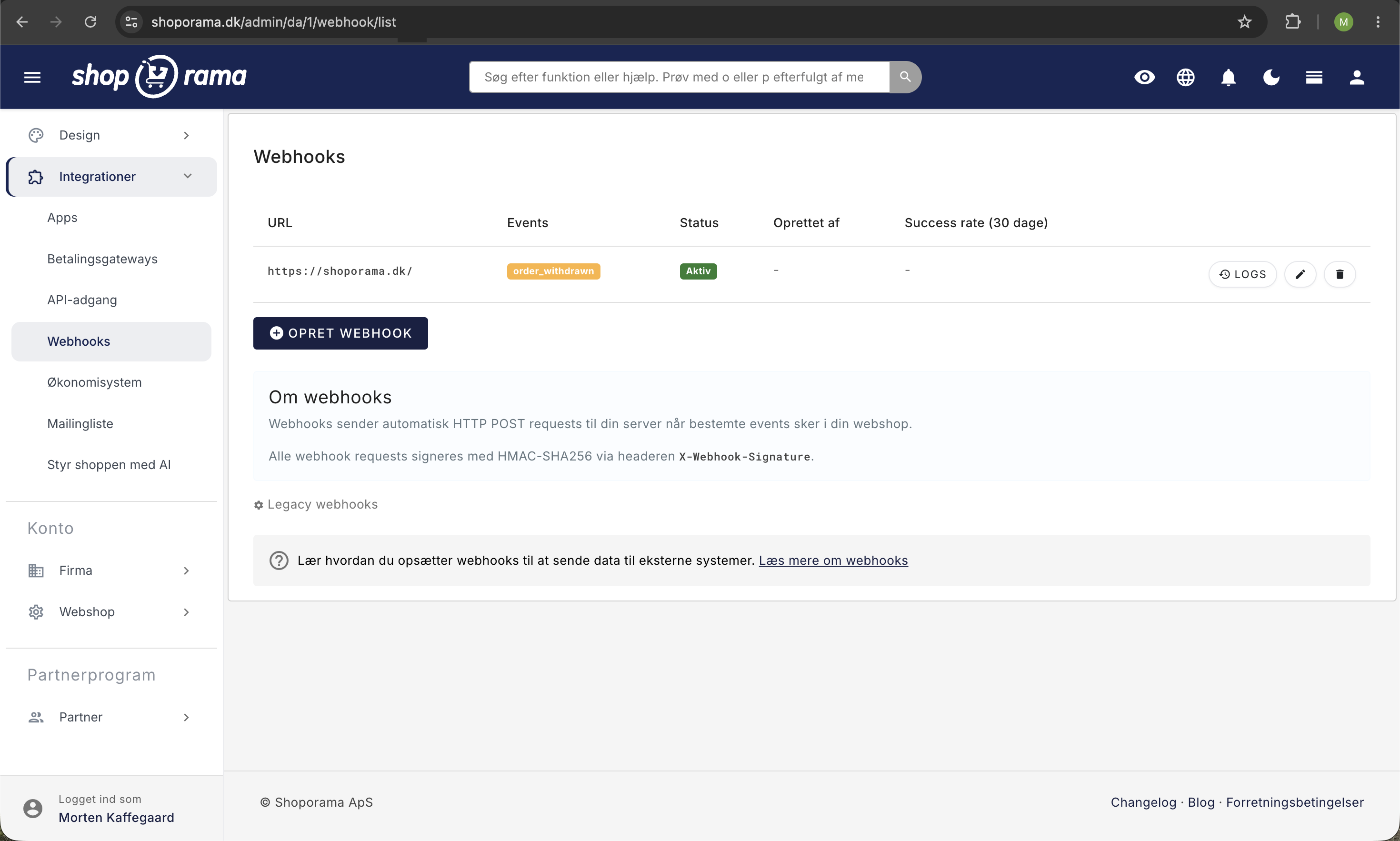
Hvad vises?
For hver webhook kan du se:
- URL – den adresse der modtager besked
- Event – hvilken hændelse der udløser webhook'en (fx order_created)
- Status – om webhook'en er aktiv
Hvem opretter webhooks?
Webhooks oprettes typisk af:
- Integrationer – fx Shipmondo og Klaviyo opretter automatisk webhooks, når du tilslutter dem
- Udviklere – via REST API'et eller admin
Se vores fulde guide til webhooks for information om tilgængelige events og opsætning via API.
Bemærk
Slet ikke webhooks du ikke genkender, medmindre du er sikker på at ingen integration bruger dem. Sletning kan forårsage at integrationer holder op med at fungere.
Har du brug for hjælp? Kontakt os på support@shoporama.dk.
Related articles
Webhooks in Shoporama
Complete guide to webhooks in Shoporama. Get automatically notified on a URL when something happens in your online store. List of all events,...
Facebook Conversions API
Guide to the Facebook Conversions API on Shoporama: setup with Pixel ID and access token, automatic deduplication of purchases, content_ids that...
Find or create an API key
Guide to finding your API key in Shoporama, which is used for integrations with e.g. Shipmondo.
Related features
Webhooks
Receive automatic notifications via webhooks when changes occur in your webshop. Orders, products, customers and much more.
Webshop with Shipmondo
Get a webshop with Shipmondo integration: GLS, PostNord, DAO, Bring and many more shipping companies in one single flow. Here's how to set up the...