Security profiles (GPSR)
Shoporama safety profile guide to help you comply with EU GPSR requirements for manufacturer information and safety documentation.
EU's General Product Safety Regulation (GPSR) stiller krav om, at produkter solgt online skal have tydelige oplysninger om producent og sikkerhed. I Shoporama kan du oprette sikkerhedsprofiler, der automatisk vises på dine produktsider.
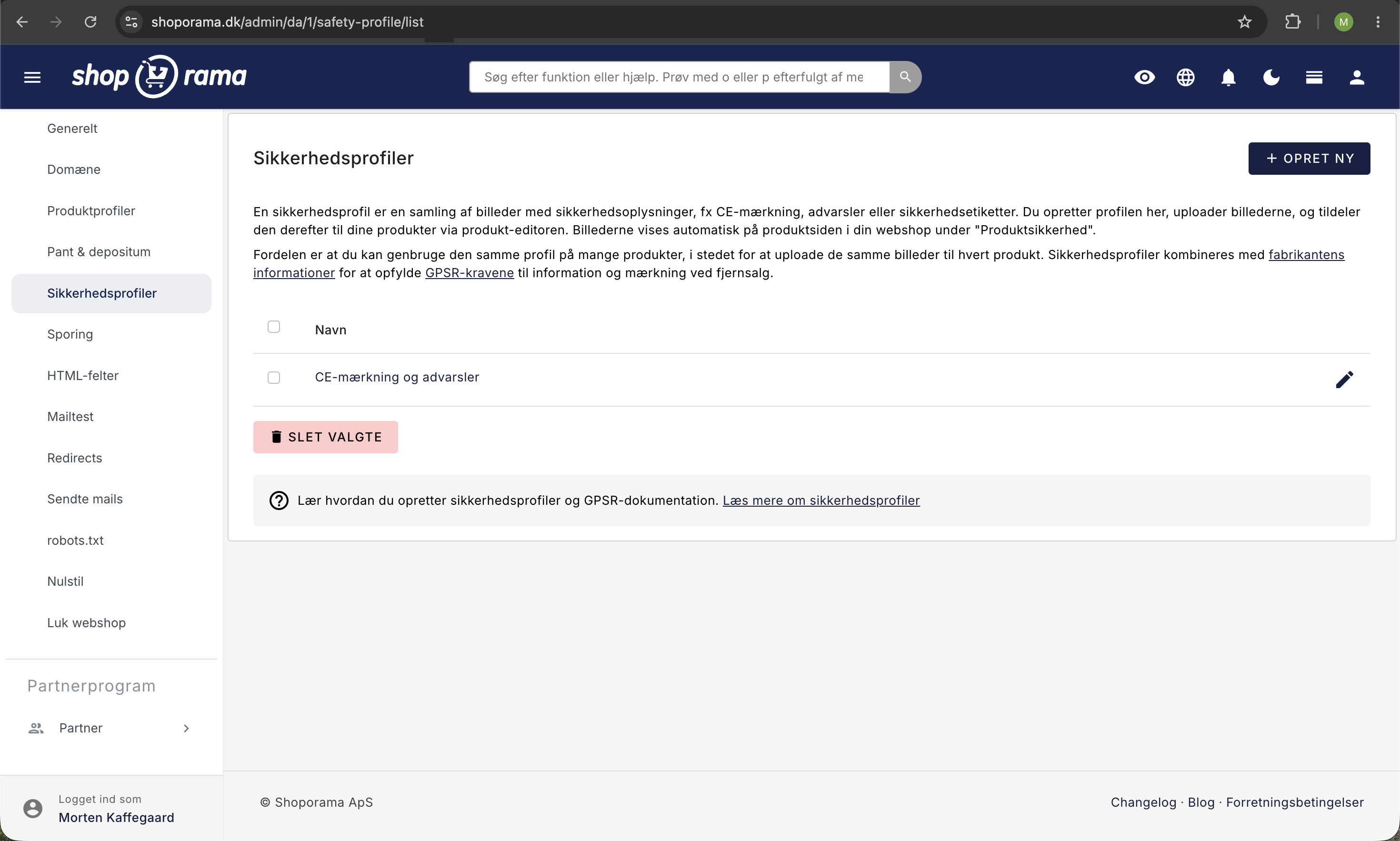
Opret en sikkerhedsprofil
- Gå til Konto > Webshop > Sikkerhedsprofiler
- Klik Opret ny sikkerhedsprofil
- Giv profilen et navn (fx "Legetøjssikkerhed" eller "Elektronik CE")
- Gem profilen
Tilføj dokumentation
Når profilen er oprettet, kan du uploade billeder og dokumenter (fx CE-mærkning, sikkerhedsdatablade eller producentoplysninger). Du kan uploade flere filer og ændre rækkefølgen med træk-og-slip.
Tildel en sikkerhedsprofil til et produkt
- Gå til produktredigeringen for det pågældende produkt
- Find feltet Sikkerhedsprofil under de generelle indstillinger
- Vælg den ønskede profil fra dropdown-menuen
- Gem produktet
Du kan bruge den samme sikkerhedsprofil til flere produkter. Hvis du fx har 50 produkter fra samme producent, behøver du kun at oprette én profil og tildele den til alle 50 produkter.
Visning i webshoppen
Sikkerhedsprofilen vises automatisk på produktsiden i en sektion kaldet "Produktsikkerhed". Her vises producentoplysninger (navn, adresse, kontakt) og de uploadede sikkerhedsdokumenter.
Kopiér profiler mellem shops
Hvis du har flere webshops, kan du kopiere sikkerhedsprofiler fra én shop til en anden. Markér de ønskede profiler i oversigten, og sæt flueben ved målshoppen under "Kopier valgte til anden webshop" og klik Kopier.
Related articles
Create security profiles
Guide to creating security profiles for products in Shoporama according to EU regulations.
Blacklist - Block unwanted orders
Learn how to use Shoporama's blacklist feature to block spam orders and unwanted customers by blacklisting email, phone number or IP address.
GPSR fields on products
Guide to implement GPSR fields (manufacturer and safety profile) on products according to EU regulations.