Show prices incl. VAT in the backend
Learn how to switch to showing product prices including VAT in the Shoporama admin panel.
Som standard vises produktpriser ekskl. moms i Shoporama-admin. Du kan nemt skifte til inkl. moms.
Sådan gør du
- Gå til Konto → Webshop → Generelt
- Sæt flueben i "Priser på produkter i admin er inkl. moms"
- Klik Gem
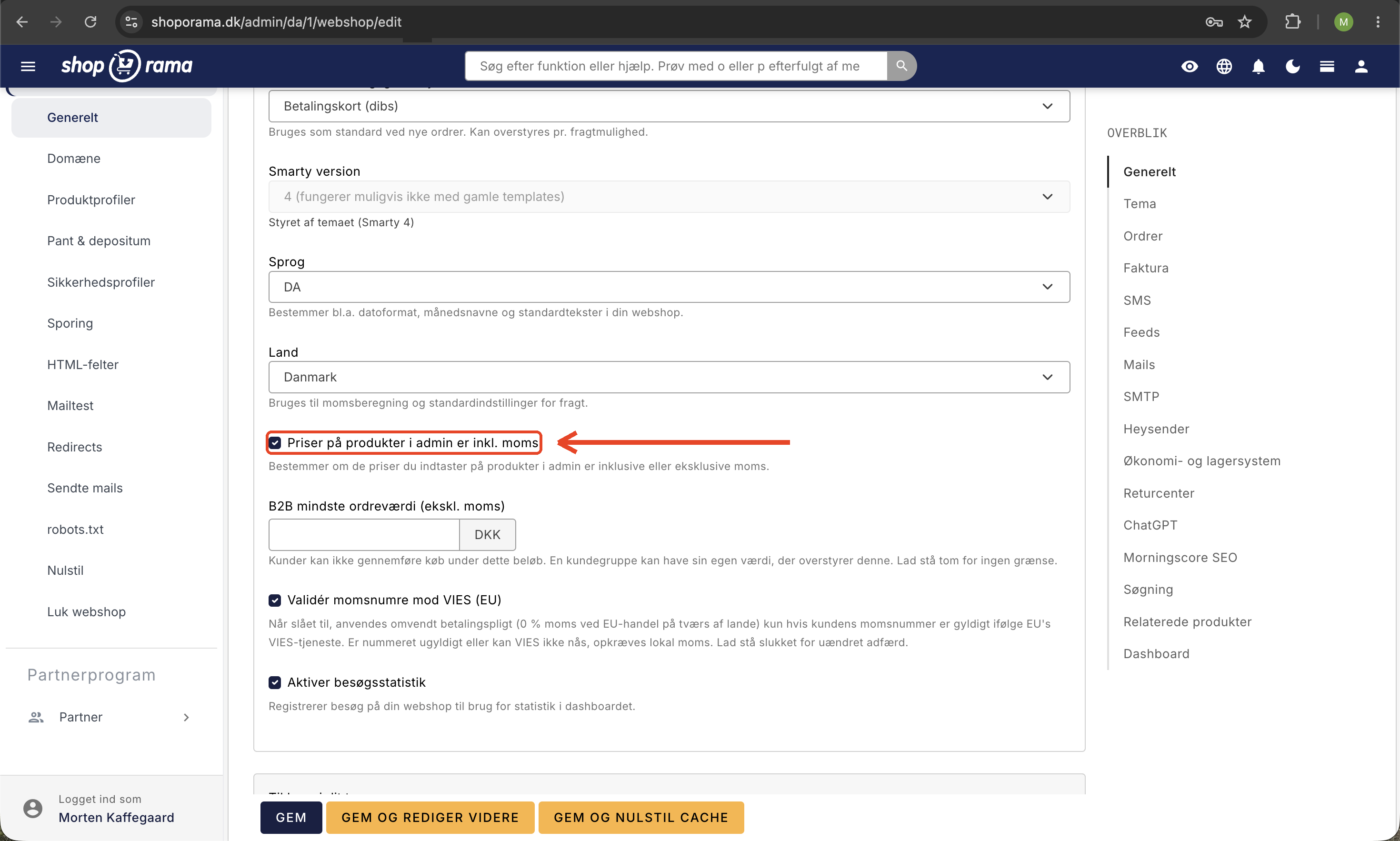
Herefter vises alle produktpriser i admin inklusiv moms. Indstillingen bestemmer, om de priser, du indtaster på produkter i admin, er inklusive eller eksklusive moms, og den påvirker derfor både visningen i admin og de priser, kunden ser i shoppen.
Har du brug for hjælp? Kontakt os på support@shoporama.dk.
Related articles
Product reviews
Learn how to use product reviews in Shoporama. Collect customer reviews automatically, moderate them and display star ratings on your product pages.
Are the numbers in the backend with or without VAT?
Answer whether the revenue figures on the Shoporama backend are with or without VAT.
Update prices via CSV import
Step-by-step guide to update prices on many products at once via CSV import in Shoporama. Incl. explanation of the VAT checkbox.