Professional invoices without the extra work
With Shoporama’s PDF invoice feature, a professional PDF invoice is automatically generated for each order. The invoice contains all the necessary information and is automatically attached to the relevant emails—so you don’t have to do any manual invoicing.
What does the invoice include?
The PDF invoice is generated with all the information required for a valid invoice:
- Your company’s name, address, and business registration number
- The customer’s billing information
- Order number and invoice number
- Order date
- All order lines with product name, quantity, price, and sales tax
- Shipping costs
- Any discounts
- Total amount including and excluding VAT
- Payment method
Automatic attachment to emails
When PDF invoicing is enabled, the invoice is automatically attached to the following emails:
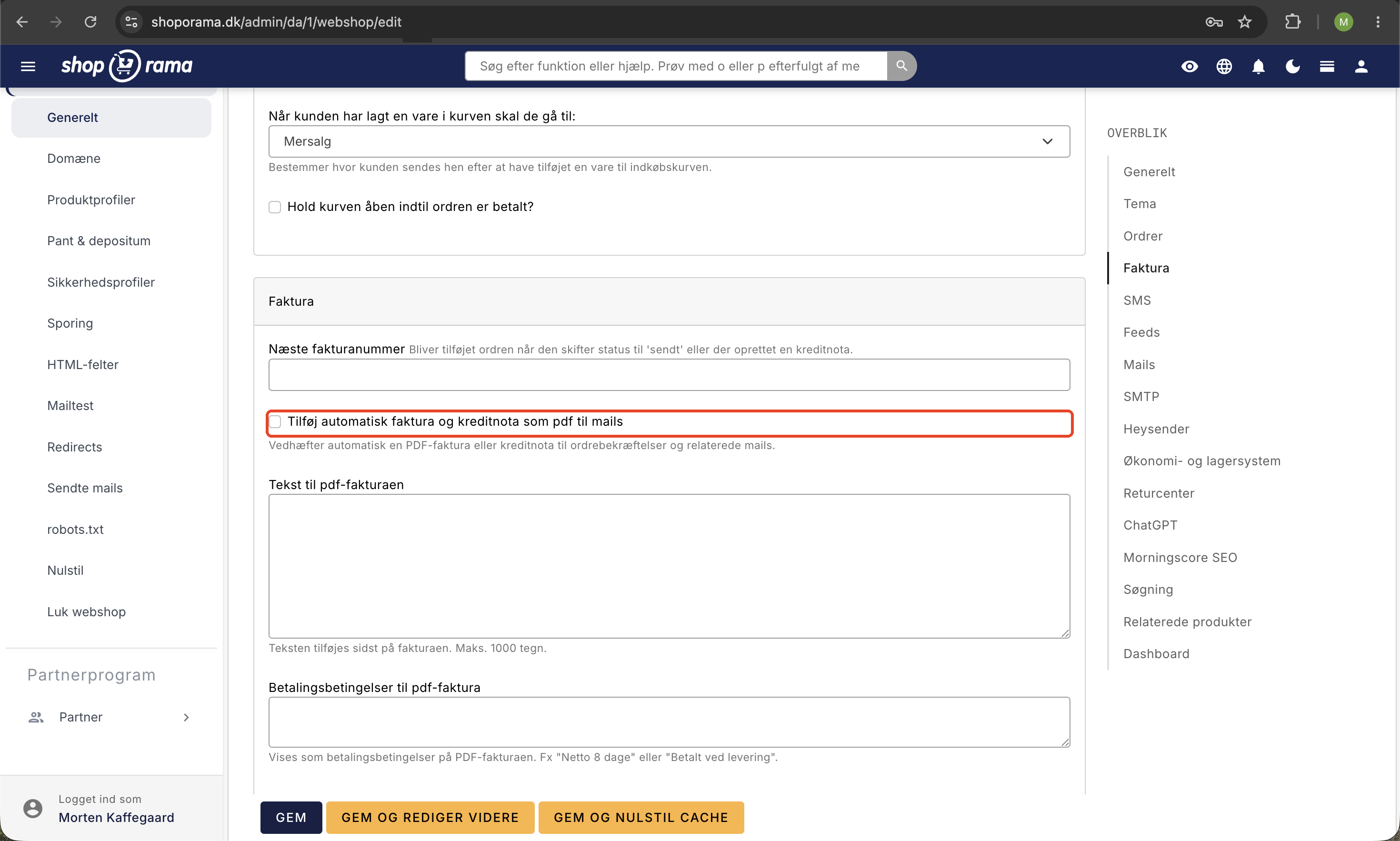
- Order Confirmation Sent — When an order is marked as shipped, the invoice is attached for the customer
- Credit Memo — When a credit is issued, a credit memo PDF is automatically generated
- Ready for pickup — If you use Click & Collect, the invoice is attached to the pickup email
- Picked up — The invoice is also included with the pickup confirmation
Download from the admin panel
You can always download a PDF invoice directly from the order view in the admin panel. If the customer has lost their invoice or you need it for bookkeeping, it’s always available with just one click.
Caching for fast delivery
PDF invoices are generated once and then cached. This means that repeated downloads or resending emails do not require the invoice to be regenerated—the invoice is delivered instantly. If the order is changed, a new invoice is generated automatically.
Get started
- Go to Settings in your admin panel
- Enable PDF invoices for orders
- Make sure your company information is filled out correctly
- Done—all future orders will automatically have a PDF invoice attached
For all online stores
PDF invoices are included in all Shoporama subscriptions at no extra cost. The feature is built directly into the platform and requires no third-party integrations or additional setup beyond activation.