An online store powered by Customers 1st saves you the trouble of managing inventory in two places
If you have a brick-and-mortar store using Customers 1st at the register and an online store alongside it, you have two inventory counts to keep track of. If you sell the last coffee grinder over the counter, it’s still listed as available online until someone updates the count. And when new inventory arrives, it has to be counted in two places. With Shoporama’s free Customers 1st app, inventory is synced across both the register and the online store, and stock levels update in real time whether you’re selling in-store or online.
How the Customers 1st app works
- You connect the store. You enter the API key from Customers 1st and select the inventory location in Shoporama that corresponds to the store’s inventory. The app links one store in Customers 1st to one inventory location.
- Items are linked by SKU. An item with the same SKU in Shoporama and Customers 1st will be linked. If the item has variants, each variant’s SKU is linked.
- Missing items are created. If an item is missing in Customers 1st, the app creates it there. If it’s missing in Shoporama, the app creates it as an offline item, which you then prepare and put online.
- A sale in one place updates inventory in the other. Point-of-sale transactions, inventory receipts, and inventory counts in Customers 1st are synced with the online store. Online orders, returns, corrections, and inventory entries in Shoporama are synced with the point of sale. This happens immediately, typically within seconds to a few minutes.
- Overnight, the figures are compared. If the inventory levels still differ between the two systems, the app adjusts them according to the system you’ve selected under “Inventory Managed By.”
What do you get as a store owner?
- You’ll be less likely to sell an item you don’t have in stock. If you sell the last one at the register, it’s deducted from the online store immediately, and if you sell it online, it’s deducted from the register. If the same item is sold in both places at the same time, both sales are counted because the app sends the change rather than a new inventory count.
- You enter the items once. When you create an item in Shoporama, it’s transferred to Customers 1st when you save it, along with the name, item number, barcode, price, cost price, and stock level. If you create it at the register, it will be transferred to the online store with the name, item number, barcode, price, cost price, brand, and stock level. You add images, a description, and a category, and put it online when it’s ready.
- Stock levels are the same at the register and in the online store. Receiving and counting inventory at the register are automatically synced with the online store. If a customer returns an online order and you record the return in Shoporama, the item is also returned to stock at the register.
- A safety net overnight. Changes that weren’t processed during the day are sent overnight, and discrepancies are corrected. That way, errors don’t go unaddressed.
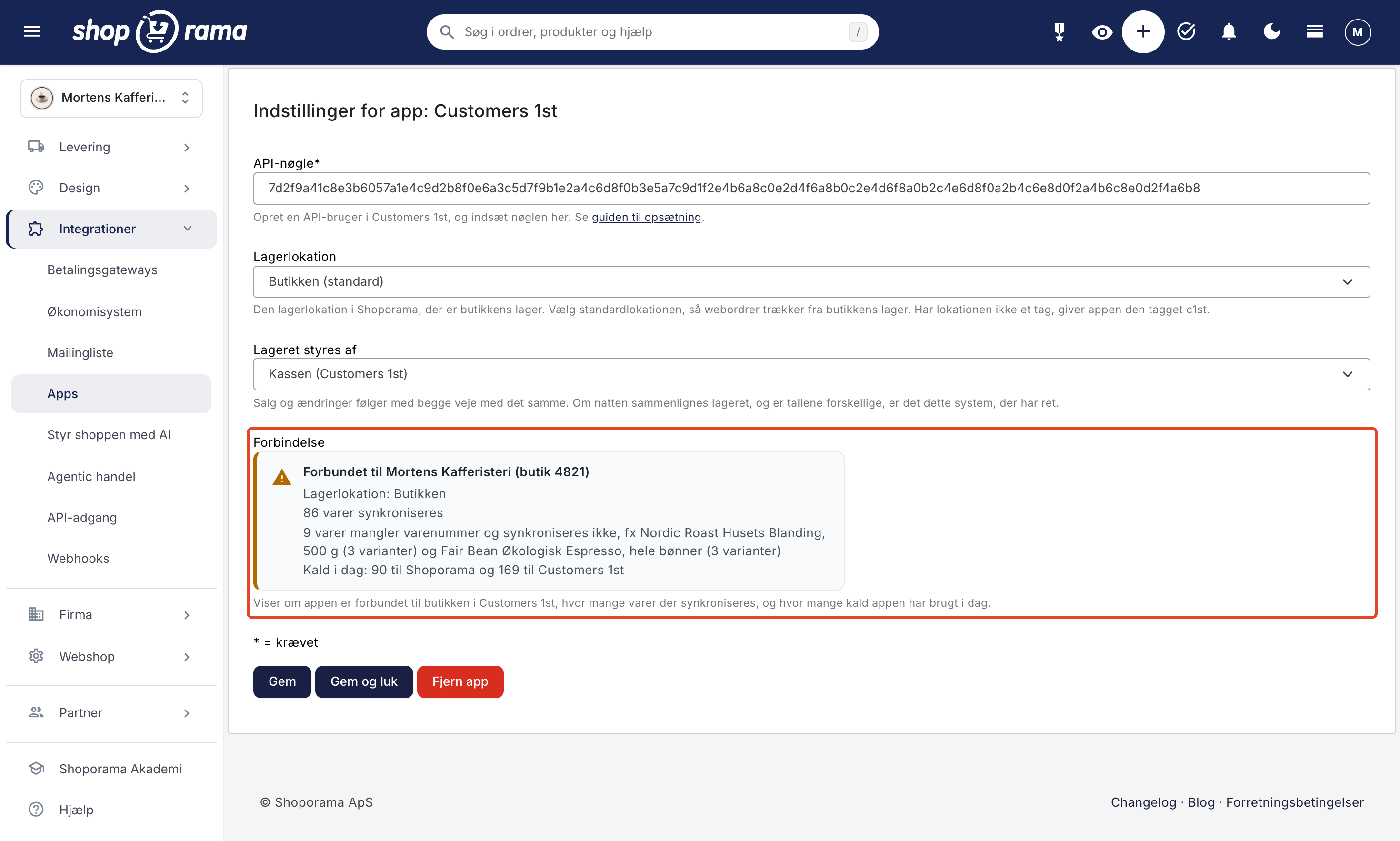
- You can see what’s missing. The “Connection” status box in the app’s settings shows which store and warehouse location the app is connected to, how many items are being synced, and how many are missing an item number and therefore aren’t included.
- No extra charges from Shoporama. The app is free, and its API calls do not count toward the store’s API usage.
How to Get Started
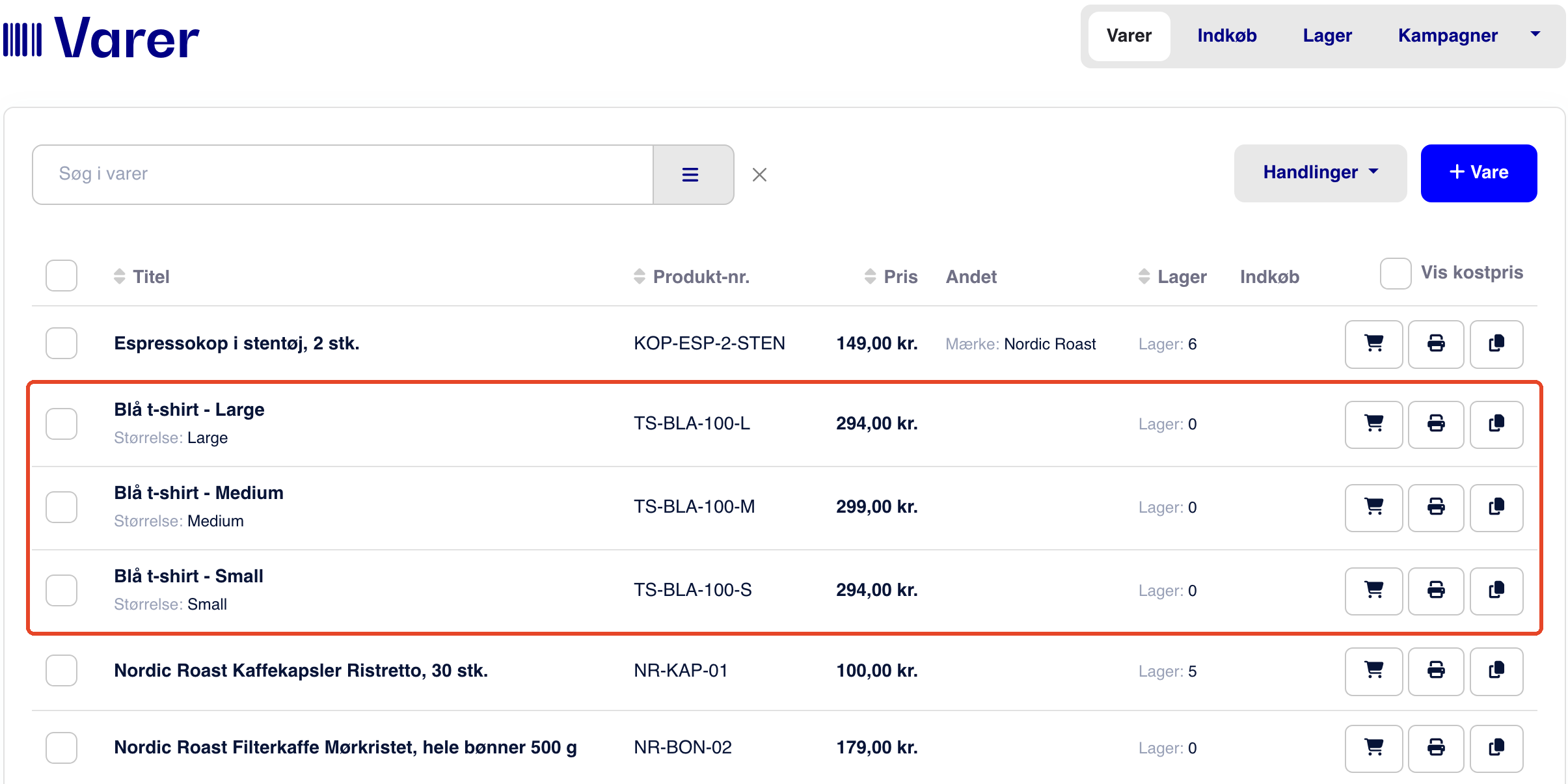
- Assign SKUs to the items. TheSKU in Shoporama must match the one in Customers 1st, and items with variants must have a unique SKU for each variant. The app does not connect via barcode.
- Create an API user in Customers 1st. Log in with the store’s administrator account and create an API user under Settings, on the API tab. Copy the key. There is one key per store.
- Install the app. Go to Integrations → Apps in Shoporama, and click Install next to Customers 1st. This will open the app’s settings. This requires a user with full access.
- Paste the key and select the warehouse location. Choose the store’s warehouse location, and under “Warehouse Managed By,” select whether the register or the online store should take precedence when comparing inventory levels. Click Save.
- Let the first synchronization run. It will start within about 5 minutes and run in the background; the “Connection” box shows how far along it is.
The full guide is available in “Set Up Customers 1st Integration.”
What to Keep in Mind
- Only products and inventory. Sales at the checkout do not become orders in Shoporama, and online orders do not become sales in Customers 1st. Customers, gift cards, store credits, and loyalty points remain in their respective systems.
- The name and price are only transferred during setup. If you change the name or price later, you must update it in both places. Descriptions, images, and categories are never transferred.
- Items must have an item number. Items without an item number will not be linked, and Customers 1st allows a maximum of 25 characters in the item number for new items.
- One store per online store. Currently, the app links one online store to one store in Customers 1st.
- Online orders are fulfilled from the default location. If the online store sells from the store’s inventory, select the store’s location as the default location. Otherwise, an online sale will not affect the inventory at checkout, and the “Connection” box will display a warning. Read more about inventory locations.
- Deletions are not synchronized. The app never deletes items. If you delete an item in one system, it remains in the other.
- Use only one connection. If the Shoporama integration in Customers 1st is also enabled, disable it in Customers 1st; otherwise, inventory will be deducted twice.
Frequently Asked Questions About the Web Store with Customers 1st
How much does the Customers 1st app cost?
The app is free and developed by Shoporama. Its calls to Shoporama do not count toward the API calls included in your subscription, so they do not cost extra. The app can use up to 20,000 calls per day.
Do I have to enter my products twice?
No. Products with the same SKU are linked, and if a product is missing from one system, the app creates it in the other with the name, SKU, barcode, price, cost price, and inventory. Items from Customers 1st are imported offline into the online store, so you can add images and descriptions before customers see them.
We just started using Customers 1st. Can the online store’s products be transferred to the checkout?
Yes. The first synchronization begins within about 5 minutes after you save the API key and creates the missing products in Customers 1st using the inventory from the selected warehouse location as the initial stock. Items without an item number won’t be included. In our test, 96 items took 20 seconds.
Will I avoid selling the same item twice?
A sale at the register updates the inventory on the online store, and a sale online updates the inventory at the register, typically within seconds to a few minutes. So there is a brief delay, so it’s not entirely impossible. If the same item is sold in both places at the same time, both sales are counted so that the inventory count afterward matches what was sold.
What do I need to get started?
An API key from Customers 1st, a user account with full access in Shoporama, and the SKUs for your products. You can install the app under Integrations → Apps. If you don’t see the API tab in Customers 1st, ask Customers 1st whether it’s included in your subscription.
Are orders, customers, and gift cards also included?
No, only products and inventory. Sales made at the register do not become orders in Shoporama, and online orders do not become sales in Customers 1st.
Can I connect multiple stores?
No, not at this time. If you have multiple stores in Customers 1st, create the API key in the store that you want to connect to the online store.
What happens if I uninstall the app?
Products and inventory will remain in both systems. If you reinstall the app, the products will be linked again by product number without creating duplicates.
Ready to connect your online store to Customers 1st?
If you already use Customers 1st in your store, the app is the quickest way to ensure inventory levels match at the register and on the online store. If you have a Shoporama online store, install it under Integrations → Apps, and under the Customers 1st integration, you can see what the app does and doesn’t do. If you’re not a customer yet, you can create a web store and try it out for yourself. Need help with setup? Email support@shoporama.dk.