B2B sales in Shoporama
How to sell to businesses (B2B) and public institutions (B2G) in Shoporama with CVR, EAN and differentiated VAT.
Shoporama understøtter fuld B2B-salg. Du kan sælge til både private, virksomheder, og offentlige institutioner fra den samme webshop, og du kan drive en lukket, login-baseret forhandlerbutik med kundespecifikke priser. Denne artikel giver dig overblikket. Hver funktion har sin egen dybdegående guide, som du finder undervejs.
En login-baseret forhandlerbutik
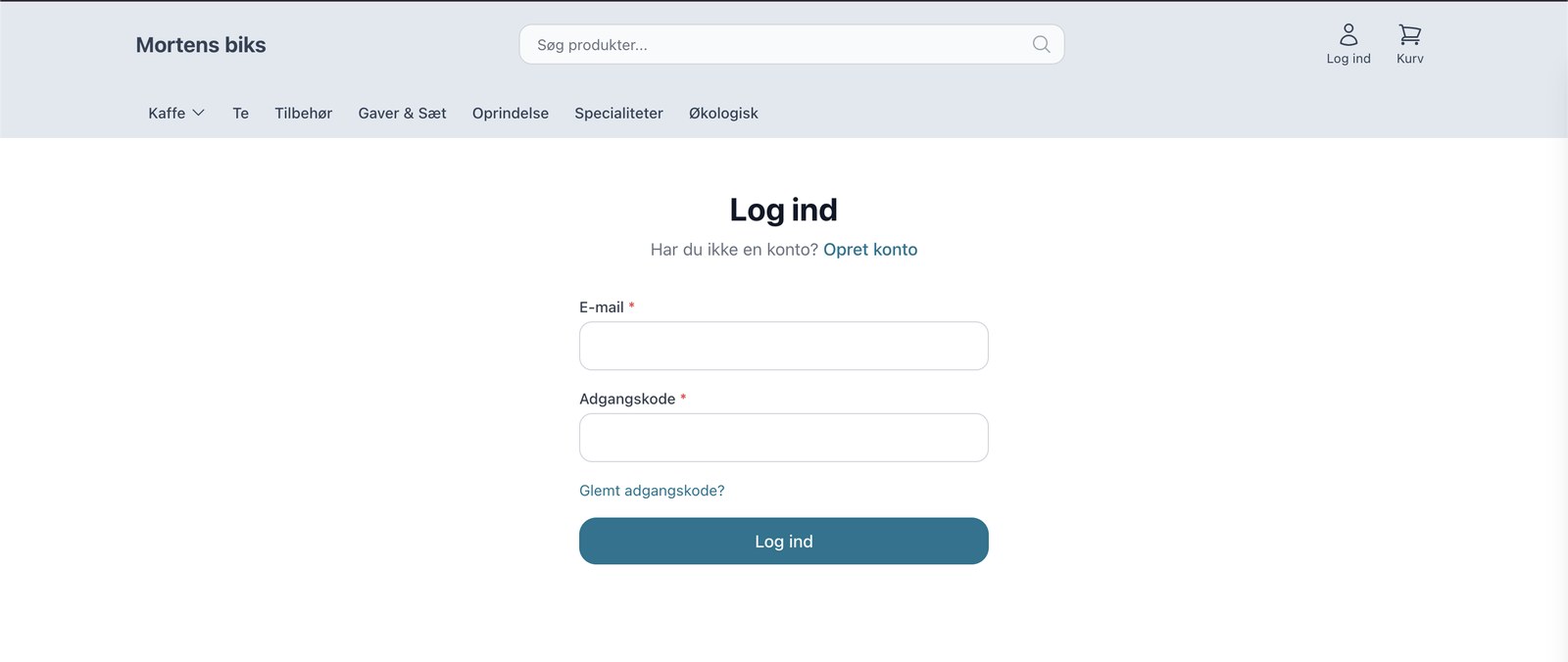
Med B2B-temaet kan du gøre butikken login-baseret. Gæster mødes af en login-side, og kun godkendte kunder ser sortiment og priser. Det er oplagt, når dine priser kun skal være synlige for forhandlere. Priserne vises ekskl. moms, som erhvervskunder forventer, og en momsskifter lader kunden veksle mellem ekskl. og inkl. moms med et enkelt klik.
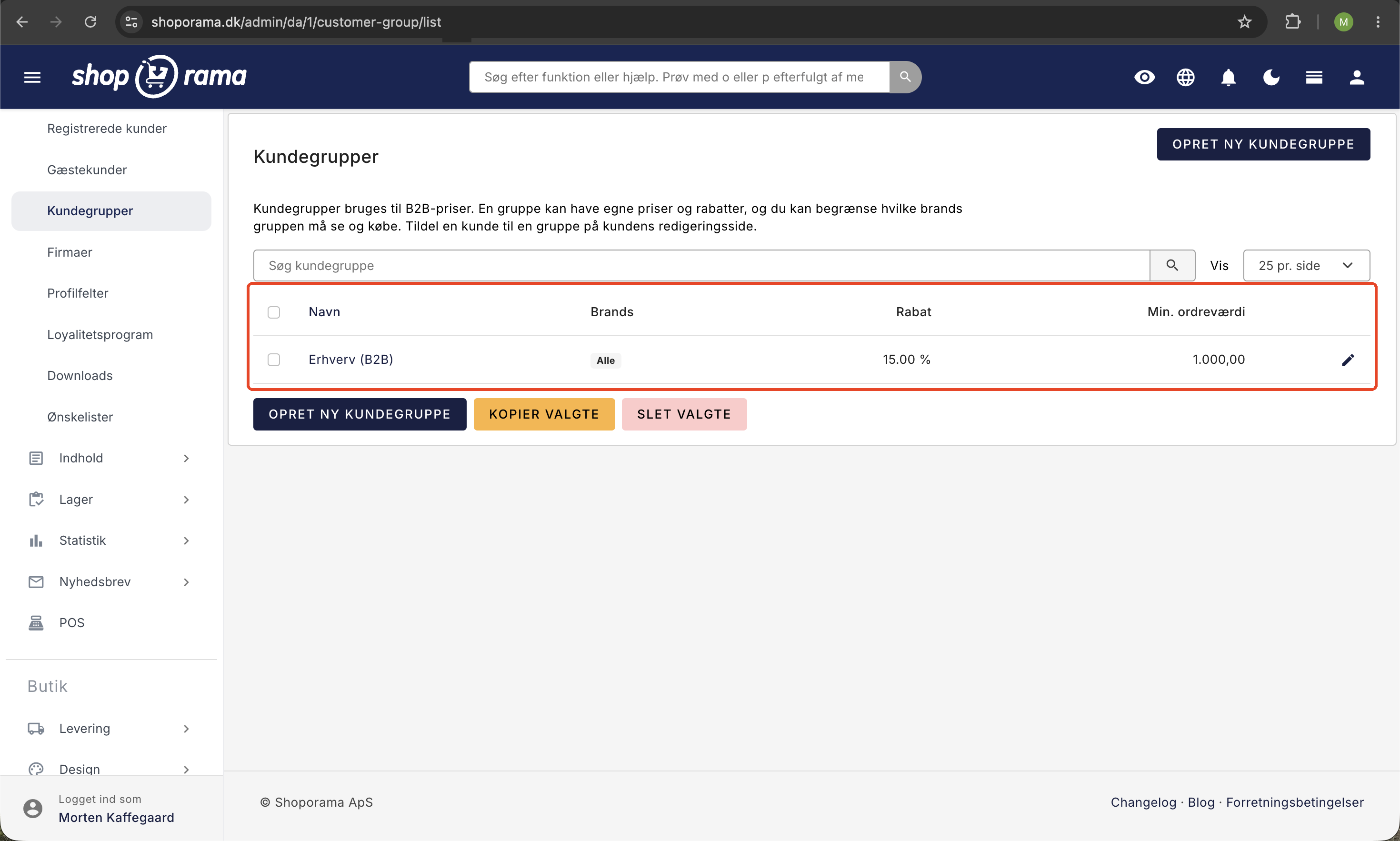
Kundegrupper med deres egne priser
Del dine kunder op i kundegrupper, og giv hver gruppe sine egne priser: en generel rabat, faste særpriser pr. produkt, mængderabat med trappepriser, og styring af hvilke mærker gruppen må se og købe. En kunde, der er logget ind, ser automatisk sine egne priser. Læs hele guiden i Kundegrupper og B2B-priser.
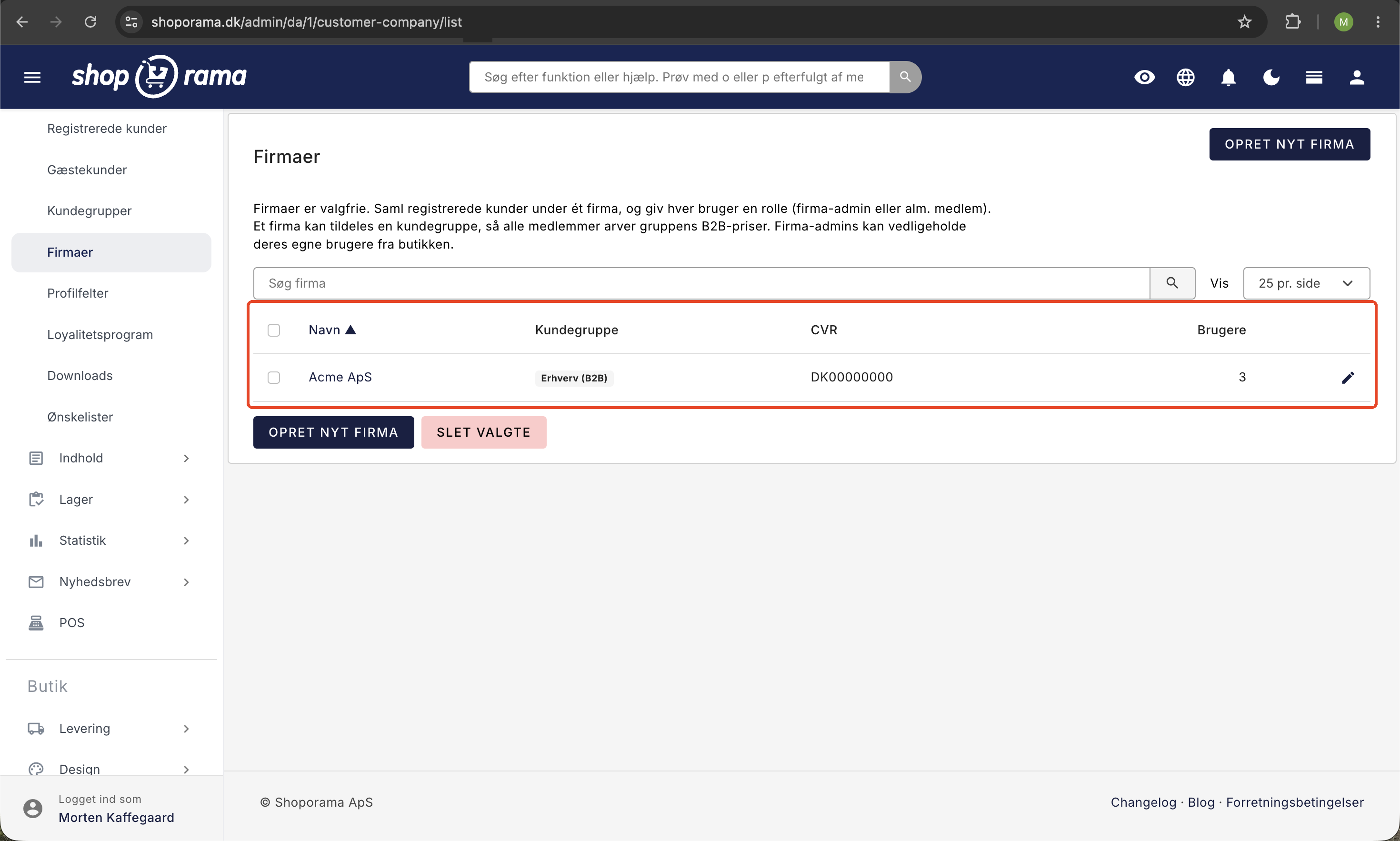
Firma-konti med flere brugere
En virksomhed kan have flere indkøbere under samme firma med hver sin rolle. Firmaets identitet, altså CVR, EAN, og adresse, samt priser arves automatisk af medlemmerne, og firma-administratoren kan selv tilføje kolleger og styre roller fra butikken. Se Firma-konti med flere brugere og roller.
Hurtig genbestilling
Erhvervskunder genbestiller ofte de samme varer. Med hurtig bestilling kan kunden søge varer frem på SKU, EAN, eller navn, lægge mange varer i kurven på én gang, uploade en fil med varekoder og antal, eller genbestille fra en tidligere ordre. Læs mere i Hurtig genbestilling for erhvervskunder.
Kundetyper i checkout
Shoporama understøtter tre kundetyper i checkout:
- B2C (Privat), altså private kunder. Aktiveret som standard.
- B2B (Erhverv), altså virksomhedskunder med CVR-nummer.
- B2G (Offentlig), altså offentlige institutioner med EAN-nummer.
Du kan aktivere og deaktivere de enkelte kundetyper under din webshops checkout-indstillinger. Hvis du kun har B2C aktiveret, får dine kunder ikke mulighed for at angive CVR eller EAN.
B2B-felter i checkout
Når B2B er aktiveret, vises følgende ekstra felter i checkout:
- Firmanavn, altså virksomhedens navn.
- CVR-nummer, påkrævet for B2B-kunder.
- EAN-nummer, der bruges til B2G (offentlige indkøb).
- EAN-reference, et valgfrit referencefelt til EAN-ordrer.
Disse felter gemmes både på ordren og på kundeprofilen, så kunden ikke skal udfylde dem igen ved næste køb. Har kunden et firma tilknyttet via en firma-konto, arves firmaoplysningerne automatisk.
Momshåndtering og reverse charge
Shoporama håndterer automatisk moms baseret på kundetype og land. Under Indstillinger og Lande kan du for hvert land angive en B2B-momssats, en B2C-momssats, og en momszone (hjemland, EU, eller udland) for henholdsvis B2B og B2C.
Når en kunde angiver et CVR-nummer, bruger Shoporama automatisk B2B-momssatsen for det valgte land. Det gør det nemt at håndtere momsfrit salg til EU-virksomheder efter reglerne om omvendt betalingspligt (reverse charge). Sælger du til erhverv i andre EU-lande, kan du desuden få momsnumre valideret automatisk mod EU's VIES-register, så momsen kun fjernes ved et bekræftet nummer. Læs mere i Reverse charge og VIES-validering.
E-conomic-integration med B2B
Hvis du bruger E-conomic som regnskabssystem, understøtter Shoporama automatisk adskillelse af B2B- og B2C-kunder:
- Debitorgrupper: Du kan angive separate debitorgrupper for private og erhvervskunder.
- Momszone: Korrekt momszone (hjemland, EU, eller udland) sættes automatisk på fakturaen baseret på B2B/B2C-indstillingerne for kundens land.
- EAN-nummer: Overføres til E-conomic, så det fremgår af fakturaen.
- Firmanavn: Bruges som kontaktnavn i E-conomic for B2B-kunder.
- Rabatter: Gavekort, kampagnerabatter, og indløste loyalitetspoint overføres som separate linjer på fakturaen med korrekt nettobeløb. Det gælder uanset om kunden har 25 procent dansk moms, 0 procent moms ved omvendt betalingspligt på EU-erhvervssalg, eller eksport til lande uden for EU.
Læs mere om hele integrationen i Sådan fungerer E-conomic-integrationen.
Fragt og levering for B2B
Firmanavnet bruges automatisk i forsendelser via PostNord, GLS, og andre fragtleverandører. Firmanavnet vises som primært navn på pakkelabels, mens kontaktpersonens navn vises som sekundært navn.
B2B i butikken og på selvbetjening
B2B-priser er ikke kun for webshoppen. De følger med, når du sælger fra en fysisk kasse eller lader kunden betjene sig selv.
I det bemandede POS kan personalet vælge en erhvervskunde i kundevælgeren. Søg kunden frem på firmanavn eller CVR-nummer, vælg dem, og hele kurven regnes med kundens egne gruppepriser. Ordren linkes til kunden, så købet tæller med i deres historik. Læs mere i POS (Point of Sale).
Med selvbetjenings-POS kan du sætte en login-baseret terminal op, hvor kunden logger ind og selv bestiller til sine egne priser. Det er oplagt til genbestilling: en lagermedarbejder scanner de varer, der mangler, på sin telefon eller på en fast terminal, logger ind hos forhandleren, og bestiller direkte til aftalte B2B-priser. Vil du kun tillade indloggede kunder, kan du slå "Kræv login" til, så terminalen bliver en ren erhvervsgenbestilling. Læs mere i Selvbetjenings-POS og i Hurtig genbestilling for erhvervskunder.
Sådan kommer du i gang med B2B
- Vil du have en lukket forhandlerbutik med kundespecifikke priser, så vælg B2B-temaet under Design.
- Opret kundegrupper under Kunder, og giv dem rabatter, særpriser, eller mængderabat.
- Aktivér de kundetyper du har brug for (B2B og B2G) under checkout-indstillingerne, så CVR- og EAN-felter vises.
- Opsæt momssatser og momszoner under Lande for de relevante lande, og slå eventuelt VIES-validering til.
- Vælg betalingsmetoder, for eksempel faktura, og angiv separate debitorgrupper i E-conomic hvis du bruger det.
Ofte stillede spørgsmål
Kan jeg sælge til både private og erhverv fra samme shop?
Ja. Shoporama understøtter B2C, B2B, og B2G i den samme butik. Det hele er datadrevet, så en kunde uden kundegruppe handler som almindelig forbruger, mens en gruppekunde ser sine erhvervspriser.
Kan jeg lukke butikken, så kun forhandlere ser priserne?
Ja. Med B2B-temaet er butikken login-baseret. Gæster ser en login-side, og kun godkendte kunder ser sortiment og priser.
Hvordan håndteres moms til erhvervskunder i EU?
Når kunden angiver et CVR-nummer, bruger Shoporama B2B-momssatsen for landet, så momsfrit EU-salg (reverse charge) håndteres automatisk. Slår du VIES-validering til, fjernes momsen kun ved et bekræftet momsnummer.
Kan en virksomhed have flere indkøbere på samme konto?
Ja, med firma-konti. Flere brugere kan ligge under samme firma med roller, og firma-administratoren kan selv tilføje kolleger. Se guiden til firma-konti.
Kan kunderne betale på faktura?
Ja. Du kan tilbyde faktura som betalingsmetode, og en PDF-faktura vedhæftes automatisk ordremailen, så kunden har dokumentationen klar til sit regnskab.
Får erhvervskunder deres egne priser i den fysiske butik?
Ja. I POS'et vælger personalet kunden i kundevælgeren (søg på firmanavn eller CVR), og så regnes hele salget med kundens gruppepriser.
Kan en lagermedarbejder genbestille direkte hos os selv?
Ja. Med selvbetjenings-POS kan medarbejderen logge ind og bestille til sine egne B2B-priser, enten på en fast terminal eller via en QR-kode på telefonen.
Virker B2B sammen med min E-conomic-integration?
Ja. B2B- og B2C-kunder kan adskilles i separate debitorgrupper, korrekt momszone sættes automatisk på fakturaen, og firmanavn samt EAN-nummer overføres til E-conomic.
Related articles
Are the numbers in the backend with or without VAT?
Answer whether the revenue figures on the Shoporama backend are with or without VAT.
Zero searches and search analytics
Learn how to use Shoporama's search analytics to find searches without results and optimize your online store.
Create EAN payment as a payment method
Guide to setting up EAN payment (invoice payment for businesses) on your Shoporama online store.
Related features
Nu kan du drive en rigtig B2B-webshop med Shoporama
Shoporama now offers a full-featured B2B solution: a login-based store, customer group pricing, volume discounts, corporate accounts, VIES reverse...
Customer database
Complete customer database with profiles, order history, segmentation, customer groups and exports. Identify your best customers and communicate in...