Calculating inventory value
Explanation of how the inventory value is calculated in Shoporama. Weighted average, cost price, bundles, variants and credit notes.
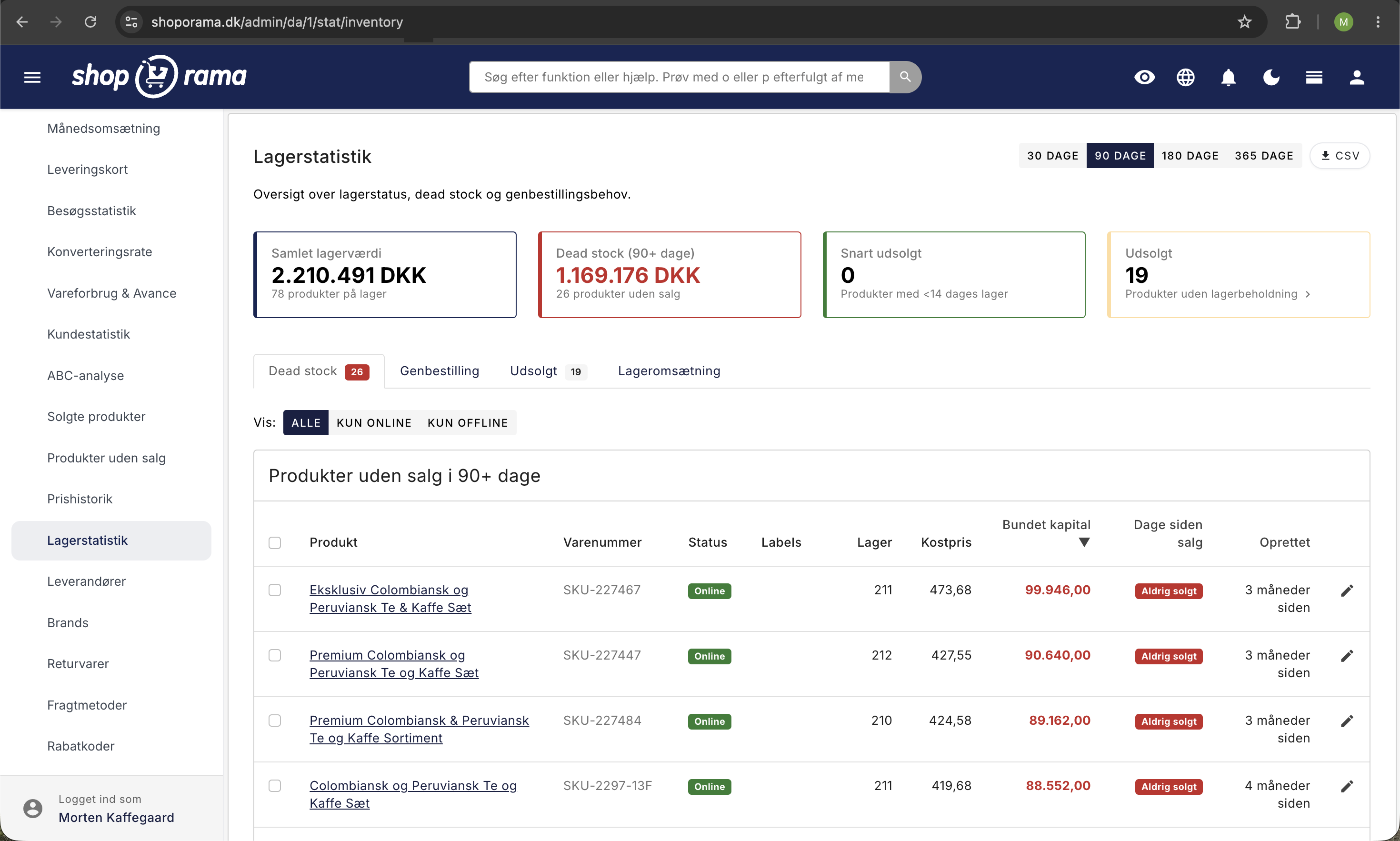
Your inventory value is the total cost of the items you currently have on the shelf. Shoporama calculates it automatically based on the cost prices you’ve entered, so you can easily keep track of how much capital is tied up in inventory and use that figure in your financial statements.
When you add items to inventory, you can specify a cost price (the purchase price excluding VAT). Shoporama automatically retrieves the cost price assigned to the product if you do not specify one yourself. The more accurately your cost prices are entered, the more accurate the inventory value will be.
Does Shoporama use FIFO or weighted average cost?
Shoporama uses weighted average cost, not FIFO. When you have items in stock that were added at different cost prices, the value is calculated based on an average weighted by quantity. See the example below.
It’s important to understand the difference if your purchase prices fluctuate. The average is calculated based on all the stock receipts the product has ever had, including those that were sold long ago. If you’ve purchased the same item at very different prices over the years, the inventory value may therefore differ from what the items currently on the shelf actually cost you. We’re working on making the calculation more accurate. If the figure looks significantly incorrect for a specific item, please email support@shoporama.dk, and we’ll look into it.
Does the inventory value include or exclude sales tax?
The inventory value is always calculated excluding VAT. It is the cost price excluding VAT that is included in the calculation.
What about items added to inventory without a cost price?
They are not included in the inventory value. If you find that your inventory value seems too low, it’s often due to missing cost prices. See “Inventory Value Without Cost Price” for instructions on how to correct this.
I just added items to inventory, but the value hasn’t changed yet
The total inventory value you see on the admin dashboard is updated overnight. Items you add to inventory today will be included starting tomorrow. We do this to avoid putting unnecessary strain on the server during the day, ensuring your store runs quickly.
How is the value calculated if I’ve changed the cost price along the way?
Shoporama calculates a weighted average based on quantity.
Example: You’ve added 10 units to inventory at 80 DKK each, and then 5 units at 70 DKK each. In total, you’ve purchased 800 + 350 = 1,150 DKK worth of inventory. The average price is (10 × 80 + 5 × 70) / 15 = 76.67 DKK. Shoporama therefore reports the inventory value as 15 × 76.67 = 1,150 DKK.
This example applies as long as all 15 items are still in stock. If you sell some of them, the average price of 76.67 DKK remains and is multiplied by the number you have left. The system does not keep track of whether the expensive or the cheap items were sold first.
How are products with variants counted?
Inventory is managed by variant, but the inventory value is calculated at the product level. All variants of the same product are therefore combined and included in the product’s total value. See Synchronizing Inventory with Variants for more information on inventory management by variant.
Do bundle packages count toward the inventory value?
Bundles do not have their own inventory value when you use the recommended setup with shared inventory. The value is based on the underlying products, so there is no double counting. Read more in the article about bundles.
What happens when I issue a credit memo for an order?
When you create a credit memo, you can choose whether to return the items to inventory. If you do, the inventory level increases again, and the items are included in the inventory value at the cost price they had when they were sold.
Do deleted products count toward inventory value?
No. Deleted products are not included in the inventory value, even if they still have inventory records in the system.
Can the inventory value become negative?
No. If a product were to have a negative value (e.g., because more were sold than were in stock), its value is considered 0 in the calculation, so the total inventory value never becomes negative.
Where can I see the total inventory value?
You’ll find the figure under Inventory in the admin panel, where it appears at the top of the page: “Your inventory is worth X DKK (excl. tax) at cost.” Keep in mind that the figure is updated overnight.
If you have any questions about the inventory value, feel free to contact us at support@shoporama.dk.
Related articles
Inventory value without cost price
What to do if your inventory value is not correct because you missed the cost price when registering stock.
Bundles (Bundles)
Learn how to create bundles in Shoporama so you can sell multiple products as one package with automatic inventory tracking.
Synchronizing stock with variants
Guide to stock syncing products with variants in Shoporama.
Product profiles and variants
Guide to product profiles and variants in Shoporama. Understand how profiles, attributes and variants are related.
Manage your orders in Shoporama
Guide to managing orders in Shoporama - from receiving to shipping and status updates.
Related features
Stock integrations
Stock records, stock locations, order list, stock value and automatic notifications. Avoid overselling with Shoporama inventory management.
Inventory value
Inventory value is the total value of your goods in stock, calculated at cost. See how it is reported in the financial statements and why it may be...
Cost Prices
If you don't have cost prices, your inventory value and profit margin will be incorrect. See why cost prices are worth their weight in gold for...