Create country
Guide to creating a new country as a delivery option in your Shoporama online shop.
If you want to sell to more countries, you can create new countries in Shoporama. This affects shipping, sales tax, and the checkout process.
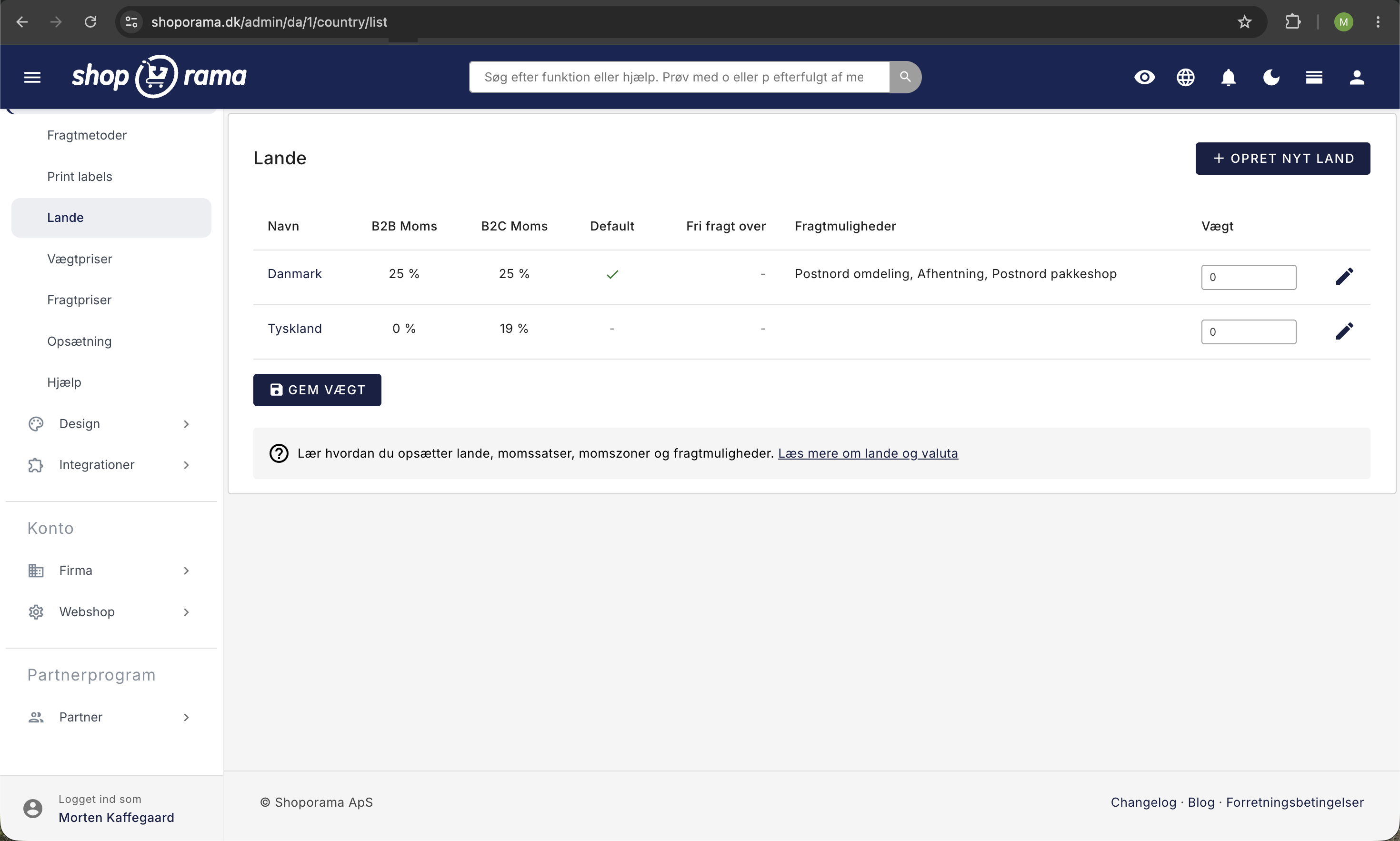
How to create a new country
- Click “Shipping” under “Store” in the left-hand menu
- Go to Countries
- Click “Create New Country”
- Select a country from the list
- Specify the tax and shipping settings for the new country
- Click Save
What is affected?
- Shipping — you’ll need to create shipping options that cover the new country
- VAT — the VAT rate may be different (e.g., 0% for sales to countries outside the EU)
- Checkout — the new country will appear in the country dropdown during checkout
Selling to the EU and internationally
For sales to other EU countries, Danish VAT applies unless you’re registered for the One Stop Shop (OSS) scheme. For countries outside the EU, the VAT rate is typically 0%.
Important
Remember to set up shipping options that cover the new country. Without shipping options, customers from that country won’t be able to complete a purchase.
See also: Create a new shipping option.
Need help? Contact us at support@shoporama.dk.
Related articles
Find or create an API key
Guide to finding your API key in Shoporama, which is used for integrations with e.g. Shipmondo.
Create EAN payment as a payment method
Guide to setting up EAN payment (invoice payment for businesses) on your Shoporama online store.
Create an additional webshop
Guide to creating an additional online store under the same login in Shoporama.