Create a discount code
Complete guide to creating and managing discount codes in Shoporama - percentage discount, fixed amount, free shipping, restrictions and more.
Overview
Discount codes (vouchers) are an effective marketing tool that encourages customers to make purchases. In Shoporama, you can create flexible discount codes with different types of discounts, restrictions, and expiration dates.
Create a discount code
- Go to Products → Gift Cards in the admin panel
- Click Create New Gift Card
- Enter a code (or let the system generate one automatically)
- Select the discount type and settings (see below)
- Click Save
Create discount codes via AI
You can create and manage discount codes directly through an AI assistant, so you don’t have to click your way through the admin panel. The AI can create new codes, update existing ones, delete the ones you no longer want to use, and give you an overview of the active codes. Just tell it what you want, and the AI will take care of it.
If you want a code that applies only to a specific order, it’s worth noting that discount codes cannot technically be tied to an existing order. The customer enters the code at checkout. However, you can achieve exactly the same effect by creating a code that can either be used only once in total or only by a specific email address. That way, it’s effectively “locked” to a single order.
Examples of prompts you can copy:
Create a 15% discount code that can only be used once. Call it TAK15.Create a code worth 200 kr. that only works for the customer with the email address kunde@eksempel.dk, and only once.Show me all active discount codes, and delete the ones that have expired.Read more about how you can manage your store with an AI assistant in the article “Now You Can Manage Your Entire Web Store via Chat.”
Discount Types
You can choose between three types of discounts, which can be combined:
- Percentage discount – e.g., 10% off the entire order
- Fixed amount – e.g., 50 kr discount
- Free shipping – shipping costs are waived
You can combine a percentage discount or a fixed amount with free shipping on the same code.
Restrictions
You can restrict discount codes in several ways:
- Number of uses – limit the total number of times the code can be used. Leave the field blank for unlimited use
- Once per customer – the customer can only use the code once (based on email address)
- Minimum purchase – the code only works if the order exceeds a certain amount
- Start date (“Valid from”) – select “Immediately” or set a date and time for when the code should take effect. This allows you to create the code now and have it activate automatically on the start date. Until then, the code cannot be used, and public codes will not appear in the online store until the start date
- Expiration Date – Set a date and time for when the code expires
- Specific Categories – Limit the code to products in specific categories
- Specific products – limit the code to selected products
Advanced settings
- Allow on sale items – by default, the code cannot be used on items that are already on sale. Enable this setting to allow it
- Allow with promotions – choose whether the code can be used in conjunction with active promotions
- Allow with loyalty points – choose whether the code can be used in conjunction with the customer’s loyalty points
- Save remaining balance – if the code is for a fixed amount (e.g., 200 kr), the remaining balance can be saved for the next purchase. Useful for gift card-like functionality
- Public – make the code visible on your online store (for general promotions)
Create multiple codes at once
You can create up to 1,000 unique codes at once:
- Auto-generate – the system creates random codes
- Upload file – upload a text file with one code per line
Codes created simultaneously are grouped into a batch, which you can export as a CSV file.
Share a discount code
You can share a direct link that automatically activates the code in the customer’s cart. The link has the following format:
https://dinshop.dk/?voucher=DIN-KODEYou’ll find the link in the edit screen for each discount code.
Activation at checkout
The discount code field in checkout appears automatically if your theme supports discount codes, and customers can enter their code there.
Discount Codes in the POS
Discount codes can also be used when selling from your physical store. At the POS checkout, you enter the discount code, and the system calculates the discount and applies it to the order, just as when a customer enters the code at the online store’s checkout. The same applies to self-service POS systems, where customers can enter a code themselves before paying.
Activate a discount code via URL
You can automatically activate a discount code by adding it as a URL parameter. When a customer visits your store via a link containing ?voucher=CODE, the discount code is automatically added to the customer’s cart.
Example:
https://dinshop.dk/?voucher=SOMMER20This is useful for promotions in newsletters, on social media, or via affiliate links, where the customer doesn’t have to remember to enter the code themselves.
Discount Code Statistics
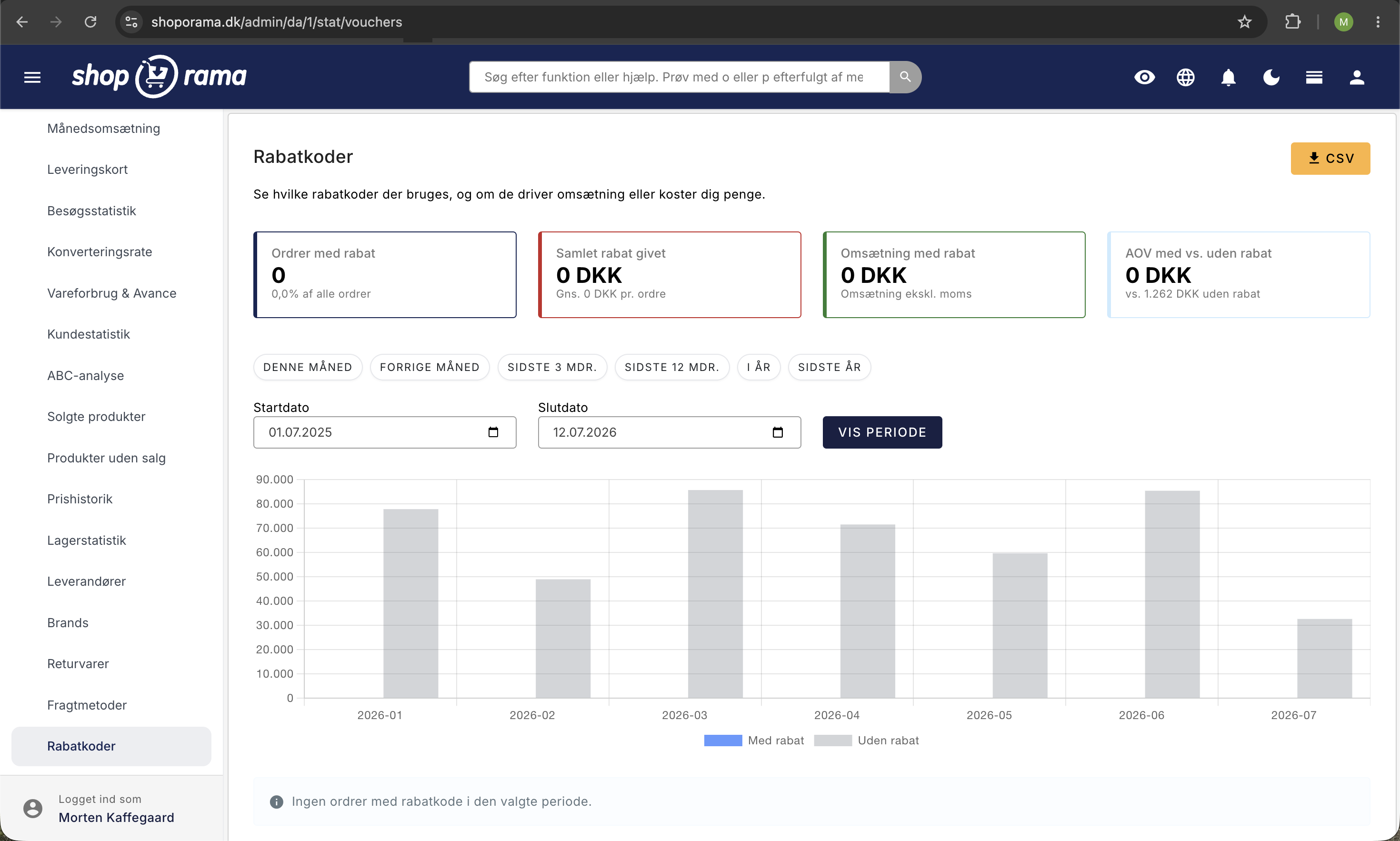
Want to know which discount codes are performing best? Under Statistics → Discount Codes, you can see how many times each code has been used, the total discount amount, and revenue, so you can assess whether your campaigns are making you money.
Frequently Asked Questions
Can I use a discount code when selling through the POS?
Yes. Enter the code at the POS checkout, and the system will calculate the discount and apply it to the order. Customers can also use a code at the self-service POS.
Need help? Contact us at support@shoporama.dk.
Related articles
Customize your checkout
Guide to customizing the checkout flow in your Shoporama online store, including payment methods, shipping, customer fields and gift cards.
Find or create an API key
Guide to finding your API key in Shoporama, which is used for integrations with e.g. Shipmondo.
Create a new shipping option
Guide to creating new shipping options and assigning them to countries in Shoporama.
Related features
Discount codes - unlimited discount codes for your online store
Create unlimited discount codes with percentage off, fixed amount or free shipping. Limit per date, quantity and product group. Included in Shoporama.
Plan Black Friday now: Deals that turn themselves on and off
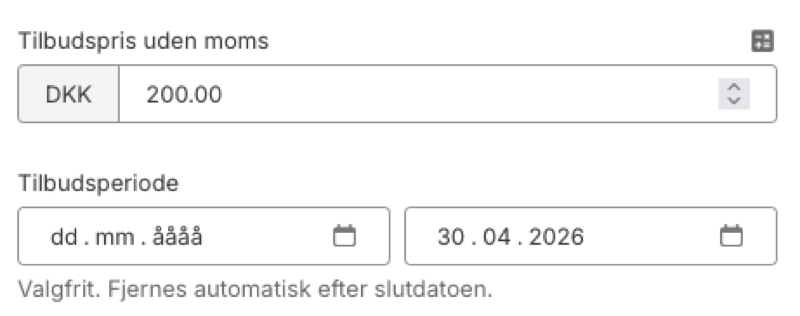
Set start and end dates for your offers in Shoporama. The system automatically activates and stops the sale price, also in your Google Shopping feed.