Protect your webshop from spam orders
Guide to protecting your Shoporama webshop from spam orders and fraud using blacklist, captcha and 3D Secure.
Spam orders and fake orders can be time-consuming to handle. Shoporama offers several tools to help you limit unwanted orders.
Blacklist
With the blacklist feature, you can block orders from specific email addresses, phone numbers, or IP addresses. Blocked customers are quietly redirected back to their cart without an error message.
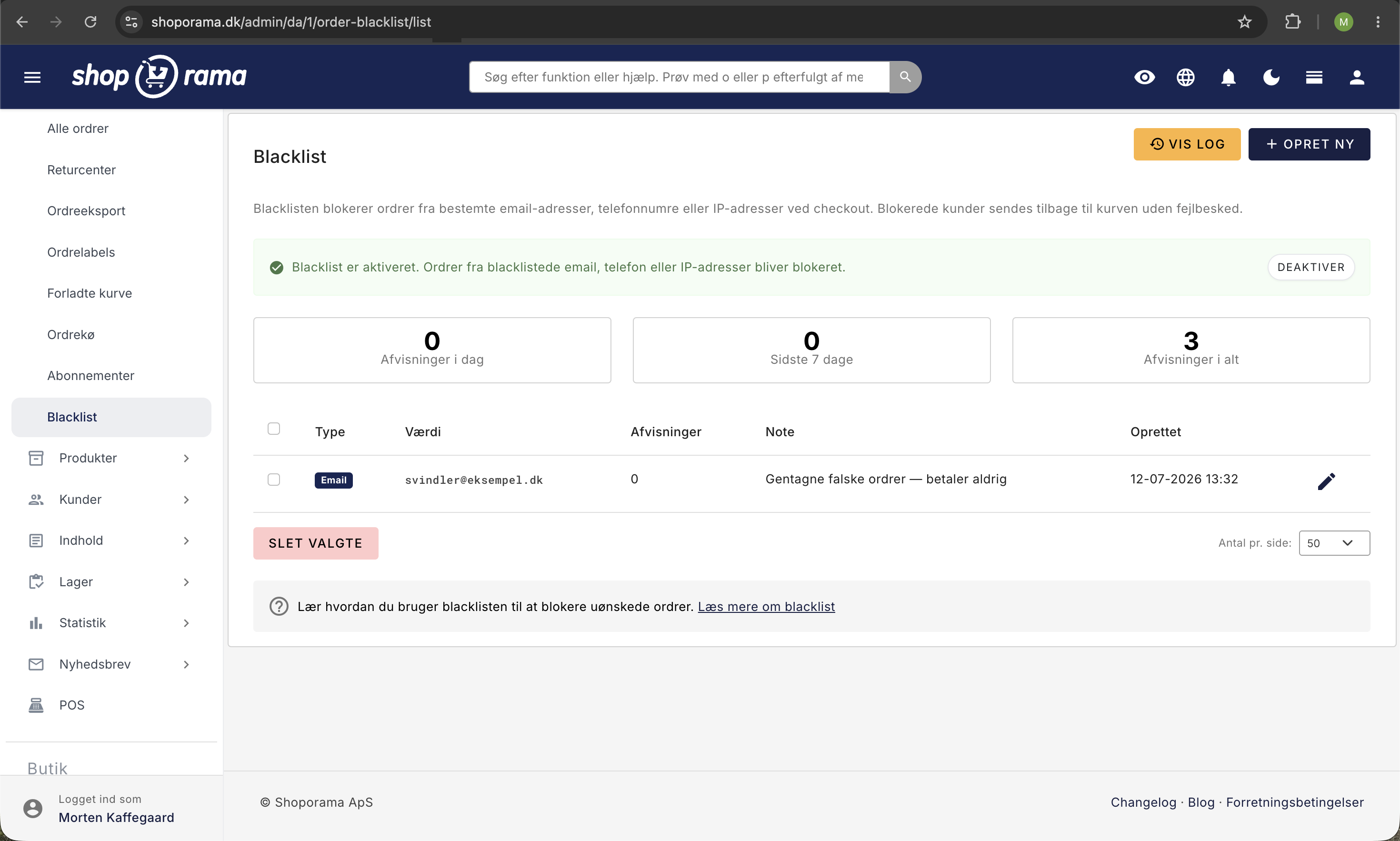
Read the full guide in the article “Blacklist – Block Unwanted Orders.”
Captcha
You can enable CAPTCHA protection on checkout and contact forms to prevent bots from placing automated orders. Read more in the article “Custom CAPTCHA Design.”
3D Secure
3D Secure (Verified by Visa / Mastercard SecureCode) is an extra security check that requires the customer to verify their identity with their bank. It significantly reduces fraud. Read more in the article “3D Secure on QuickPay.”
General Tips
- Keep an eye out for orders from unusual email addresses or involving large amounts
- Never process a payment until you’ve verified that the order is legitimate
- If you notice a pattern in spam orders (e.g., the same email domain), use a blacklist
- Consider enabling “only once per customer” for gift cards to prevent abuse
Related articles
Billy's Billing integration
Guide to setting up Billy's Billing in Shoporama. Automatically transfer orders to your accounts, synchronize products and post payments.
Blacklist - Block unwanted orders
Learn how to use Shoporama's blacklist feature to block spam orders and unwanted customers by blacklisting email, phone number or IP address.
Collect payments on orders (capture)
Guide to capture payments on orders in Shoporama. Understand the difference between authorization and capture and learn how to capture manually or...
Related features
Chargeback fee
A chargeback fee hits your online shop when a customer disputes a payment. Learn what it costs, common causes and how to prevent chargebacks...
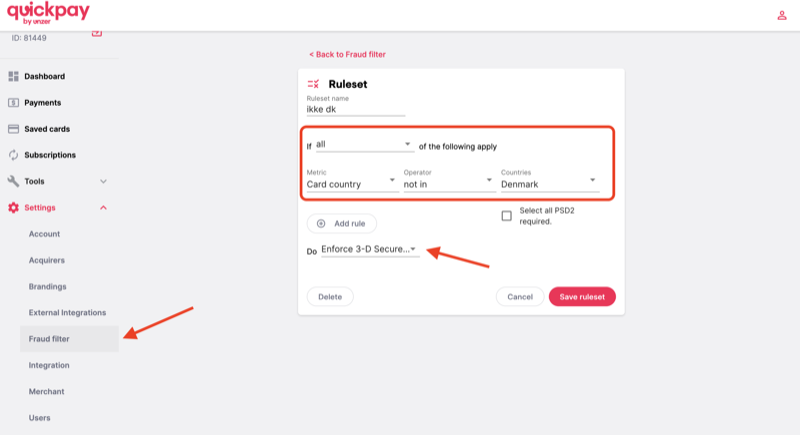
Protect your webshop against card fraud with QuickPay's Fraud Filter
Learn how to use QuickPay's free Fraud Filter to stop fraudsters. Block foreign cards, claim 3-D Secure and protect your business.
Blacklist / Fraud prevention
Protect your online store from fraud and spam with Shoporama's blacklist feature. Block unwanted orders based on email, IP address and phone number.