What themes are there on Shoporama?
Complete overview of all free themes on Shoporama: Delaware, DelawareDK, California, Alaska 2, Washington, Montana, and the classic Smarty 2 themes Alaska and Massachusetts.
Shoporama comes with a variety of pre-designed themes that you can choose from. Each theme has its own design, layout, and functionality. You can customize colors, images, and text in the theme settings, and fonts/typography can be changed using Custom CSS, where you can embed Google Fonts or @font-face declarations. All default themes are free to use on all subscription plans.
Two generations: Shoporama offers themes based on two generations of the Smarty template engine. The latest themes run on Smarty 4 and are built with Tailwind CSS. The classic themes run on Smarty 2 and still work fine, but are no longer actively developed. Choose a Smarty 4 theme if you’re starting a new store.
Smarty 4 themes (recommended)
The Smarty 4 themes are modern, mobile-friendly, and built with Tailwind CSS. These are the themes we’re actively developing and recommend for both new and existing stores.
| Theme | Description |
|---|---|
| Delaware | Our newest and most recommended theme. Modern, responsive design built on Tailwind CSS with standard English text. Suitable for stores of all sizes, and the theme we’re focusing most on developing. |
| DelawareDK | The Danish version of Delaware. Same design and functionality, but with Danish default texts. Choose this if your store primarily sells to Danish customers. |
| California | A classic, versatile theme with a clean and bright design. Flexible and easy to customize, it works well for many industries. |
| Alaska 2 | Responsive theme focused on clear product display and simple navigation. A solid foundation for stores with many variants or a large product range. |
| Washington | Minimalist theme with a calm aesthetic and plenty of white space. Well-suited for stores that prioritize clean typography and large product images. Washington is a headless theme where the entire store runs as a single app in the browser. Learn more about Washington. |
| Montana | A stylish theme that works well for fashion, lifestyle, and stores where images drive the look. Calm backgrounds and a focus on content. |
Classic Smarty 2 Themes
The Smarty 2 themes are the original Shoporama themes. They still work and can be selected, but they are no longer actively developed with new components. If you’re already running a store on one of them, you don’t need to switch, but new stores should start with a Smarty 4 theme.
| Theme | Description |
|---|---|
| Alaska | The original Alaska theme. Classic online store setup with category, product, and cart pages. Available in a newer version as Alaska 2 on Smarty 4. |
| Massachusetts | Classic Smarty 2 theme with a focus on product overview and clear navigation. Still available for stores that have built upon it. |
| Massachusetts v2 | Updated version of Massachusetts with adjustments to the layout and design. Still based on Smarty 2. |
Tip: You can always try a new theme without losing your current one. Activate the new theme and switch back if you change your mind. Your products, categories, orders, and settings won’t change when you switch themes.
How to switch themes
- Go to Design in the left-hand menu of your admin panel.
- Select Theme.
- Browse the available themes and view a preview.
- Click Activate on the theme you want to use.
Customize your theme
All themes can be customized to varying degrees. You can:
- Edit templates directly in the built-in theme editor.
- Change colors and the logo via the theme settings without touching the code.
- Use Theme Builder for visual changes (Smarty 4 themes).
- Override the theme’s CSS with Custom CSS —including for Google Fonts and @font-face.
- Access the theme’s variables if you want to dive into the code yourself.
Read more
- The Delaware Theme: Configuration and Customization
- Implement Theme Builder in your theme
- Variables in a Shoporama theme
- Get a copy of your store
Frequently Asked Questions
Which theme should I choose if I’m a complete beginner?
We recommend Delaware (English) or DelawareDK (Danish). It’s our newest theme, built on Tailwind CSS, and it’s the one we’re continuously developing. It gives you the best foundation for the long term and works great on both mobile and desktop.
What’s the difference between Smarty 2 and Smarty 4?
Smarty is the template engine that powers the themes. Smarty 4 is the latest version and uses a more modern syntax. Our new themes (Delaware, DelawareDK, California, Alaska 2, Washington, Montana) run on Smarty 4. The older themes (Alaska, Massachusetts, Massachusetts v2) are built on Smarty 2 and are no longer being actively developed.
Will I lose my products if I switch themes?
No. Products, categories, customers, orders, and settings are stored in your store’s database and are separate from the theme. Changing themes is purely a cosmetic update. However, any changes you’ve made yourself to the theme’s templates will not carry over to another theme.
Do the themes work on mobile?
Yes. All Smarty 4 themes are fully responsive and built with a mobile-first approach using Tailwind CSS. This means they automatically adapt to mobile, tablet, and desktop devices. Most customers visit online stores from their mobile devices these days, so this is a top priority.
Do the themes cost extra?
No, all our standard themes are free to use with all subscription types. If you want a completely unique design, you can customize the theme yourself or have a designer/developer create a custom theme for your store.
Can I change the appearance without writing code?
Yes. The logo, colors, images, and text can be changed directly in the theme settings. With Theme Builder, you can also visually build the homepage using blocks, so you don’t have to edit HTML. Fonts and typography usually require a line of Custom CSS.
Can I have multiple online stores with different themes?
Yes. Each online store in your account can have its own theme and customizations, so you can, for example, run one store on the Delaware theme and another on the Washington theme at the same time.
What happens to my customizations when Shoporama updates the theme?
Default themes are updated centrally by Shoporama. If you’ve made changes directly to the theme’s files yourself, they typically won’t be overwritten automatically. We always recommend taking a backup or using a copy of your store before updating or changing the theme.
Can I test a new theme without my customers seeing it?
Yes. The safest way is to create a copy of your store and test the new theme there. Then you can transfer it to your live store once you’re satisfied.
If you need help choosing or customizing a theme, please email support@shoporama.dk.
Related articles
The Delaware Theme: Configuration and Customization
A complete guide to Delaware and DelawareDK on your Shoporama online store: theme settings, footer, mega menu, colors, payment icons, Trustpilot,...
Implement Theme Builder in your theme
Guide to implementing Shoporama's Theme Builder in your theme so the merchant can build pages visually.
Own stylesheet (Custom CSS)
Add custom CSS to your Shoporama online store and admin backend. Customize colors, fonts, layout and hide elements without changing theme files.
Variables in a Shoporama theme
Overview of global and page-specific Smarty variables available in Shoporama themes.
Get a copy of your shop
Information about options for getting a copy of your Shoporama online shop to another country, for example.
Related features
Responsive website
A responsive website automatically adapts to mobile, tablet and desktop. Learn why it's crucial for SEO, conversion and user experience in your...
Theme
A theme determines the look and feel of your online store. Read about themes, design, customization and responsive templates for webshops.
Choose a theme and understand theme settings and the page builder
Select and change themes in Shoporama, and learn the difference between Webstore settings, theme settings, text, and the page designer before you...
Best E-commerce Platform for 2026: A Comparison of 9 Platforms
Shopify, WooCommerce, DanDomain, Shoporama, and 5 others compared based on price, fees, MobilePay, Dankort, accounting, and Danish support....
Create your own online store—without a developer and without coding
Create your own online store without a developer. Choose a Danish theme, build your pages with drag-and-drop, and get help from AI. Try it free for...
Webshop design inspiration
Explore Shoporama themes and page designs. Learn the design principles that convert visitors into customers. Try for free for 30 days.
Full design freedom - your design, your rules
Design your online store freely with full access to HTML, CSS and templates. Use templates, Page Builder or build from scratch.
Webshop solution
Complete webshop solution with hosting, payments, Danish support and GDPR from day 1. Try for free for 30 days. Fixed price, no commitment.
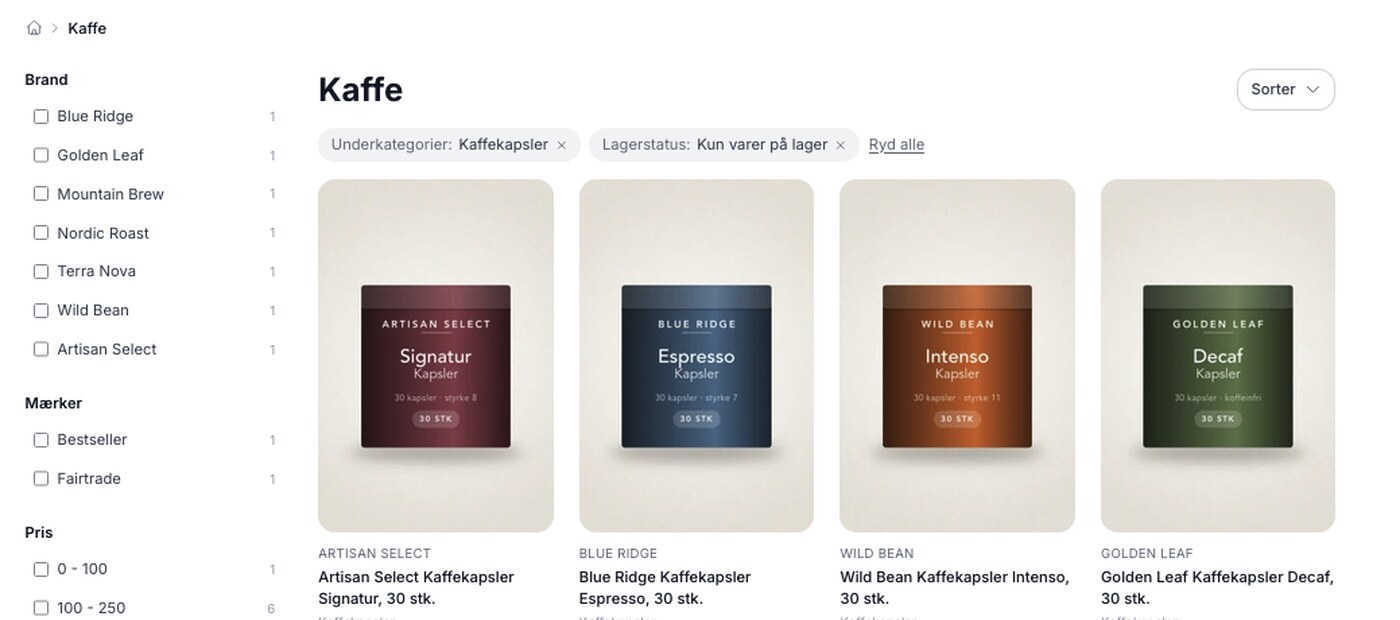
Product filtering is here, and you build the filter yourself
Product filtering is currently available in the Montana and MontanaB2B themes and can be added to your own theme. You can set up the filter...
Product filtering: Customers can find the item without having to scroll
Narrow down a large selection to the relevant items using filters for brand, price, inventory, profile attributes, and categories. Requires Montana...