Send part of the order now and the rest later
Two of the three items are on the shelf. The last one is on backorder, and the customer has been waiting for four days. Now you can ship what you have, and the rest will be shipped when it arrives, without the order being split into two orders or two invoices.
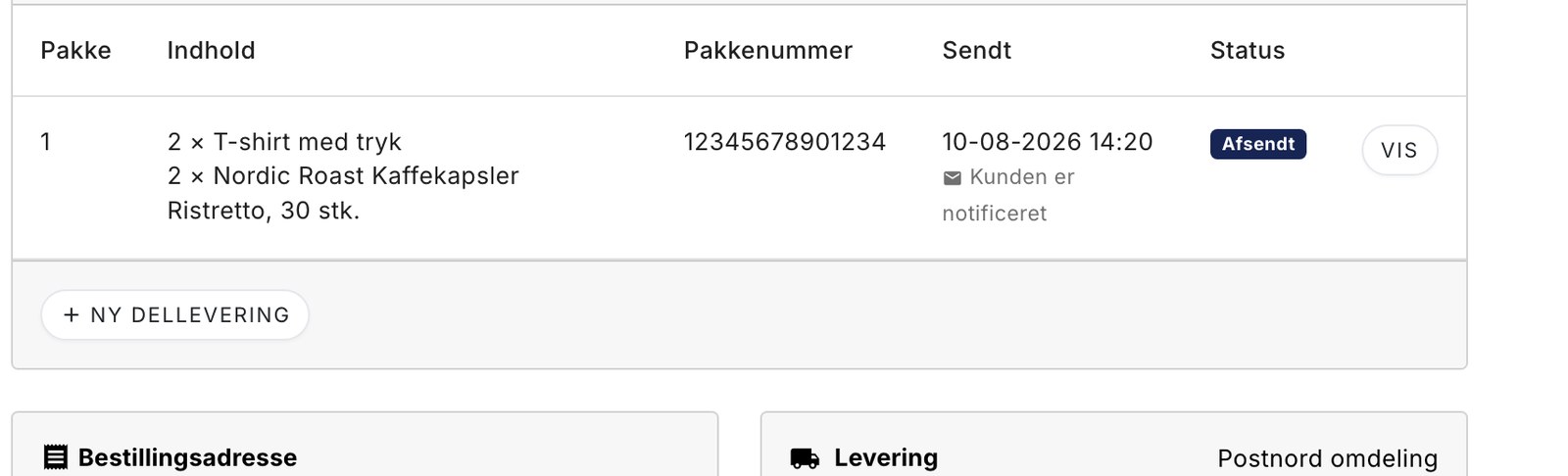
Two of the three items are on the shelf. The last one is on backorder from the supplier, and the customer has been waiting for four days. What do you do?
Until now, there were two options, and neither of them was ideal. You could hold the entire order until the last item arrived and have the customer wait for it. Or you could ship what you had, mark the order as “Shipped,” and remember yourself that something was still missing. The latter works fine—until the day things get busy.
Now there’s a third option. You can ship part of the order and leave the rest, and Shoporama keeps track of what’s missing.
Here’s how it works
This typically happens at the packing table, because that’s where you realize something is missing. That’s why the button is located in the picking list, next to the three you’re already familiar with.
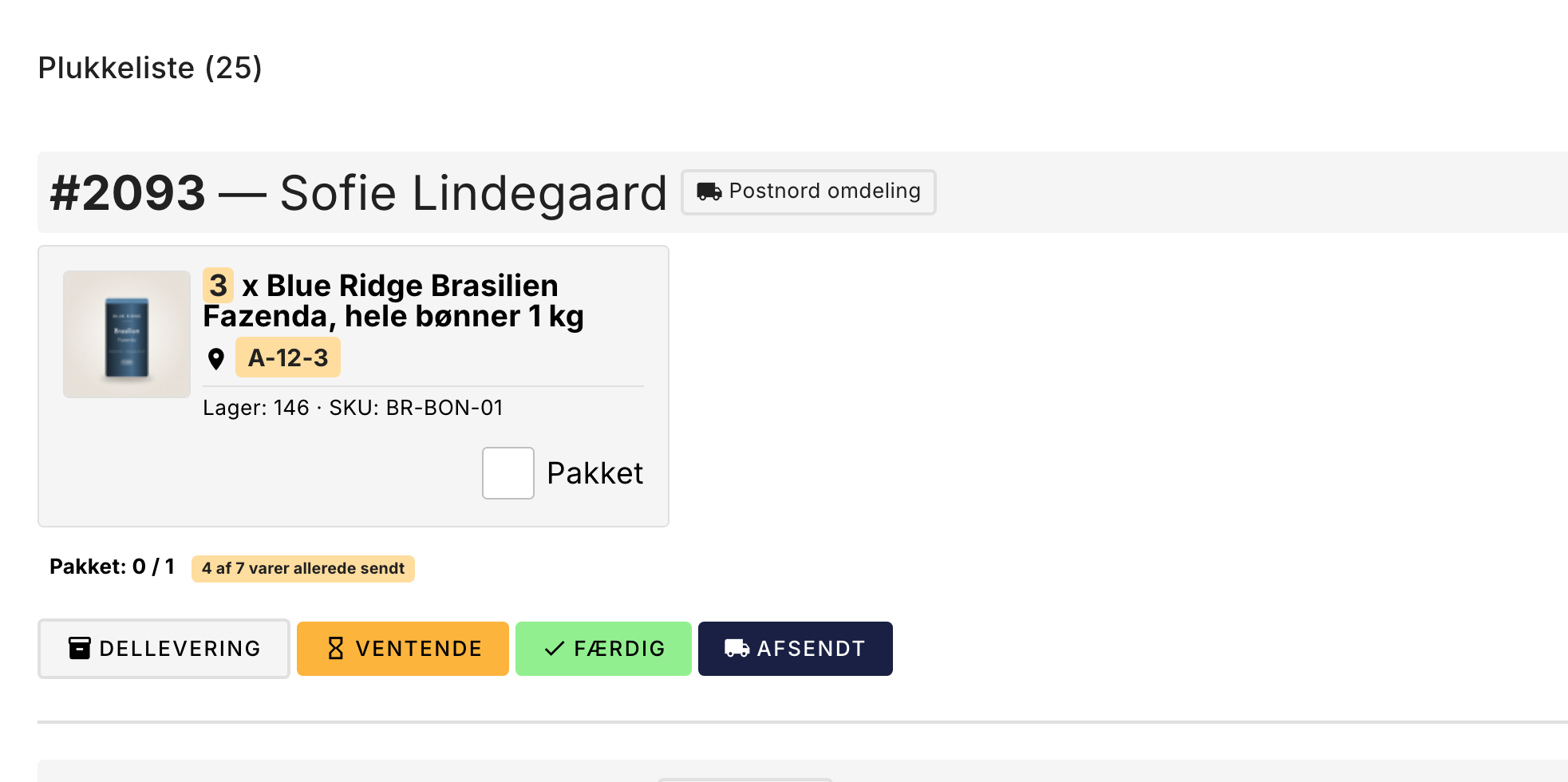
You select what to include in the package, click “Send,” and it’s on its way. The customer receives an email stating that part of the order is on its way. The rest remains on the order.
What’s interesting is what doesn’t happen. The order doesn’t change to “Shipped.” No invoice is generated. No money is charged, and nothing is transferred to your accounting software. All of that waits until the last item has been shipped.
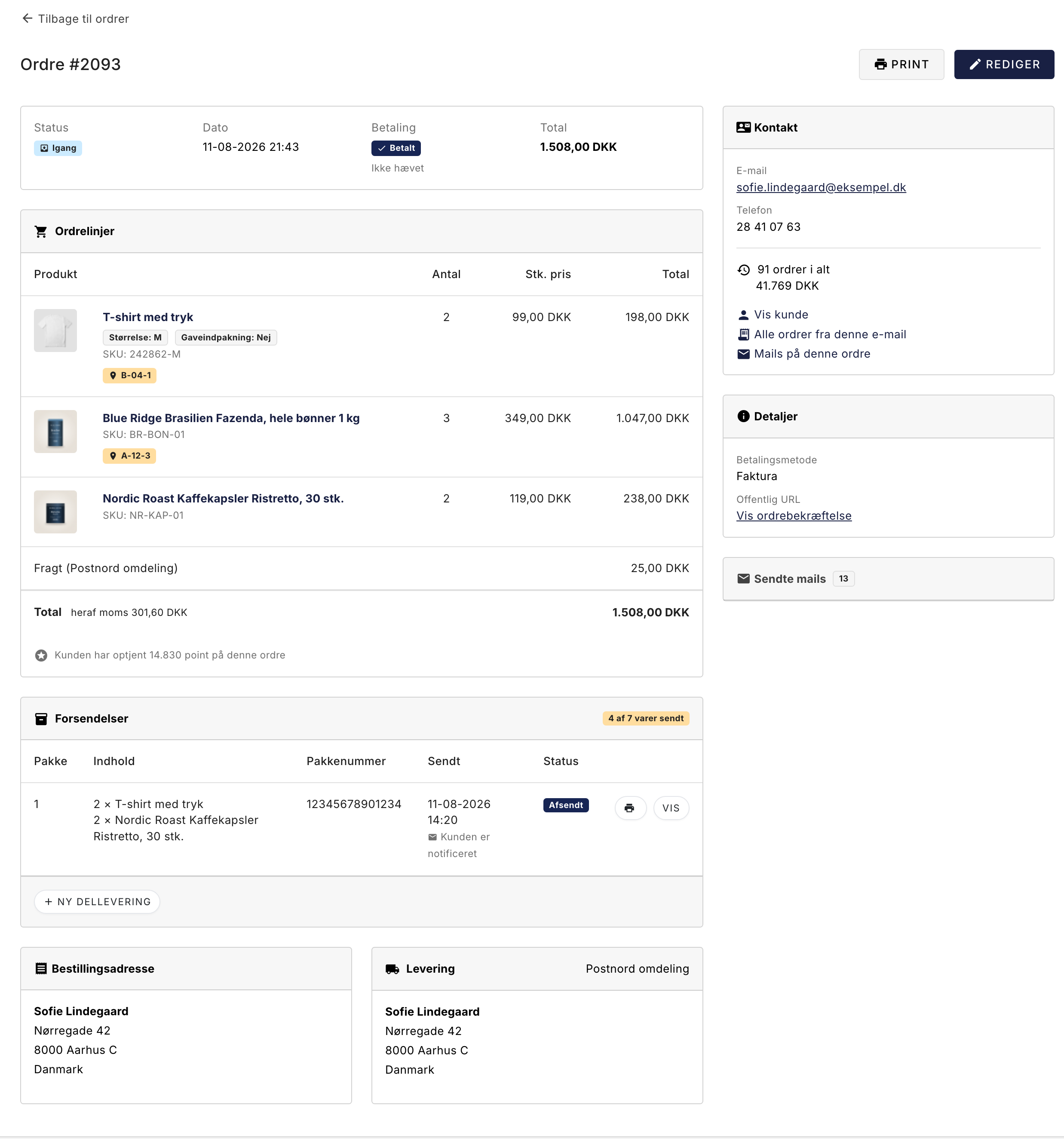
When the remaining items arrive, the order reappears in the picking list on its own, now showing only the items that are still missing. You ship the rest, the order changes to “Shipped,” the invoice is generated, and everything that usually happens, happens. Exactly once.
Why We Built It This Way
We could have created a solution where the order was split into two. That would have been easier to build. But then the customer would have two order numbers for what they ordered just once, you’d have two invoices to explain to your accountant, and the shipping costs would have to be split between them somehow.
So we stuck with a single order. One price, one invoice, one payment term, one shipping address. The packages are listed on top as a record of what actually left the warehouse, and that’s also how the major platforms do it.
This also means that the feature doesn’t need to be enabled. There’s no setting. If you use it on five orders, the remaining ten thousand will run exactly as before, through the exact same code. For an order where you don’t create a partial shipment, no one will notice a difference.
The customer is kept informed
The customer receives an email for each package. The first email states that it’s part of the order and that the rest will follow. The last email states that it’s the final part. Each email shows only the items in that specific package and its tracking number, so they can track exactly which box is on its way.
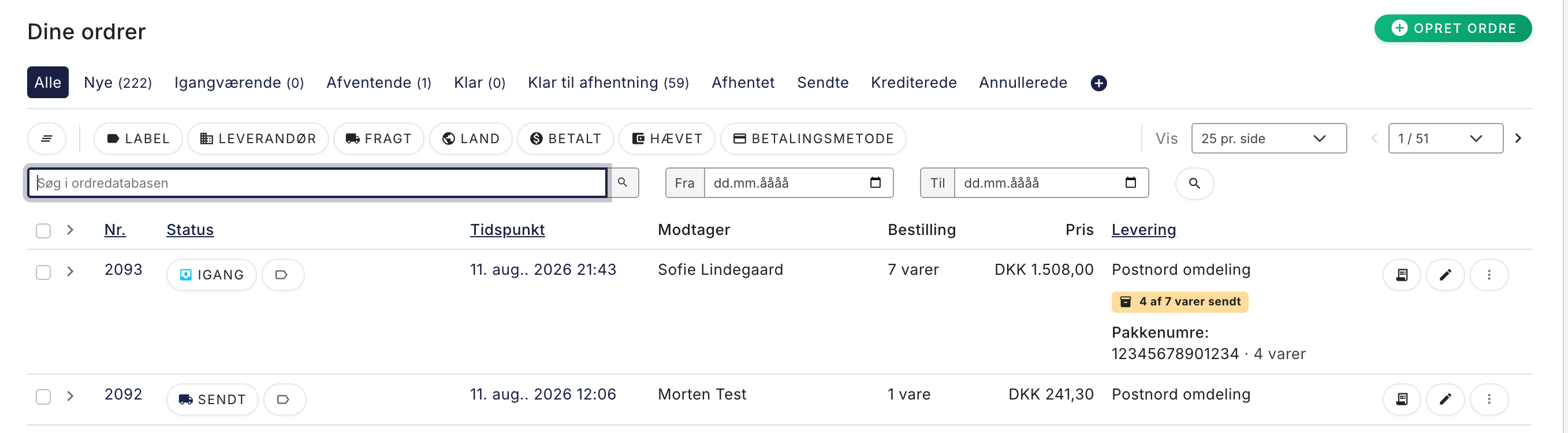
That’s half the reason this feature exists. The other half is that you can see it yourself: the order list shows “4 of 7 items shipped,” and you can filter by partially shipped orders so you can always see which orders are still pending.
The practical side
- If you’ve set up GLS or PostNord, you can print the shipping label directly on the package. It’s generated based on the package’s weight and contents, not the entire order’s, so you don’t pay for items that aren’t in the box.
- DAO and Burd do not support this yet. You can still make partial shipments; you just need to enter the package number yourself.
- Inventory is deducted at the time of purchase, as always. A partial shipment does not affect inventory.
- You can edit or delete a package until it has been shipped. After that, you can cancel it, and the items will count as unshipped again.
- Each package has its own packing slip that shows only what’s in the box and is labeled “Package 1 · the rest will be shipped later.”
- Partial shipments are also available in our API, along with webhooks when a package is created or shipped.
We don’t expect everyone to need this feature. But on the day the carrier fails to deliver and the customer has waited long enough, it’s nice to be able to ship half of the order without losing track of the other half.
There’s a detailed guide in our support section, where we also answer questions about invoicing, month-end processing, and what to do if the remaining goods never arrive.
Related articles
Split Delivery: Ship part of the order now and the rest later
Can't you ship the entire order at once? With split shipping, you ship what you have in stock, and the rest will be shipped when it arrives. The...
Manage your orders in Shoporama
Guide to managing orders in Shoporama - from receiving to shipping and status updates.
Pick list
How to use the picking list in Shoporama: the queue, shelf location for each item, scanning with a barcode scanner, printing picking slips, and the...
More from the blog
Din webshop er hurtig. Er din kundeservice?
En webshop kan være teknisk hurtig og stadig føles langsom, hvis kunden venter på svar. Se hvordan Shoporama data, kundekanaler, AI og mennesker...
25. september 2026
SEO på produktsider: Sådan finder og retter du de svage produkter
Med den nye SEO-status i produktoversigten kan du se, hvilke produkter der mangler søgeord, alt-tekst, eller en god Google title. Filtrér, sortér,...
15. september 2026
The picking list has been redesigned: scan the items, print the picking slip
The picking list has been completely redesigned. You can now scan items with a standard barcode scanner, print both a picking slip per order and a...
08. september 2026