Sælg mere med Mersalg efter køb
Det bedste tidspunkt at sælge lidt mere er lige efter, kunden har sagt ja til det første køb. Med vores nye funktion Mersalg efter køb viser kvitteringssiden foreslåede produkter, som kunden kan tilføje med ét enkelt klik. Det er Shoporamas indbyggede alternativ til apps som ReConvert, helt uden ekstra app eller gebyr.
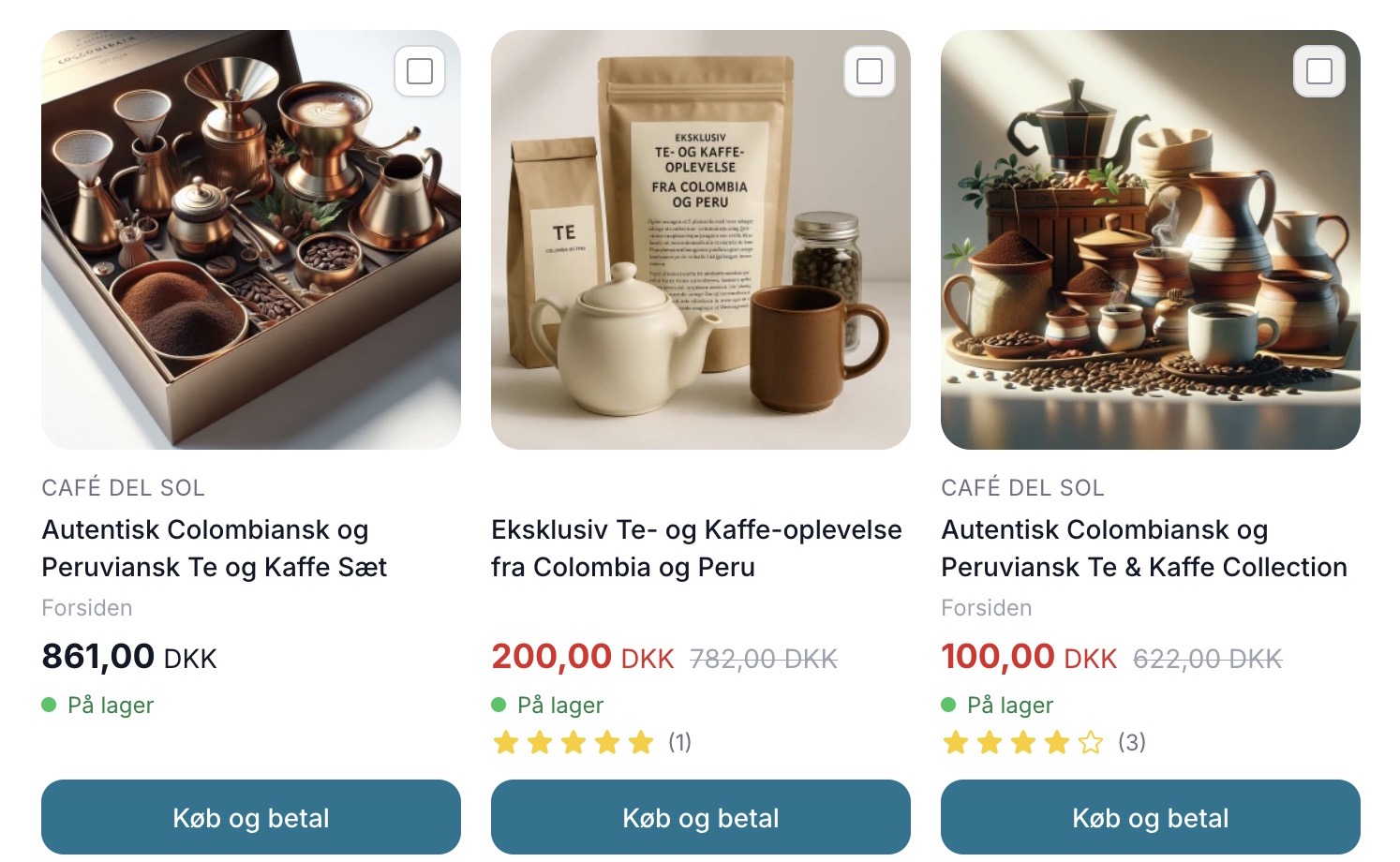
What is Post-Purchase Upselling?
Post-purchase upsells are a new, built-in feature in Shoporama that lets you sell a little more right after a customer has completed their purchase. When the customer lands on the receipt page, a selection of suggested products appears, which the customer can add with a single click.
The great thing is that the customer doesn’t have to start over. When a product is added, a new order is created with the exact same address, shipping, and payment method as the purchase just completed, and the customer is redirected directly to checkout. No re-entering of information, and no hassle.
Why does it work so well?
Timing is the whole secret. The customer has just shown a desire to buy and is already in the process, so the resistance to adding another item to the cart is low. At the same time, friction is minimal because the address and payment information are already known. The customer really just needs to confirm.
Equally important is that the feature doesn’t disrupt the original purchase. The offer only appears once the purchase is complete, so you never risk scaring the customer away in the middle of a transaction. It’s a gentle invitation to add a little more, not an obstacle on the way to checkout.
How to Get Started
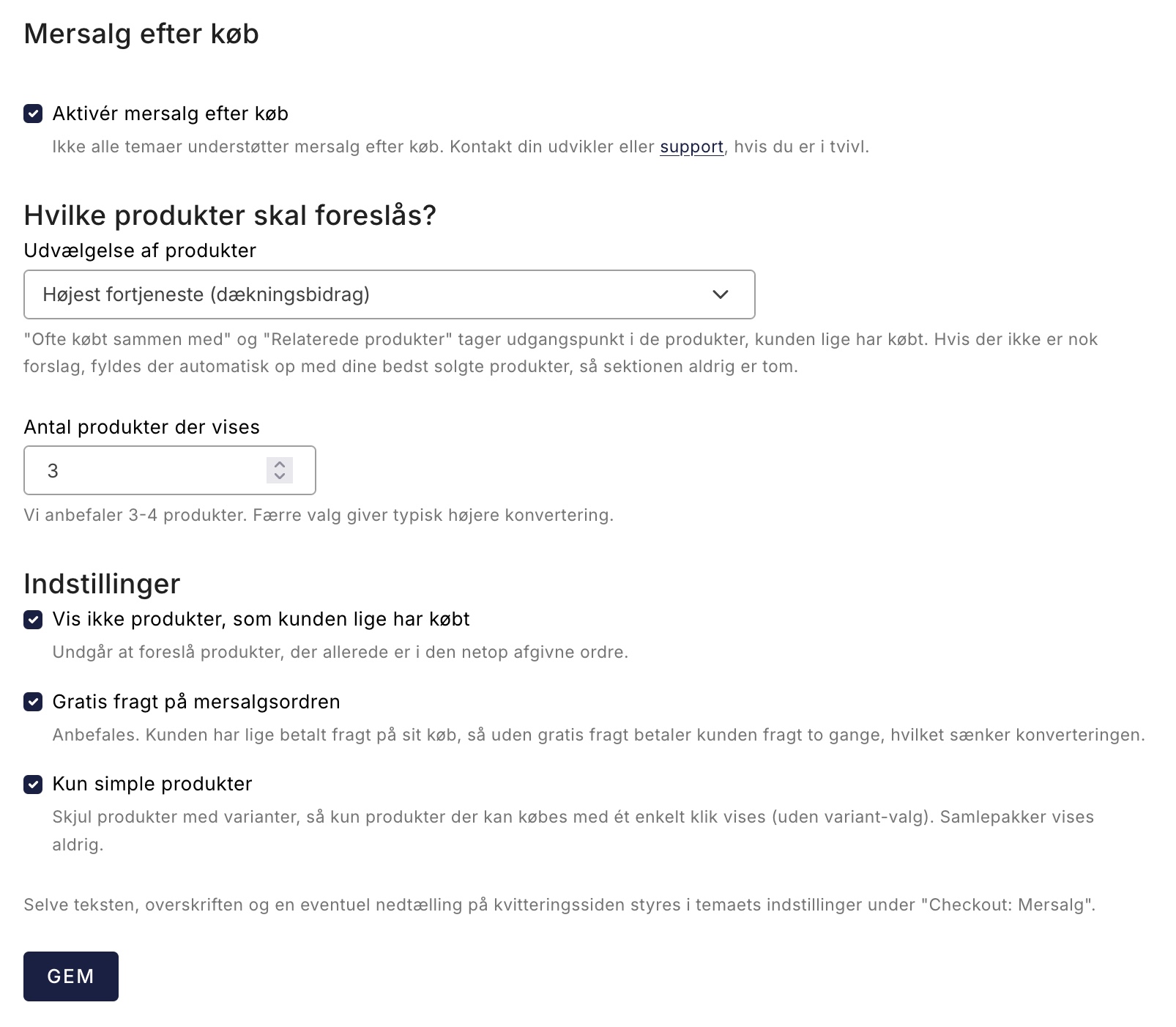
You set everything up in the admin panel. Here, you choose which products to suggest on the receipt page and how they’re selected. You also have a few handy settings to tweak.
- Don’t show products just purchased (enabled by default), so you don’t suggest anything the customer has just added to their cart.
- Free shipping on the upsell order (enabled by default), so the customer doesn’t end up paying for shipping twice.
- Show only simple products if you want to keep it really simple.
Once you’ve selected your settings, the feature is ready to work for you on the receipt page.
Choose the Right Products
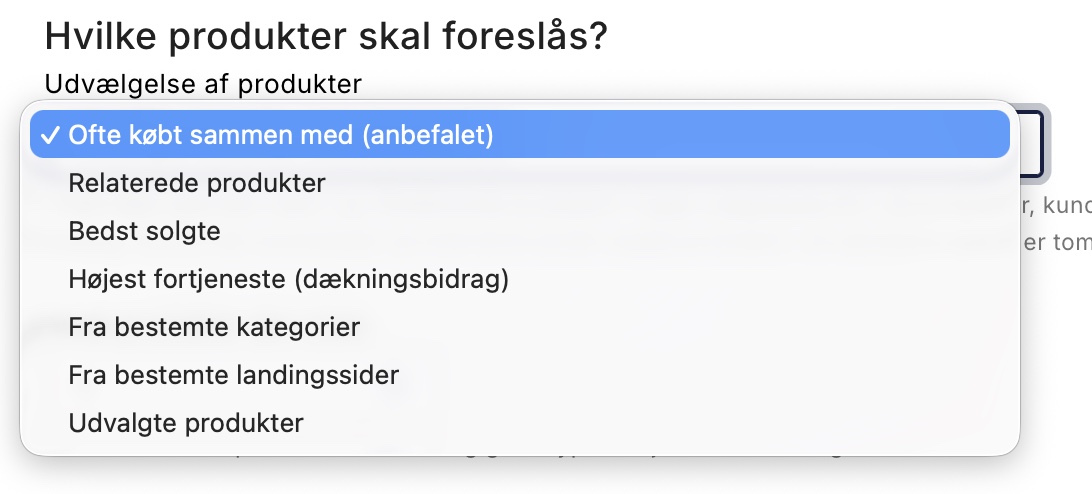
The products you suggest make a big difference. That’s why you can decide for yourself where the suggestions should come from. You can choose from several sources:
- Frequently bought together with
- Related products
- Best Sellers
- Highest contribution margin
- From specific categories or landing pages
- Manually selected products
If you choose manually selected products, Shoporama will automatically fill in the rest with your best-sellers if you’ve selected too few. That way, the receipt page will never be empty. If you want to maximize your profit on every additional sale, it makes sense to suggest products with a high contribution margin.
If you have variant products, the customer selects the variant directly from a small menu on the checkout page, making it easy to choose the right size or color. Bundles aren’t suggested, so the recommendations stay simple and easy to accept.
Create a little friendly time pressure
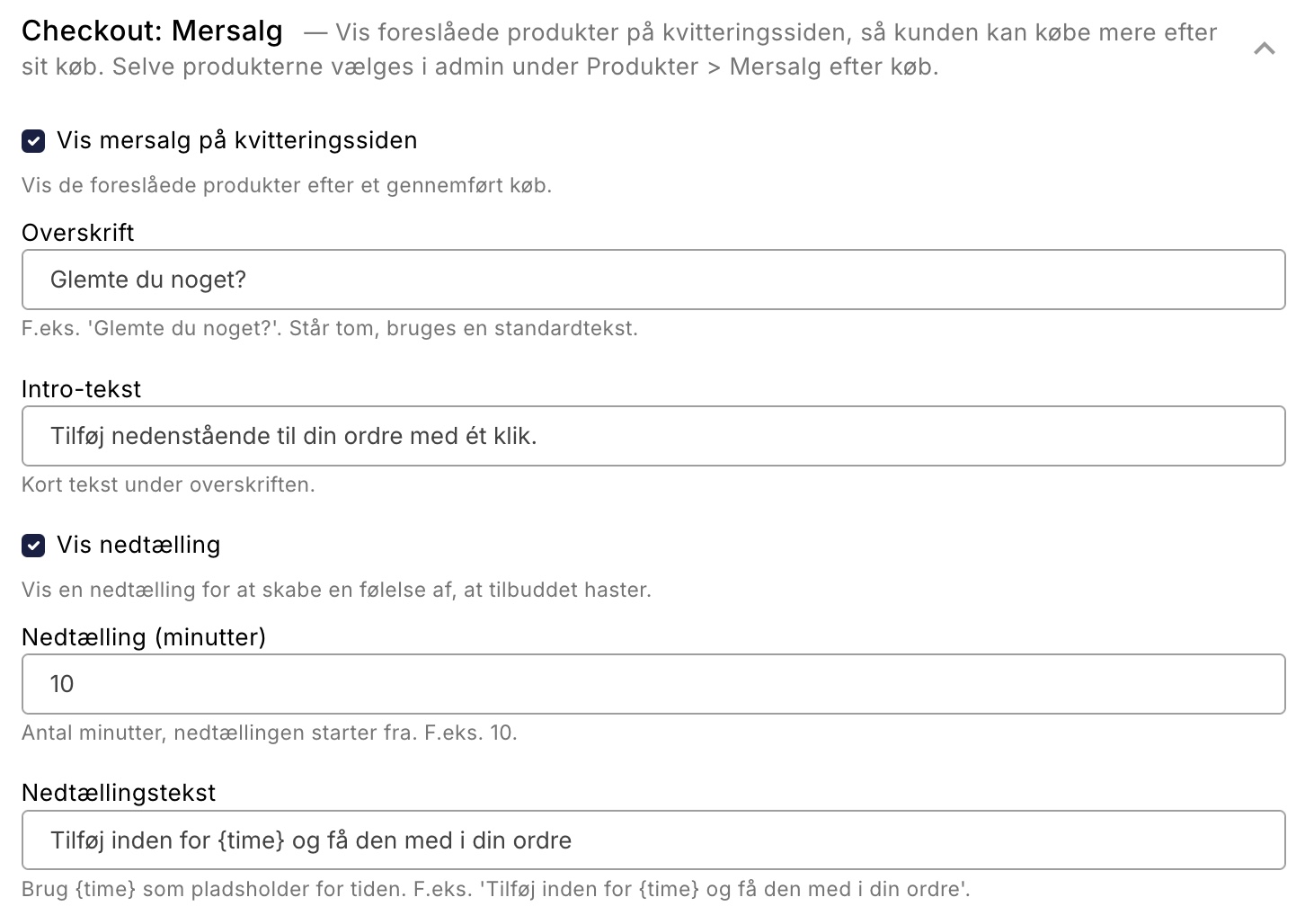
In the Montana, Delaware, and DelawareDK themes, you can add a small countdown with the text “Add within X min.” This provides a gentle nudge to shop now rather than later.
The countdown is tied to the time the order is placed, so it doesn’t reset just because the customer refreshes the page. It feels trustworthy and honest, and it keeps the pressure comfortable and fair.
Peace of mind for the customer
Peace of mind is essential for the customer to say yes. That’s why there are no surprises. The button is labeled “Buy and Pay,” and the customer always accepts the terms and conditions before anything is finalized.
There’s never a silent card charge. The customer confirms the payment themselves through the same payment gateway used for the original purchase, so everything happens on the customer’s terms with full control.
Try it
Post-purchase upselling is Shoporama’s built-in alternative to apps like ReConvert. You don’t need to install an extra app or pay a fee—the feature is part of your store.
It’s a simple way to get more out of every visit, right when the customer is most ready to make a purchase. Go to the admin panel, select your products, and try it out on your own checkout page.
Related articles
Upselling After Purchase: Sell More on the Receipt Page
Post-purchase upsells display suggested products on the receipt page, allowing customers to add more items with a single click. Here’s how to set...
Bought together - find products that sell better side by side
The 'Bought together' statistics page shows which products are most often ordered in the same order. Use the data to add related products and...
Reverse related products
Understand the difference between related and unrelated products and how to set them up.
Bundles (Bundles)
Learn how to create bundles in Shoporama so you can sell multiple products as one package with automatic inventory tracking.
Product profiles and variants
Guide to product profiles and variants in Shoporama. Understand how profiles, attributes and variants are related.
ABC analysis: Find out which products make you money
Learn how to use ABC analysis to prioritize your assortment, optimize your inventory and focus on the products that actually drive your business.
Free shipping over a certain amount
How to set up free shipping above a certain amount in Shoporama. The amount limit is set per country under Store, Shipping, Countries, and applies...
More from the blog
Recommendations are now built into Shoporama
"Others also viewed" and "Others also bought" are now part of Shoporama. No external service, no extra cost, and setup in the Page Designer takes...
31. juli 2026
Nyt: Se med det samme hvilke pakkeshop-pakker der snart udløber
En ikke-afhentet pakkeshop-pakke koster dig returfragt, ekstra håndtering og en ærgerlig kunde. Nu viser Shoporama direkte i ordrelisten om en...
06. juli 2026
Nu klarer din webshop panten helt af sig selv
Sælger du øl, sodavand, eller andre drikkevarer med pant? Efter reglerne skal panten opkræves, og varens pris skal samtidig vises uden pant. Det...
04. juli 2026